
Accounting
Understand revenue reporting for accounting purposes and reconcile payouts with sales.
When reviewing revenue for accounting, the key is knowing which report to use for your accounting method.
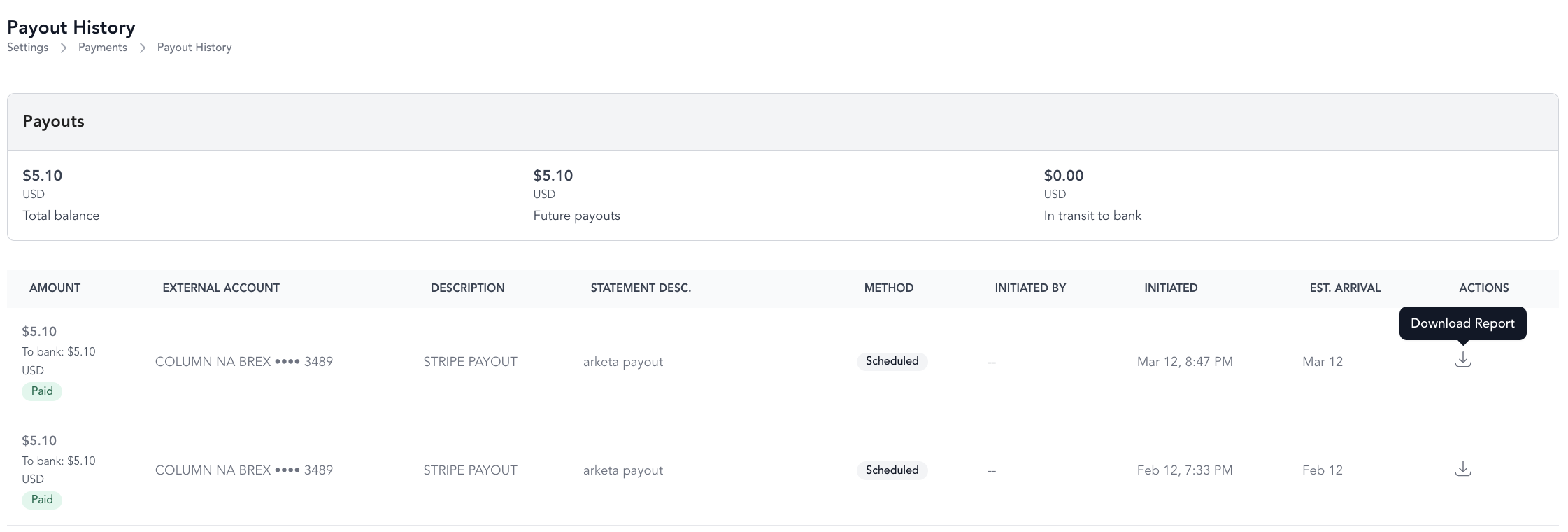
Key metrics
| Metric | What it means |
|---|---|
| Total Payments | Gross amount paid by clients — before fees. Higher than your actual revenue. |
| Net Amount | Revenue after fees, refunds, and disputes — your true earned revenue |
| Total Balance | What you've earned since your last payout (dynamic — increases with sales, decreases with refunds) |
Which report to use
| Accounting method | Use this report |
|---|---|
| Cash-based | Payout Report — shows when funds actually arrived in your account |
| Accrual-based | Sales Report — shows when the payment was originally made |
Where to find the Payout Report: Settings → Payments.
Why the same transaction affects multiple periods
Refunds and disputes can make reconciliation complex:
- A payment made in June, a refund issued in July, and a dispute fee in August all appear in different periods
- The Payout Report reflects your actual net received — the cleanest number for cash accounting
- The Sales Report records by original transaction date — more accurate for accrual
Reconciling payouts with Arketa revenue
Your Stripe payout is less than your Arketa gross revenue because:
- Stripe processing fees are deducted before payout
- Arketa platform fees are deducted
- Refunds reduce the payout balance
- Dispute fees and chargebacks reduce the balance
The Balance Summary shows all of these components for any period.
Arketa Bookkeeping service
If you'd rather not run and reconcile reports yourself, Arketa Bookkeeping is a done-for-you service where Arketa's team keeps your books for you. It's a hands-off, managed alternative to the self-serve reporting above. To get started, reach out to Arketa Support.
How it works: A short onboarding call — usually under 10 minutes — connects your business accounts, including your bank accounts, credit cards, and payroll. During that call, the team also links your cell phone number so you have a direct line to your bookkeeper. After setup, Arketa's team does the heavy lifting.