
Intro offer reports
Track intro offer purchases, active offers, expirations, and conversion to membership.
Intro offer reports help you understand how well your new-client offer converts to long-term memberships.
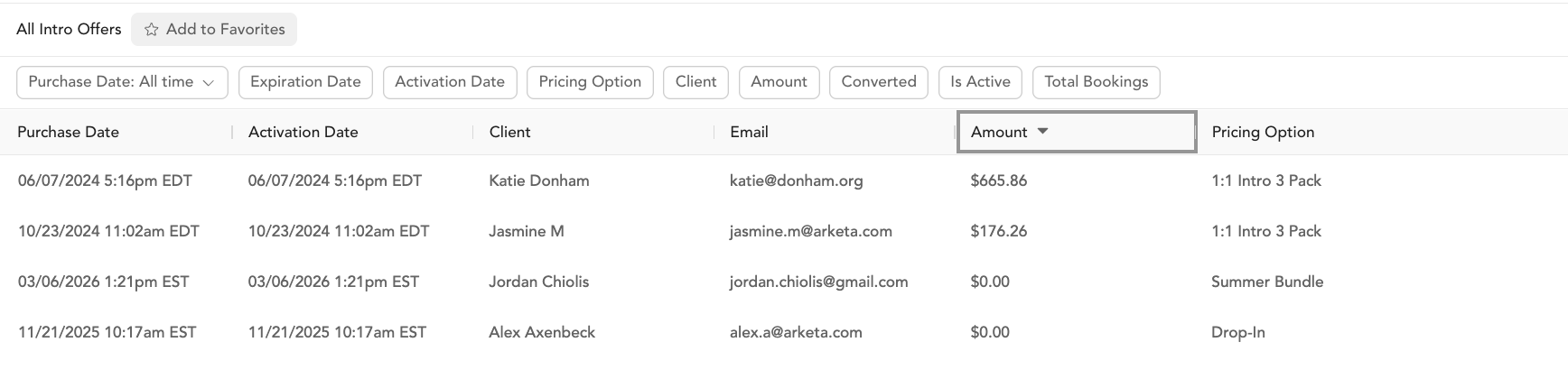
Intro Offer Sales
All intro offer purchases with conversion data.
Columns: Creation date, client, email, amount, expiration date, description, converted (yes/no), total bookings, is active, other purchases.
Key column — Converted: Whether the client purchased a membership or subscription after buying the intro offer. Use this to identify clients who bought the intro but haven't converted yet.
Active Intro Offers
Clients with a currently active intro offer (not yet expired or fully used).
Columns: Same as Intro Offer Sales plus expiration date.
Use case: This is your conversion opportunity list — active intro offer holders are warm leads. Export this list and use it as a broadcast audience for a membership upsell.
Expired Intro Offers
Clients whose intro offer has expired — whether they converted or not.
Columns: Creation date, client, email, amount, description, converted (yes/no), total bookings, is active, other purchases.
Use case: Filter for "converted: no" to see unconverted expired offers — these clients are gone but might respond to a win-back campaign.
Intro Offer Conversion
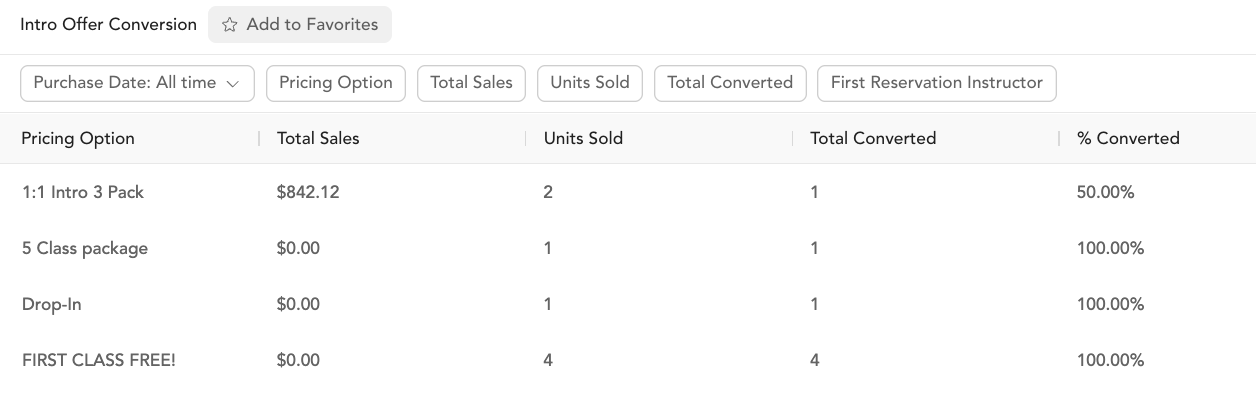
Aggregated view of conversion performance per intro offer.
Columns: Offering name, total sales, units sold, total converted, % converted.
Read the date filter carefully. The Purchase Date filter is the date the intro offer was bought, not the date the client converted. Every row groups a cohort of intro offer buyers from that window and shows how many of them have converted so far. A membership someone buys this month counts on the row for the month they bought their intro offer.
This matters most on short windows. With Purchase Date set to month-to-date, most of those buyers are still inside their intro offer, so total converted stays low and % converted looks worse than your studio is really doing. To judge conversion, set Purchase Date to a window that has had time to play out, such as a full month at least a month ago, and widen it from there.
To see which clients converted and what they bought, use the Intro Offer Sales report and its Converted and Other Purchases columns.
Use case: If your intro offer conversion rate is below 30-40%, look at:
- Whether the intro offer price is attracting the right clients
- Whether your follow-up sequence is strong enough (see pre-made automations)
- How many classes intro offer buyers attend before their offer expires