
Pre-made automations
Start with a pre-built automation template and customize it for your studio.
Instead of building from scratch, you can start with a pre-made automation template and edit it to match your studio's voice and offers.
To use a pre-made automation:
- Go to Marketing → Automations
- Click Create Automation
- Select from the pre-made options
- Edit the emails, delays, and actions as needed
- Toggle it Live
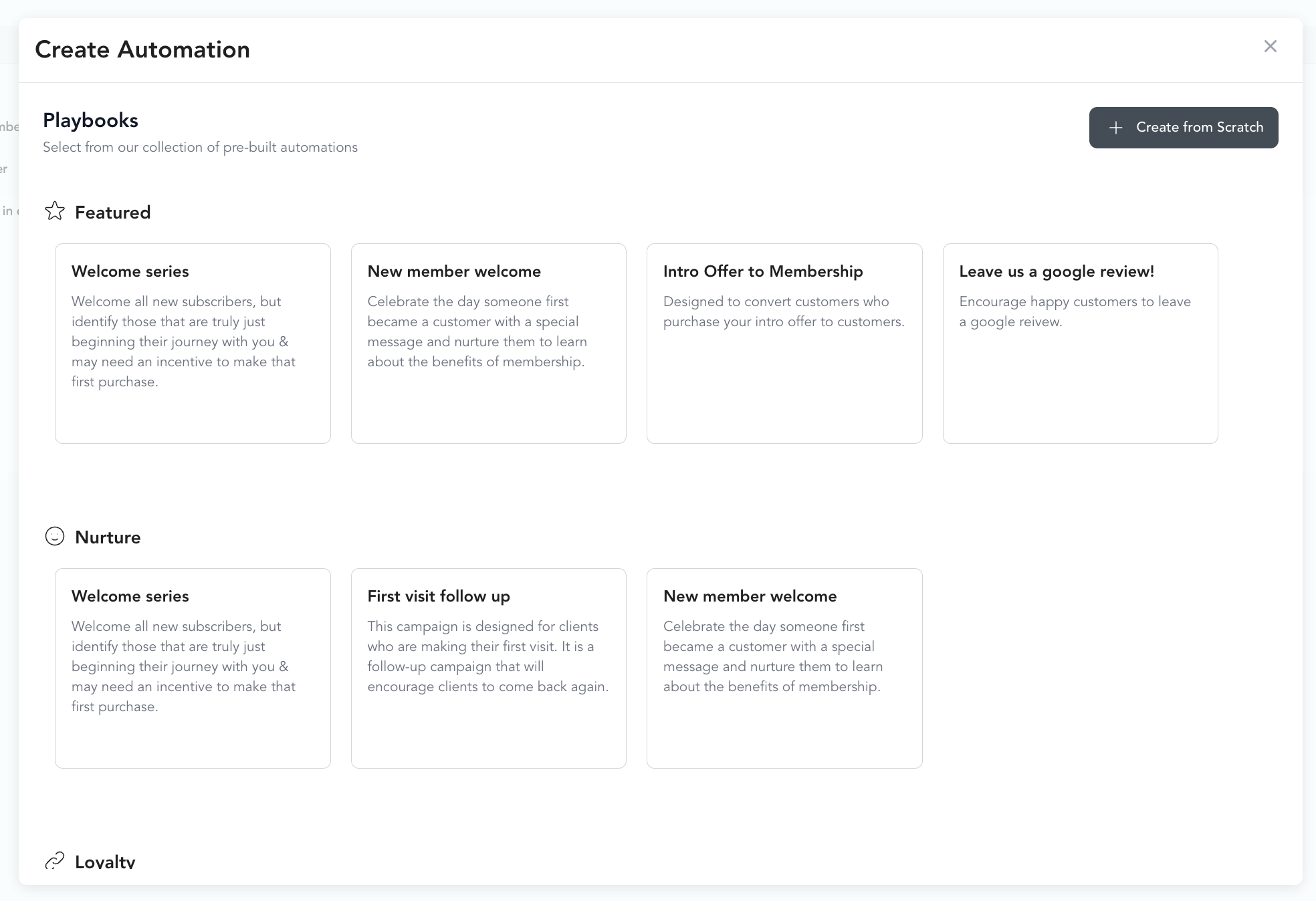
Featured automations
Welcome series
Trigger: New client added
A welcome email goes out immediately. 24 hours later, an SMS checks in and encourages the client to reach out with questions.
Best for: Any new client who joins your system — sets a warm first impression.
New member welcome
Trigger: Client purchases a pricing option
- Welcome to the community email
- 15-day delay → email about your referral program
- 15-day delay → SMS check-in
Best for: New memberships or packages. Turns a transaction into a relationship.
Intro offer to membership
Trigger: Client purchases a pricing option (filter to intro offer)
- Welcome email
- Task to prepare a welcome note
- 3-day delay → personal email from the founder/owner
- 5-day delay → upsell email for membership
- 4-day delay → reminder email
- 5-day delay → check-in / "any questions?" email
Best for: Converting intro offer clients into long-term members. This sequence does the work of a sales conversation over two weeks.
Leave us a Google review
Trigger: Milestone reached (set to 1 milestone — their first class)
An SMS goes out asking the client to leave a review.
Best for: Collecting reviews from fresh, happy clients right after their first experience.
Nurture automations
First visit follow-up
Trigger: Client purchases a pricing option
- Welcome email
- 5-day delay → personal email from founder/owner
- 4-day delay → SMS about other services
- 4-day delay → intro offer reminder
- 5-day delay → follow-up email
- 6-day delay → task to call and check in
New member welcome (extended)
Trigger: Client purchases a pricing option
- Welcome email
- 24-hour delay → welcome SMS
- 24-hour delay → intro offer email
- 7-day delay → intro offer reminder
- Task for team to reach out personally
Celebration automations
First class follow-up
Trigger: Checked into first class
- 24-hour delay → SMS thanking them and encouraging their next booking
- 2-day delay → email checking in on how their first class felt
- 2-day delay → SMS with any questions
10th visit milestone
Trigger: Milestone reached (10)
Email celebrating their consistency.
25 class milestone
Trigger: Milestone reached (25)
Email recognizing the achievement.
50 visit milestone
Trigger: Milestone reached (50)
Email celebrating hitting 50 visits.
100 class milestone
Trigger: Milestone reached (100)
- Task for staff to prepare a gift or recognition
- Congratulations email
Retention automations
Cancellation flow
Trigger: Subscription canceled
- 2-hour delay → "We're sorry to see you go" email
- 3-day delay → task to call the client
- 2-day delay → follow-up email asking for feedback
Best for: Understanding why clients leave and keeping the door open for a return.
Pre-made automations are templates — edit the copy, timing, and conditions before going live. Your studio's voice matters more than the template's placeholder text.