
Automation goals and results
Track how well your automations are performing and view task activity.
Setting a goal
When building an automation, you can set a goal to track whether clients take a desired action after entering the sequence. Goals are optional but useful for measuring whether your automation is actually working.
Common goals to track:
- Client purchases a pricing option (conversion from a welcome sequence)
- Client books a class (engagement after a win-back campaign)
- Client reaches a milestone
Once a goal is set, the automation results page shows how many enrolled clients completed it. If a client completes the goal, they will immediately exit the automation.
Viewing automation results
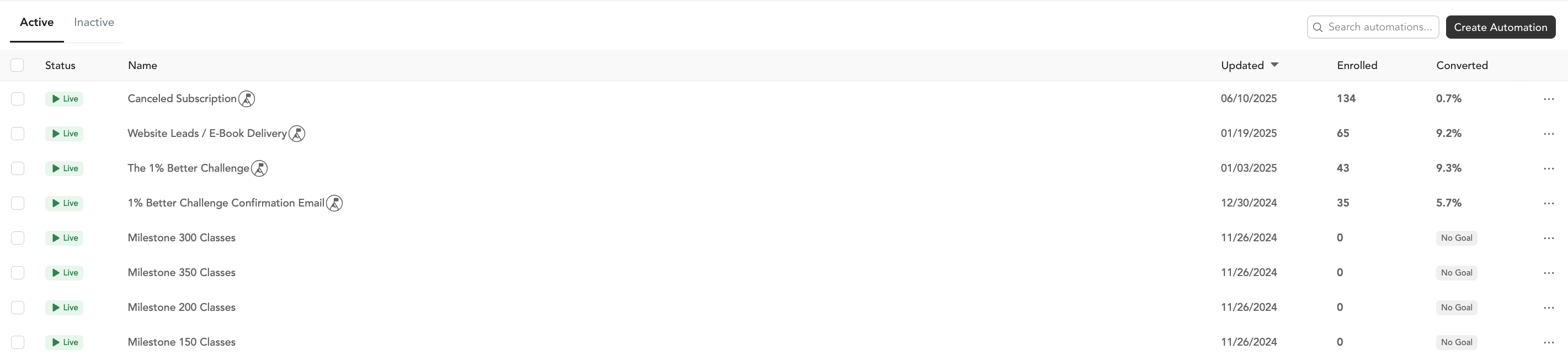
From Marketing → Automations, you can see performance metrics for each automation:
| Metric | What it means |
|---|---|
| Delivered | Email or SMS was successfully sent |
Delivered, opened, and clicked rates won't appear for steps that use a Time Delay or Task action — only for email and SMS steps.
Viewing and managing tasks
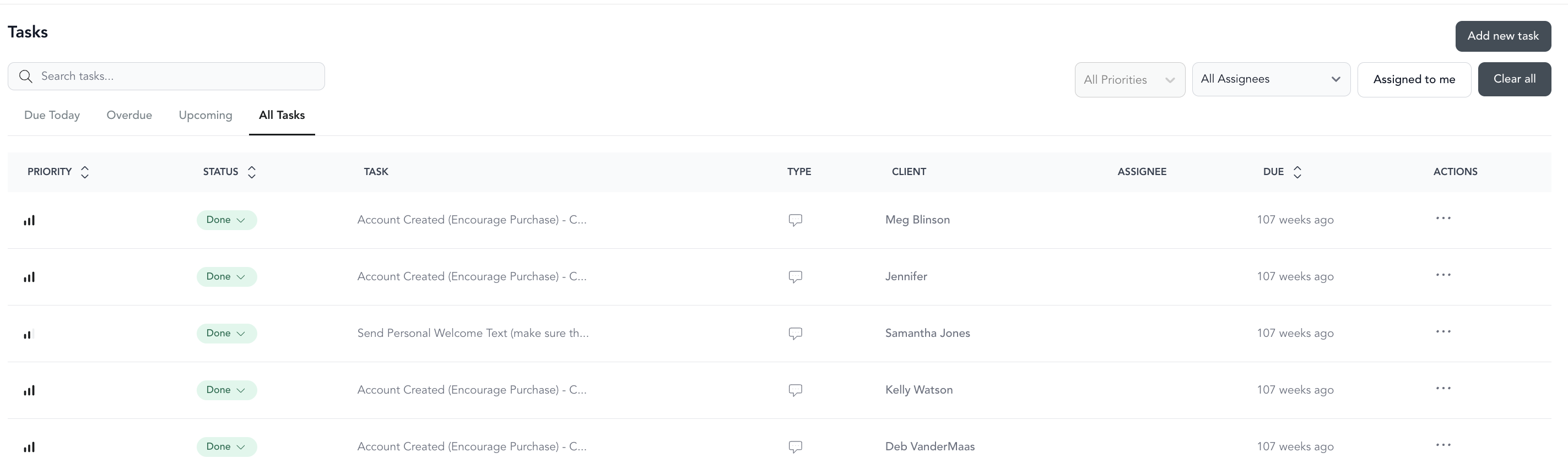
Tasks created by automations appear in Marketing → Tasks.
Each task starts with a status of Not Started. Update the status to In Progress or Done from the dropdown next to the task.
To take action on a task: Click the Text or Email button to generate a personalized message to the client. Phone and "Other" task types don't have a built-in action — you handle those outside of Arketa.
To filter by assignee: Use the Task Assignee filter to see only tasks assigned to a specific team member.