
Automation actions
Reference for the six action types you can add to an automation sequence.
Actions are the steps in your automation. Each action runs in order after the trigger fires. Mix action types to build sequences that combine communication, internal reminders, and client tagging.
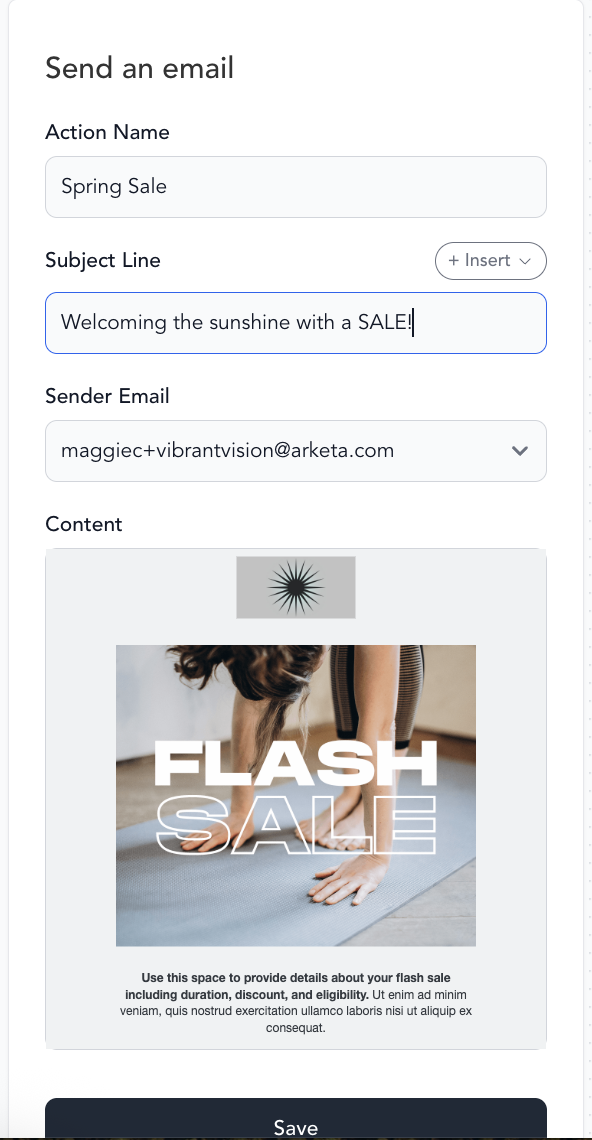
Send an automated email to the client. You write the email content inside the automation builder — subject line, body, and any personalization via Handlebars.
When to use: Welcome sequences, post-purchase onboarding, win-back campaigns, milestone celebrations.
Requirements: Your sender domain must be connected in Settings → Email Settings. If the sender field is blank, that's the issue.
SMS
Send a text message to the client's phone number on file.
When to use: High-urgency messages like same-day check-ins, milestone shoutouts, or a quick nudge when email alone isn't getting opens.
Character limits and credits: A standard SMS holds 160 characters per segment, but adding an emoji or a special character (like a curly apostrophe ' or an em-dash —) drops that to about 70 characters per segment. Longer messages split into multiple segments, and each segment counts as a separate SMS credit — so a single text can use 2–3 credits even when it looks short.
This is why the Automations figure under Settings → My Plan → Billing is measured in credits sent this billing cycle, not in messages or enrollments — and it won't match an automation's Enrolled count. The enrolled count includes clients who haven't been sent a text (no phone on file, not opted in to SMS, or still waiting earlier in the sequence), while one client who receives a multi-segment text uses several credits. To keep usage down, write automation texts short and avoid emojis and special characters.
SMS requires the Marketing Suite add-on and clients must have opted in to receive marketing texts. Automations respect opt-in status — clients who haven't opted in won't receive SMS actions.
Task
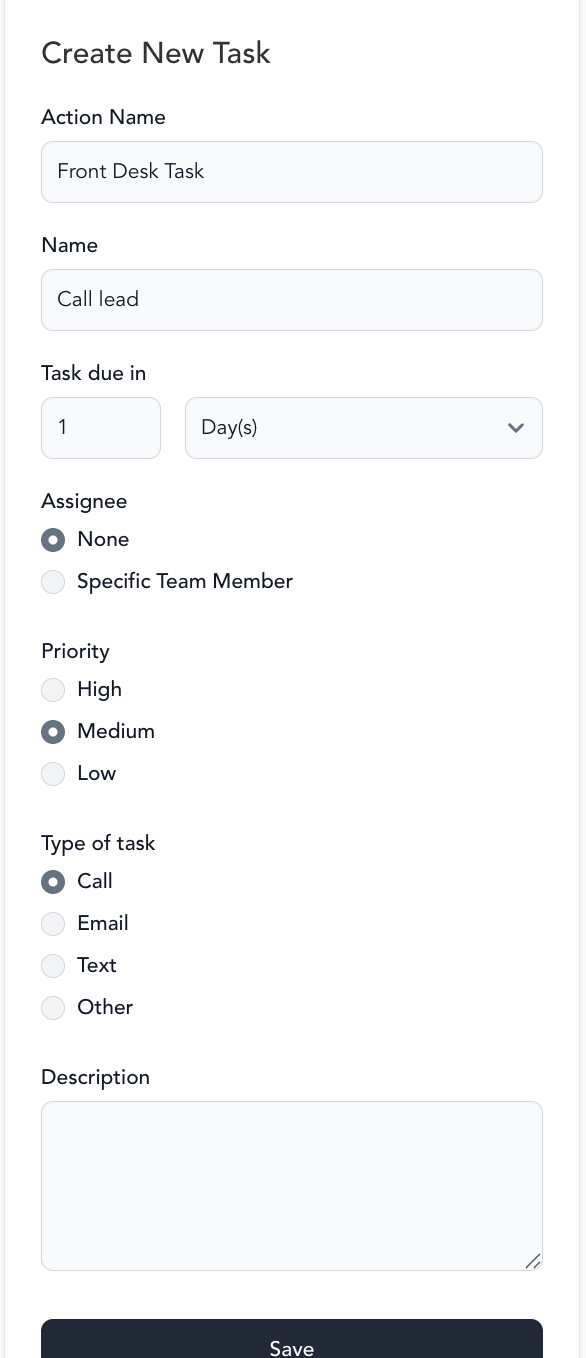
Create a to-do item for you or a team member. Tasks appear in your task list in the Arketa dashboard and are assigned to a specific staff member.
When to use: Situations where a personal touch matters — calling a new client after their first class, preparing a milestone gift, following up after an intro offer expires.
Tasks are how you blend automation with a human touch. The automation handles the timing; a person handles the action.
Tag
Add or remove a tag from the client's profile.
When to use:
- Add a tag when a client completes a stage (e.g., "Completed intro offer") to trigger another automation
- Remove a tag when a client converts (e.g., remove "Lead" after a purchase)
- Segment clients for future broadcasts based on automation behavior
Tag actions can chain automations together — one automation adds a tag that triggers another.
Time delay
Wait for a set amount of time before the next action runs.
When to use: Space out messages so clients aren't bombarded. A welcome email immediately followed by an upsell feels transactional — a 3-day delay feels intentional.
Tip: Most sequences need at least a 24-hour delay between messages. For nurture sequences, 3–7 days between emails is a good starting point.
Time delays pause the sequence — the automation doesn't stop, it just waits. If communication hour restrictions are on, the delay combines with the hour restriction: the message waits for both the delay AND the allowed sending window.
Conditionals
Conditionals let you build automations that only fire actions when a specific condition is true at the moment that step runs — not just when the trigger originally fired. This prevents clients from receiving irrelevant messages if their situation has already changed by the time the action executes.
When using conditionals, consider adding time delays before and/or after to allow time for the client to perform the desired behavior you're checking for.