
Automation triggers
Reference for every event that can start an automation sequence.
A trigger is the event that enrolls a client in an automation. When the event occurs, the client enters the sequence and actions begin running.
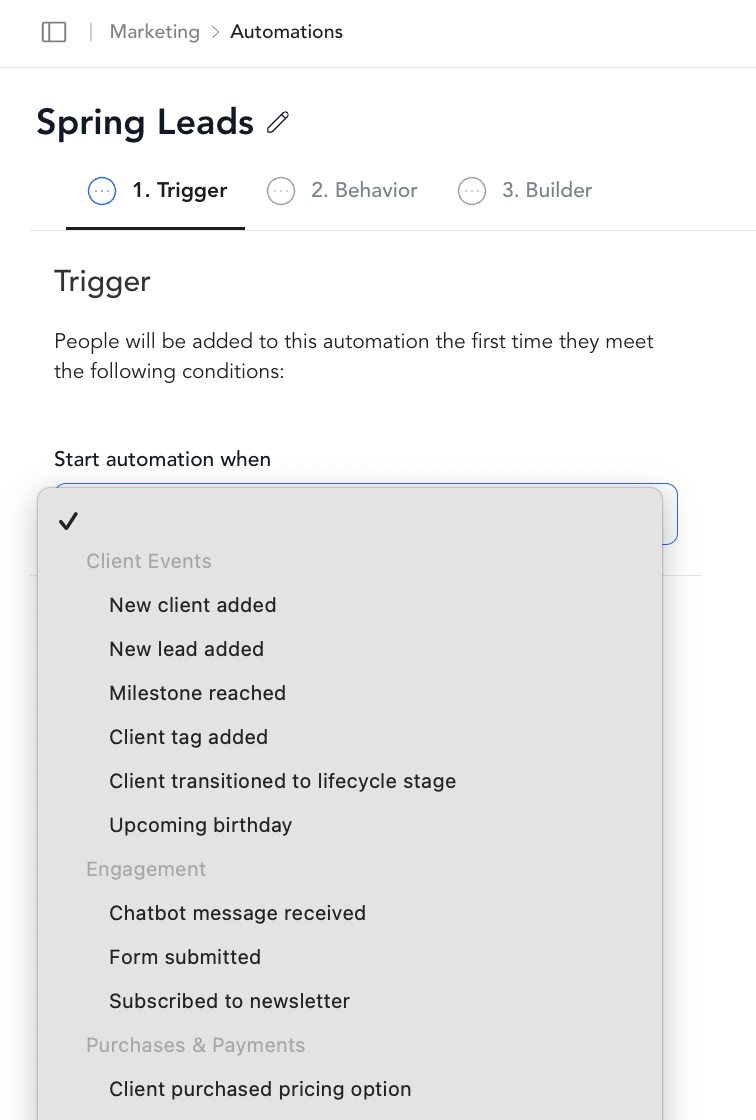
Client acquisition
| Trigger | When it fires |
|---|---|
| New client added | A new client profile is created in your Arketa account |
Purchases
| Trigger | When it fires |
|---|---|
| Client purchased pricing option | A client completes checkout and purchases a pricing option — you can filter by specific pricing options |
Bookings and visits
| Trigger | When it fires |
|---|---|
| First class booked | A client books their very first class |
Engagement and milestones
| Trigger | When it fires |
|---|---|
| Milestone reached | A client reaches a class attendance milestone — you set the number |
Win-back
| Trigger | When it fires |
|---|---|
| Client has made no recent purchases | A client hasn't purchased anything in X days — you set the number of days |
Re-enrollment
By default, a client only enters an automation once. If you want clients to re-enroll when they trigger the event again (e.g., purchase a second pricing option), toggle Re-enroll on in the trigger step settings.
Examples and Behaviors
Pack and credit-based conditions
A common use case is triggering an automation when a client's pack drops to 1 or 0 credits. From there you can:
- Email the client a direct repurchase link
- Assign an internal task to a staff member to follow up personally
- Do both — send the email and create a task for follow-up if there's no response
This is useful for studios where clients recharge packs regularly and you want to prompt re-purchase before they run out completely. It also serves as a workaround for the absence of a dedicated "subscription renewal on credit exhaustion" trigger.
Trigger behavior to be aware of
Some triggers fire in situations that can catch clients off guard — understanding the underlying conditions helps you avoid unintended automations.
- Subscription expiring: This trigger fires whenever a subscription is set to expire — including subscriptions the client has already canceled but that are running to the end of their billing cycle. A client who cancels and then receives an "expiring soon" message may find it confusing. If you run a subscription expiring automation, consider deactivating it or narrowing its audience to avoid this.
- No "X days before renewal" trigger: There is no native trigger for sending a message a set number of days before a client's next renewal charge. A time delay loop workaround exists but is impractical for most studios. If you need pre-renewal messaging, a manual broadcast to upcoming renewals is the more reliable approach.
- Reminder emails: Booking reminder emails only fire if the reservation was made before the reminder window opens. A client who books 30 minutes before class won't receive 24-hour or 3-hour reminders — the window has already passed.
- No-show reminders: Fire exactly 1 hour after class ends. This timing is fixed and not customizable.
- Substitute instructor email: Only fires when the substitute feature is used — not when an instructor is manually swapped on a class.
- Invoice payment failed: Only triggers for recurring subscription payment failures, not one-time purchase failures.