
Retail
Sell physical and digital products from your studio dashboard and booking widget.
Retail lets you sell merchandise, supplements, gear, and digital products alongside your classes and memberships — all from the same checkout flow your clients already use.
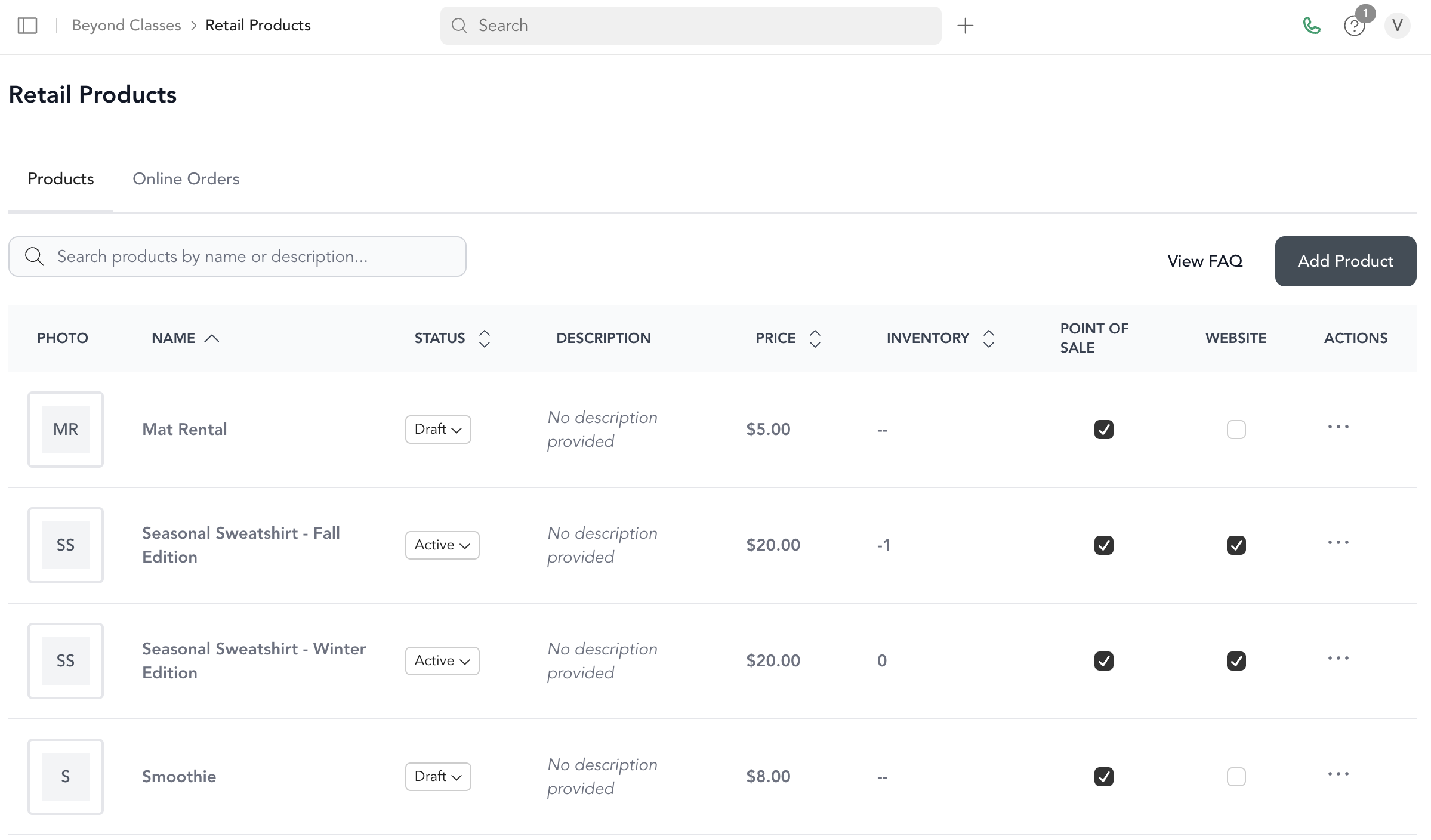
Products can be sold:
- At the front desk via the POS
- Online through your Arketa booking widget or website embed
- As checkout add-ons when clients purchase a pricing option
What you can sell
- Physical products (apparel, water bottles, supplements, gear)
- Digital products (e-books, PDFs, programs — managed through Communities)
- Gift cards (physical or digital)
Getting started
Add products
Go to Beyond Classes → Retail Products and add your inventory.
Set up variants and inventory
Add size/color options and track stock levels for each variant.
Configure taxes
Go to Settings → Taxes to create retail tax rates and apply them to products.
Start selling
Products appear in your POS and can be added to your online widget.
Tips
- Set products to Draft until they're ready to sell — only Active products appear at checkout
- Add photos to products to make them more appealing in the online store
- Use the Checkout add-ons feature to surface relevant products (like a water bottle) when clients purchase a class package
Was this helpful?