
Sales by class reports
Revenue breakdown by individual class, service type, or category.
Arketa offers several reports for analyzing revenue at the class level.
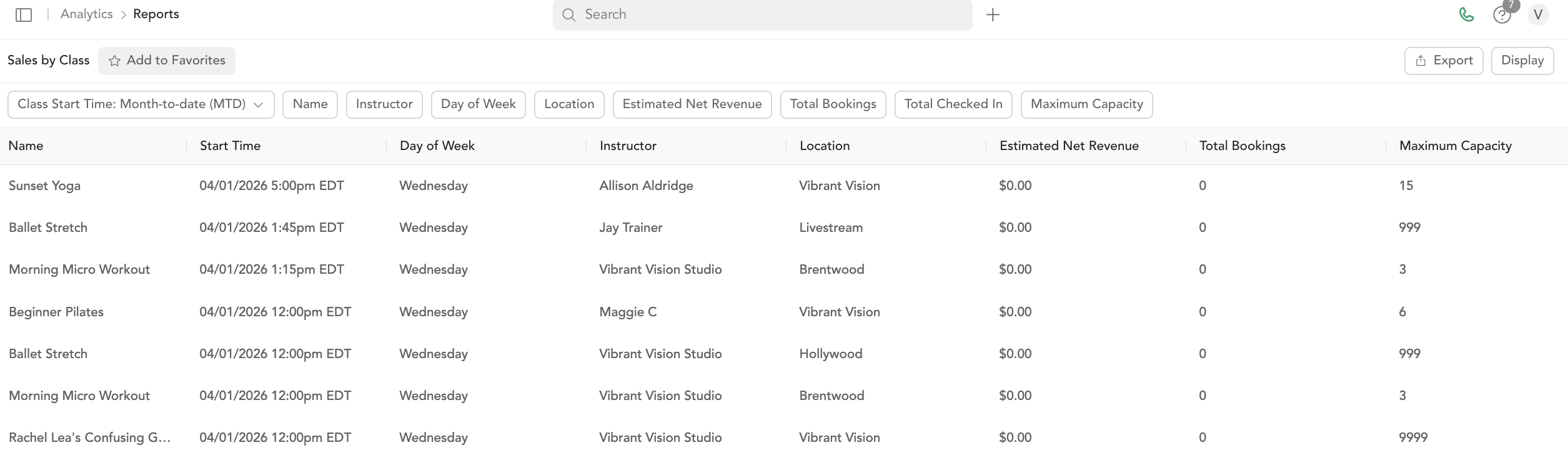
Sales by Class
Shows revenue generated per individual class — useful for identifying your best-performing classes.
Key columns: Class name, class time, instructor, location, total revenue, number of bookings.
How revenue is attributed to a class
The revenue shown for a class is not the money collected on the day of the class. Arketa spreads what each client paid for their pricing option across the bookings that pricing option covers, then totals the bookings in that class:
| Booking paid with | Revenue counted for the class |
|---|---|
| Drop-in | The amount paid for that booking |
| Class pack | The amount paid, divided by the number of sessions in the pack |
| Membership | The membership payment, divided by the visits it covers in that billing period |
| Canceled or free booking | Nothing |
Two things follow from this that often surprise people:
- A one-session pricing option puts its whole price on a single class. If you sell a deposit or a custom-priced package as a pricing option with one session, that entire amount is attributed to the first class the client books with it. To keep per-class revenue meaningful, give the pricing option a session count that matches what it actually covers.
- Membership revenue moves between classes. A client who visits once in a billing period contributes their whole membership payment to that one class, while a client who visits ten times contributes a tenth of it to each.
To see the per-client figures behind any class total, run the Booking report for the same date and class.
Sales by Class Service Type
Aggregates revenue by service type (e.g., "Yoga", "HIIT", "Pilates"). Useful for understanding which modalities drive the most revenue.
Key columns: Service type name, total revenue, booking count.
Sales by Event Service Type
Same as above, but for events.
Sales by Private Service Type
Revenue per appointment/private service type.
Key columns: Service type name, total revenue, session count.
Sales by Class Category
If you've organized your service types into categories, this report shows revenue per category.
Sales by Category (Revenue)
Broad revenue groupings across all product types:
- Class packs
- Subscriptions
- Drop-ins
- Bundles
- Retail
- Gift cards
- Other
Sales by Package and Subscription
Revenue broken down by the individual pricing option name — useful for understanding which specific packages and memberships are selling most.
Export any of these reports
- Go to Analytics → Reports
- Find the specific report
- Click Export → CSV or PDF