
Inventory report
View current stock levels for all retail products and variants.
The Inventory of Retail report shows a snapshot of your current product stock.
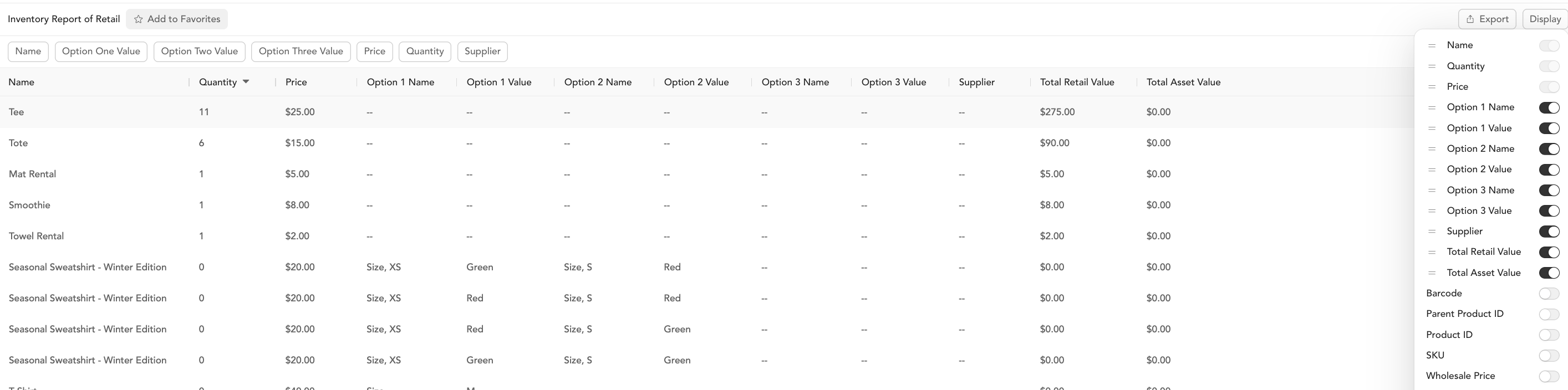
Columns
| Column | Description |
|---|---|
| Name | Product name |
| Quantity | Current stock count |
| Price | Retail price |
| Supplier | Supplier name |
| SKU | Stock-keeping unit number |
| Product ID | Arketa product identifier |
| Parent Product ID | ID of the parent product (for variants) |
| Barcode | Product barcode |
Filters
Filter by product name, price (range filters), quantity (range filters), and supplier.
How to use this report
- Run weekly or monthly to catch items running low before they sell out
- Filter by quantity less than 5 to see what needs restocking
- Export as CSV and share with your purchasing team or supplier
Update inventory
To update stock counts after receiving a shipment:
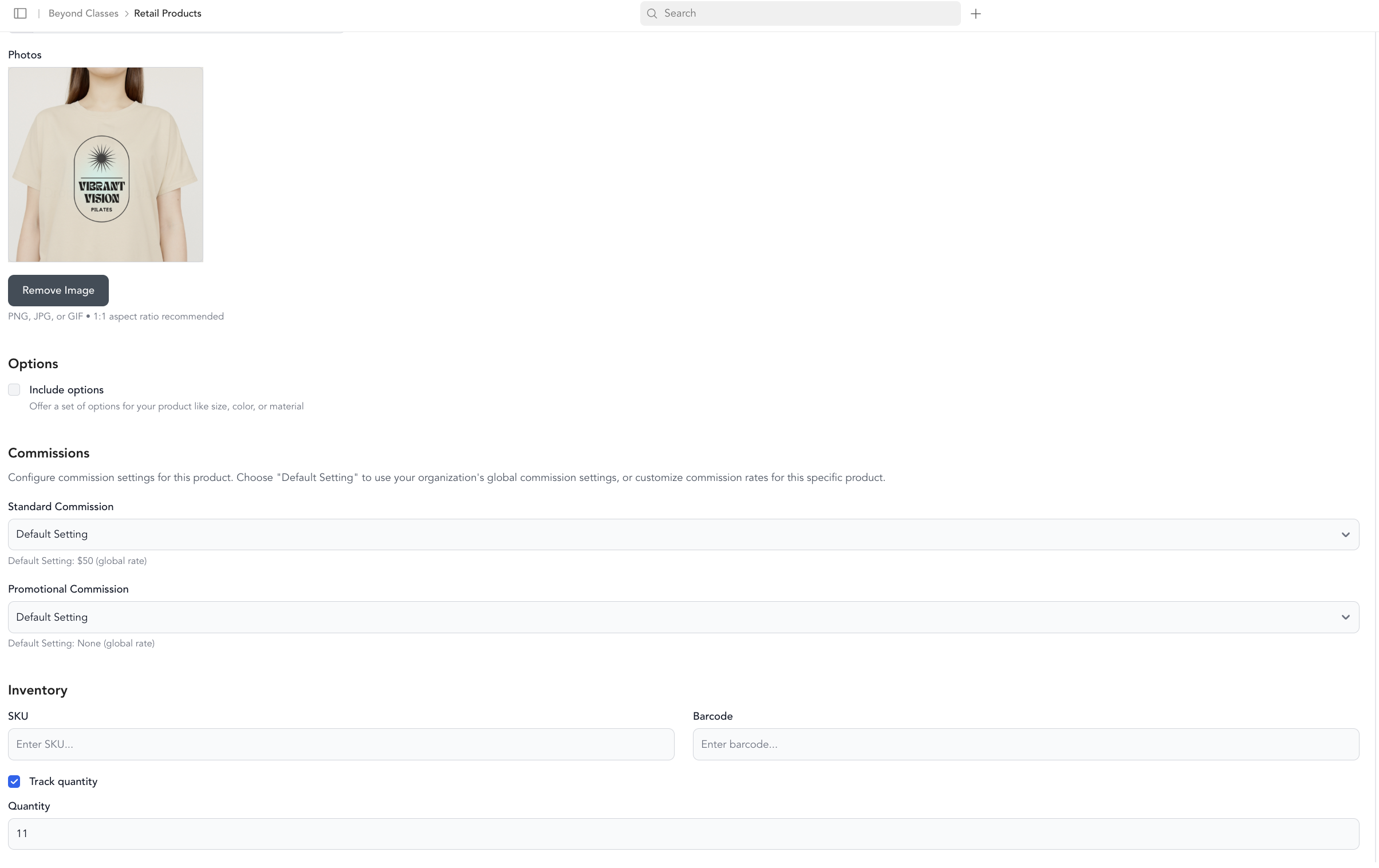
- Go to Beyond Classes → Retail Products
- Click on the product
- Update the quantity for each variant
- Save
See variants and inventory for more detail.
Was this helpful?