
Schedule overview
A quick guide to how scheduling works in Arketa — classes, events, appointments, and how they fit together.
Arketa's scheduling system is built around three types of offerings: classes, appointments, and events. Understanding the difference helps you set up your schedule the right way from the start.
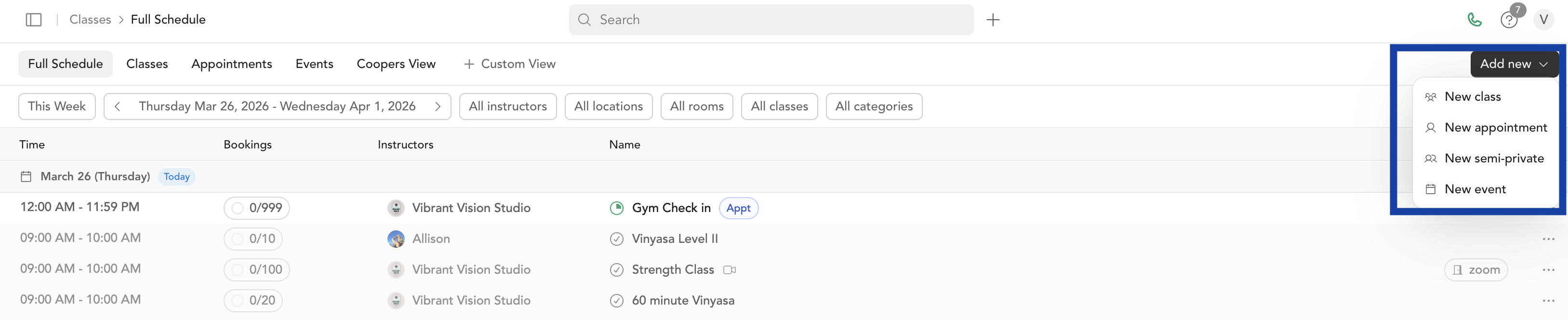
Classes, events, and appointments
Classes
Group sessions on a recurring schedule. Examples: yoga, cycling, HIIT, pilates. Redeemable with packages, memberships, and subscriptions.
Events
One-time or special sessions. Examples: workshops, retreats, pop-ups. Drop-in by default — not redeemable with standard packages (adjustable in settings).
Appointments
1-on-1 private sessions booked against your availability. Examples: personal training, consultations, private lessons.
Learn more about the differences →
How the schedule works
Your full schedule lives in Classes → Full Schedule. From there you can:
- View all upcoming classes, events, and appointments
- Add new sessions
- Check in clients
- Edit, cancel, or delete individual sessions or entire recurring series
Classes are organized by service types — templates you create in Setup → Service Types. A service type defines the name, format, location, duration, and capacity of a class. Once you create a service type, you can schedule it out once or on a recurring basis.