
Attendance reports
Track how often clients are attending classes, appointments, and on-demand content.
Client Attendance report
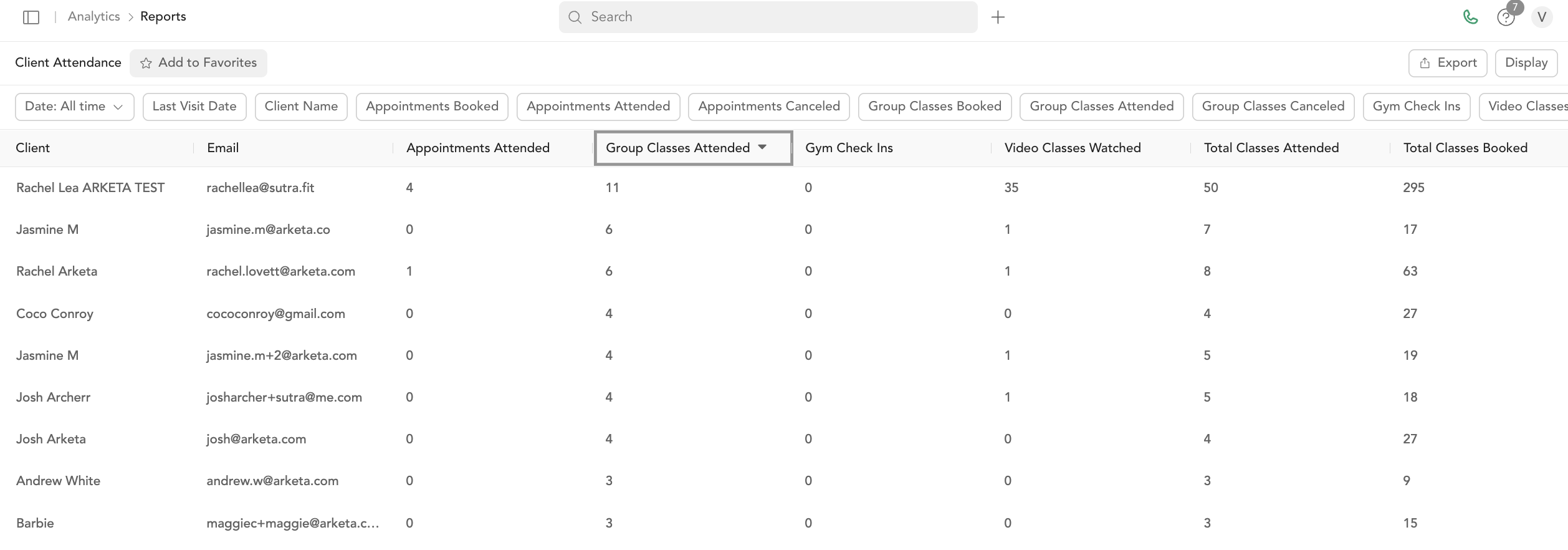
Shows per-client attendance across all service types in a date range.
Columns:
| Column | Description |
|---|---|
| Client name | Name of the client |
| Client's email | |
| Appointments attended | Number of appointments attended |
| Appointments booked | Number of appointments booked |
| Appointments canceled | Number of appointments canceled |
| Group classes attended | Number of group classes attended |
| Group classes booked | Number of group classes booked |
| Group classes canceled | Number of group classes canceled |
| Video classes | Number of virtual classes attended |
| Total classes attended | Appointments + group classes + video combined |
| Total classes booked | All bookings combined |
Use this to identify your most engaged clients and those who book but don't attend.
Client Visit Averages report
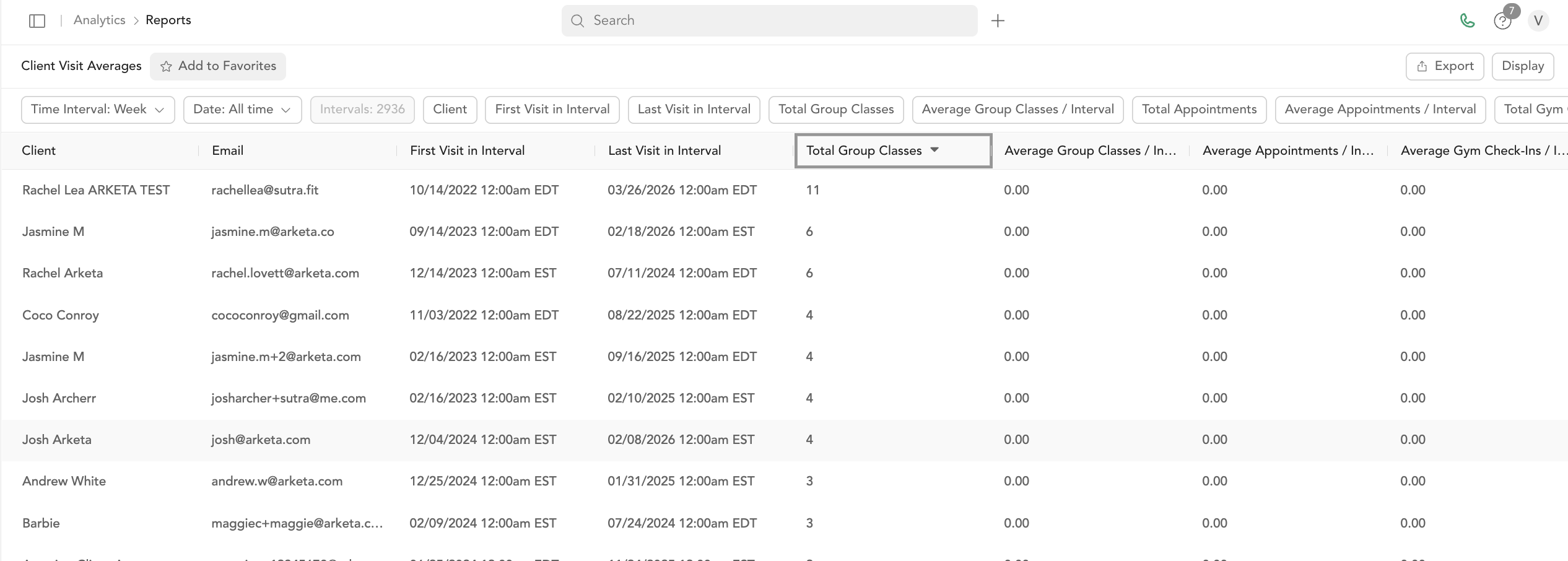
Shows average visits per client over a time period — broken down by service type and time interval (day, week, month, or year).
Columns: Time, date, client, first visit in interval, last visit in interval, total group classes, average group classes, total appointments, average appointments, total gym check-ins, on-demand views, and averages for each.
Use this to track engagement trends and identify when clients are falling off.
Total Check-Ins report
Shows every checked-in visit with payment details.
Key columns: Customer, class name, class time, instructor, location, pricing option type, gross sales, net sales, application fee, estimated net revenue, payment method, status.
Attendance Analysis report
Provides trend analysis on attendance patterns over time — useful for capacity planning and identifying growth or decline in specific class types.
Export any attendance report
- Go to Analytics → Reports
- Click the report
- Click Export → choose CSV or PDF → Download
For large date ranges, allow up to 5 minutes.