
Sales by Seller report
See how much revenue each team member has sold.
The Sales by Seller report shows revenue attributed to each team member. Use it to track individual performance and, combined with commissions, calculate commission payouts.
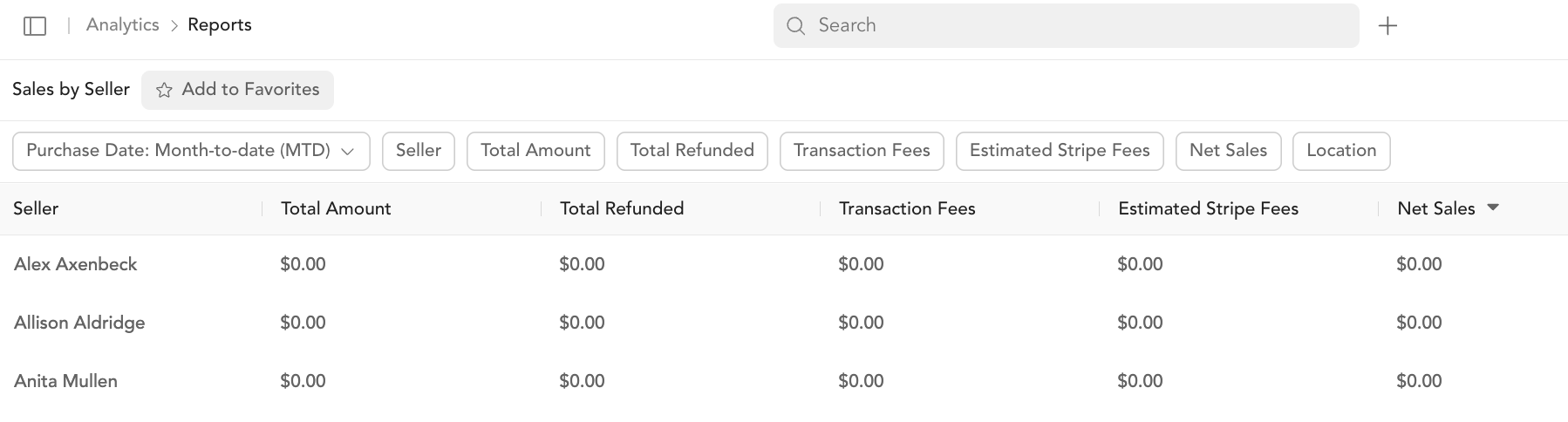
Columns
| Column | Description |
|---|---|
| Seller | Team member name |
| Total amount | Total revenue sold |
| Total refunded | Total refunds on their sales |
| Transaction fees | Arketa fees on their sales |
| Estimated Stripe fees | Stripe processing fees on their sales |
| Net sales | Revenue minus refunds |
Filters
Filter by date range, specific seller, total amount ranges.
Tip: Use the amount filter ("greater than $100") to see which team members are selling higher-value subscriptions and packages vs. drop-ins.
Sales by Seller by Product
A more granular version — shows each seller's revenue broken down by individual product. Useful for understanding which products each team member sells most.
Was this helpful?