
Staff commissions
Automatically calculate commissions for team members based on product sales.
Staff commissions let you track and calculate how much each team member earns from product sales — automatically, at the time of sale.
Enable commissions
- Go to Settings → Staff → Commissions
- Turn on the global toggle
- Set your default commission structure
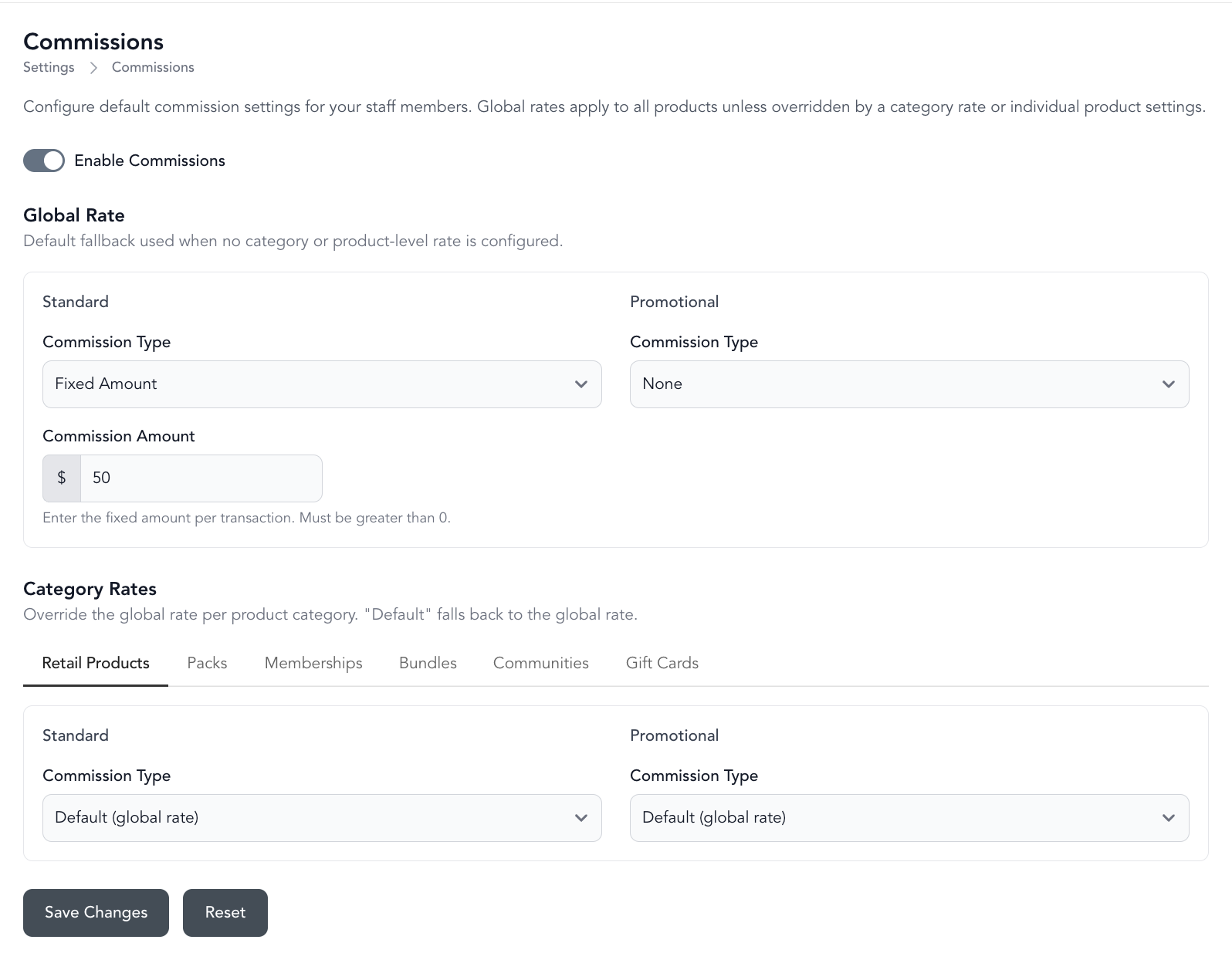
Commission types
| Type | How it works |
|---|---|
| Percentage | Commission is a % of the sale price |
| Fixed amount | Commission is a flat amount per sale |
| None | No commission — useful as the global default when you only want commissions on specific products |
Global vs product-level rates
The global default applies to all products unless a product has its own commission rate set.
To set a product-level rate:
- Open the product's settings
- Go to the Commissions section
- Set the rate (overrides the global default for this product)
If no product-level rate is set, the global default applies.
Promotional commissions
Promotional commissions apply when a product is sold at a discount. This lets you pay a lower commission on discounted sales:
- Standard sale: 5% commission
- Discounted sale: 2% commission
Assigning a sale to a team member
At checkout, select the seller (the team member responsible for the sale). Commissions are assigned to that person.
You can reassign the seller at checkout if the sale should be credited to a different team member.
View commission reports
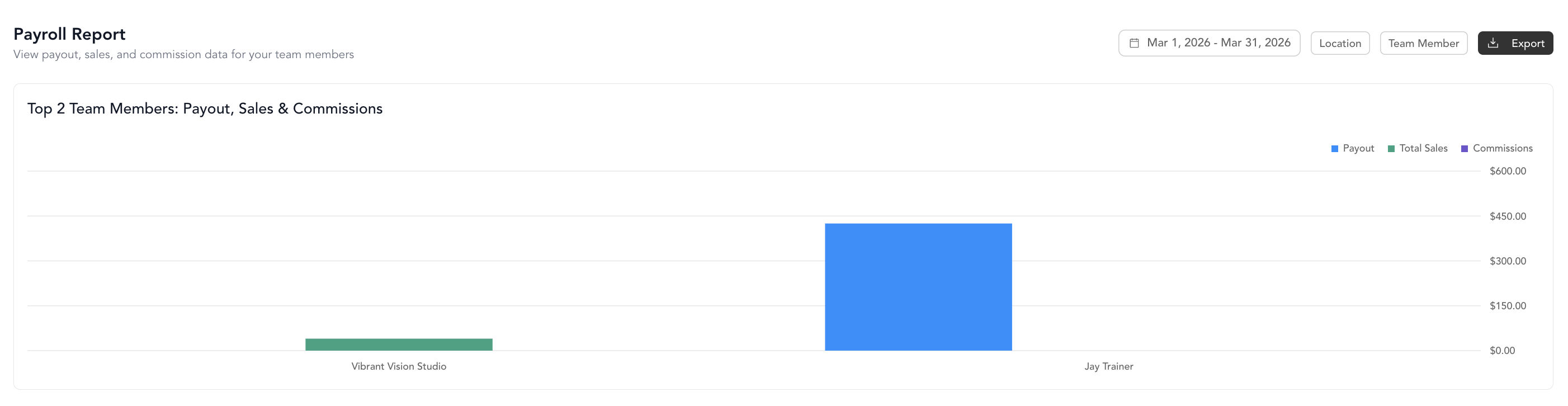
Go to Setup → Team → Reporting to see:
- Total commissions earned per team member
- Sales attributed to each person
- Date-range filtering
- Table and chart views
Commission data also appears in payroll reports, but the dedicated commission reporting view makes it easier to review on its own.
Retail product commissions
Retail products support the same commission options as other products — percentage, fixed amount, or none.
Effect on checkout
The checkout flow doesn't change for clients. The only addition is selecting the seller on the staff side before completing the sale.