
Pay rate templates
Create reusable pay rate templates to quickly assign compensation structures to team members.
Pay rate templates let you bundle multiple pay rates into a named template and apply them to instructors in one step — useful when several team members share the same pay structure.
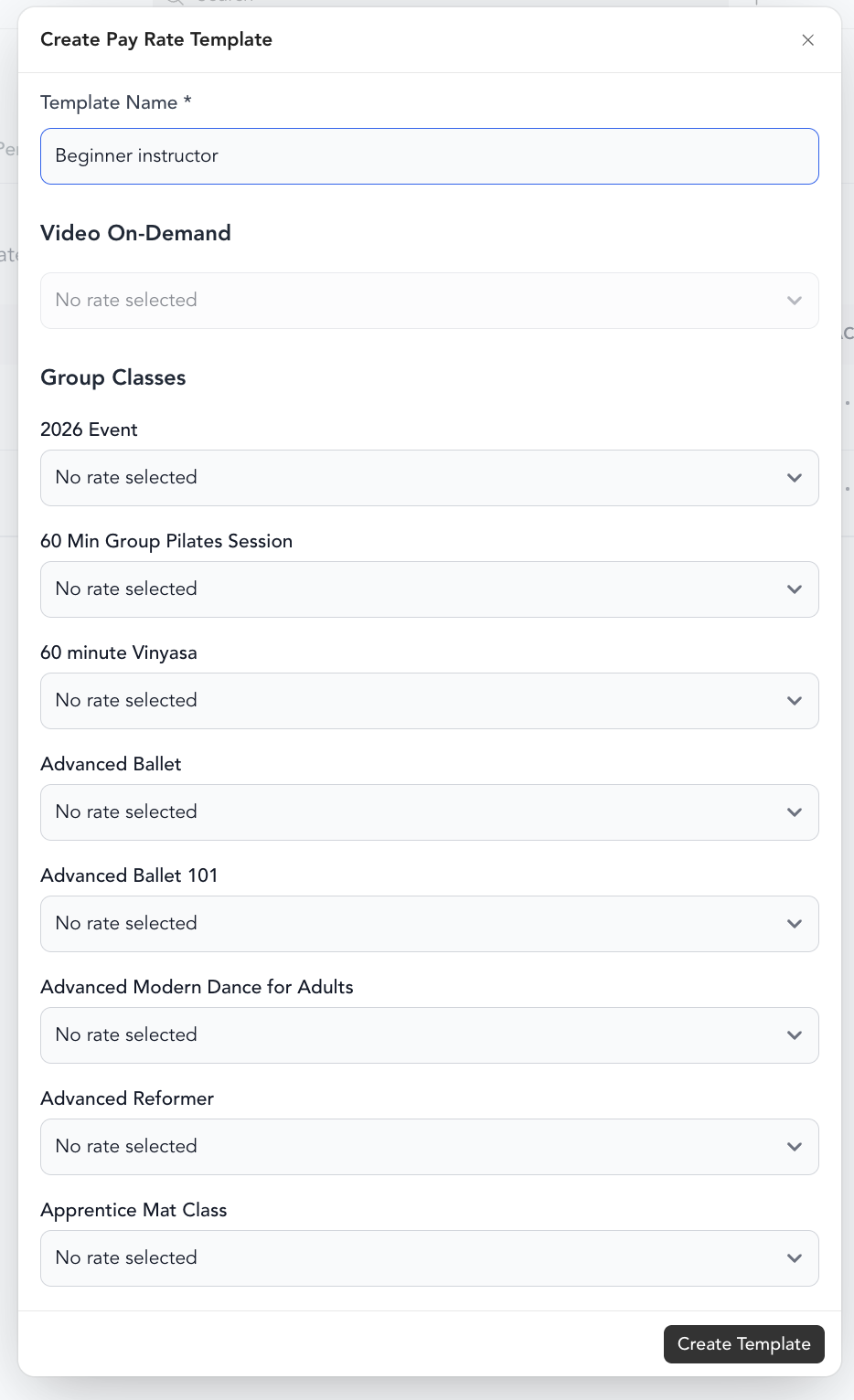
Create a template
- First, create your individual pay rates — see payroll setup
- Go to Team → Pay Rate Templates
- Click Create Template
- Give the template a name (e.g., "Senior Instructor", "Part-Time Staff")
- Add the pay rates that belong to this template
- Click Create Template
Apply a template to a team member
- Go to Staff → Team
- Click on the team member
- Click the Pay Rates tab
- Under Apply a pay rate template, select the template
- Save
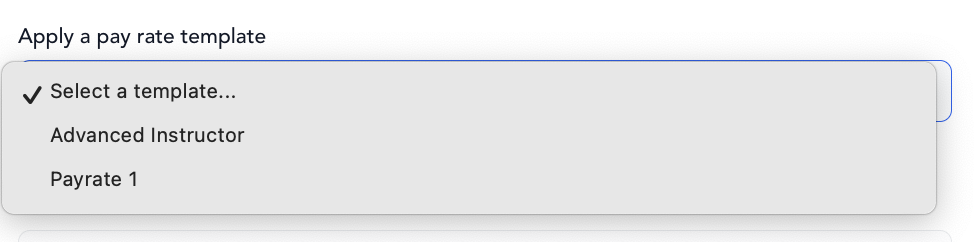
All pay rates in the template apply at once. You can still customize individual rates after applying a template.
When to use templates
Templates save time when you have a standard compensation structure — for example, all group class instructors earn the same base rate and bonus structure. Instead of setting each rate individually for every instructor, create the template once and apply it.
If an instructor has unique terms, skip the template and set their rates manually.
Was this helpful?