
Point of sale
Process in-person payments and sales directly from your dashboard.
The point of sale (POS) is Arketa's built-in checkout for in-person transactions. Use it to sell classes, packages, memberships, retail items, and gift cards — either to existing clients or walk-in customers.
Access the POS
Go to Point of Sale from the left sidebar of your dashboard. You can also launch it from the check-in screen when adding a client to a class.
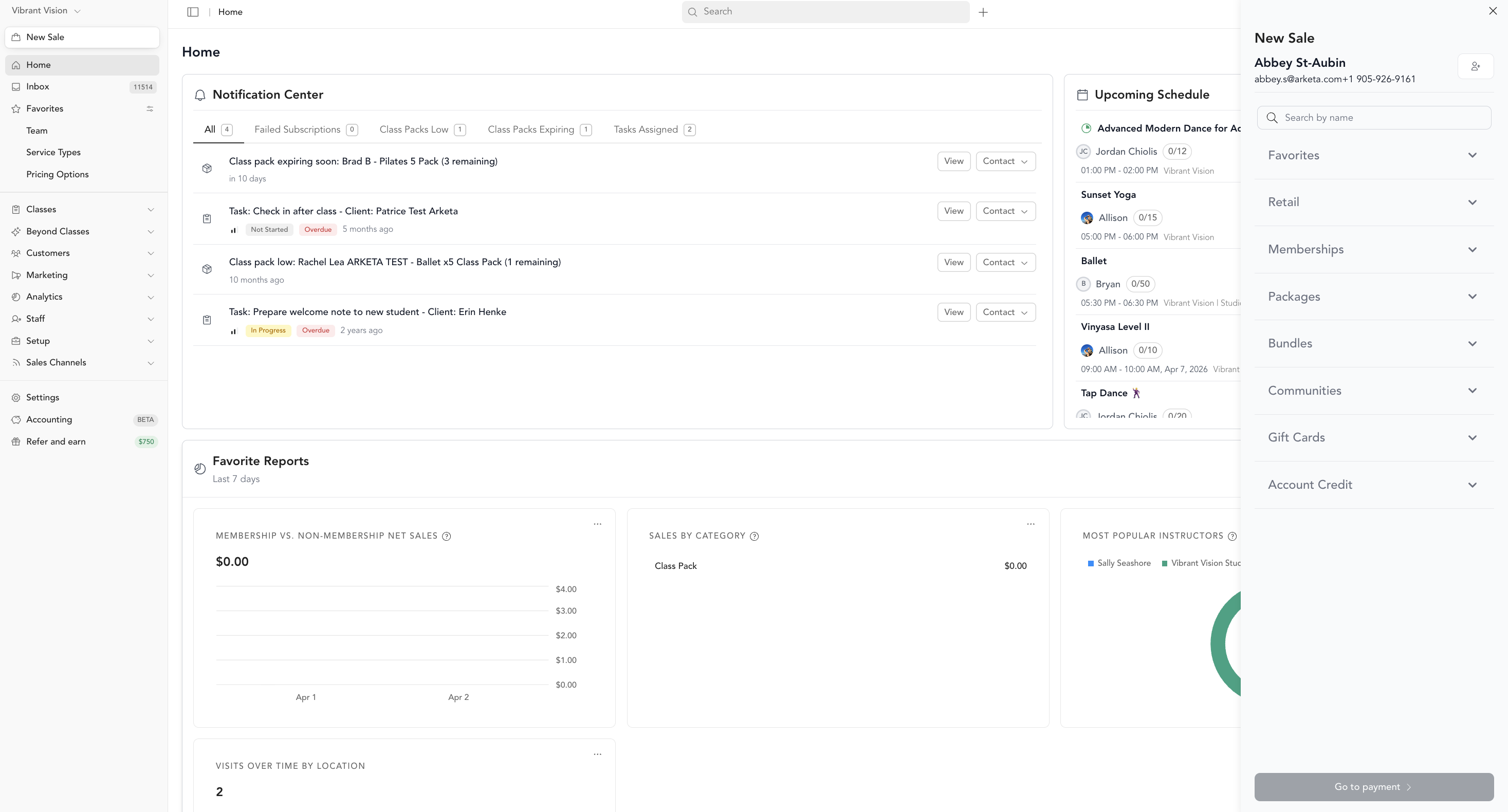
What you can sell
- Class drop-ins
- Class packages and memberships
- Retail products
- Gift cards
- Custom invoices
Payment methods
| Method | How |
|---|---|
| Card | Tap or type credit/debit card via Stripe terminal or manual entry |
| Apple Pay / Google Pay | Via a Stripe card reader or digital checkout |
| Cash | Log manually, print receipt |
| Custom payment method types (Studio) | Label offline payments as Check, Zelle, etc. when selling memberships or packs for cash — see Payment method types |
| Account credit | Apply client's existing account balance |
| Gift card | Enter the gift card code |
Applying discounts and promos
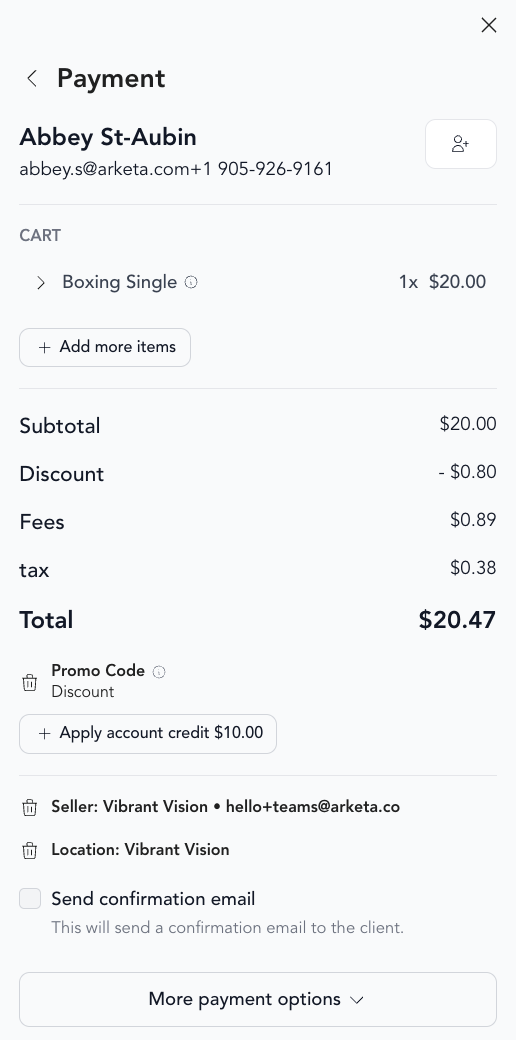
At checkout, you can:
- Enter a promo code to apply a discount
- Add a gift card code to use gift card balance
- Apply account credit from the client's profile
Send payment links
From POS checkout, staff can send a client a payment link by SMS, email, or both so they pay on their own device while you wait at the register. Class and appointment spots can be held for up to 15 minutes. See Send payment links.
Related
Was this helpful?