
On-demand video
Build a video library your clients can access anytime — classes, programs, audio, and more.
Your on-demand library lets clients work out on their own schedule. Upload workout recordings, build series and programs, set pricing per video or bundle it into memberships — it's a full content platform built into Arketa.
What you can do
Upload videos
Upload video files directly, or link to YouTube and Vimeo content.
Organize with categories
Group videos into carousels so clients can browse by workout type, level, or program.
Build collections
Bundle multiple videos into a single series — great for 7-day programs or multi-part courses.
Set video pricing
Offer videos as buy-to-own, rental, or include them in memberships and packages.
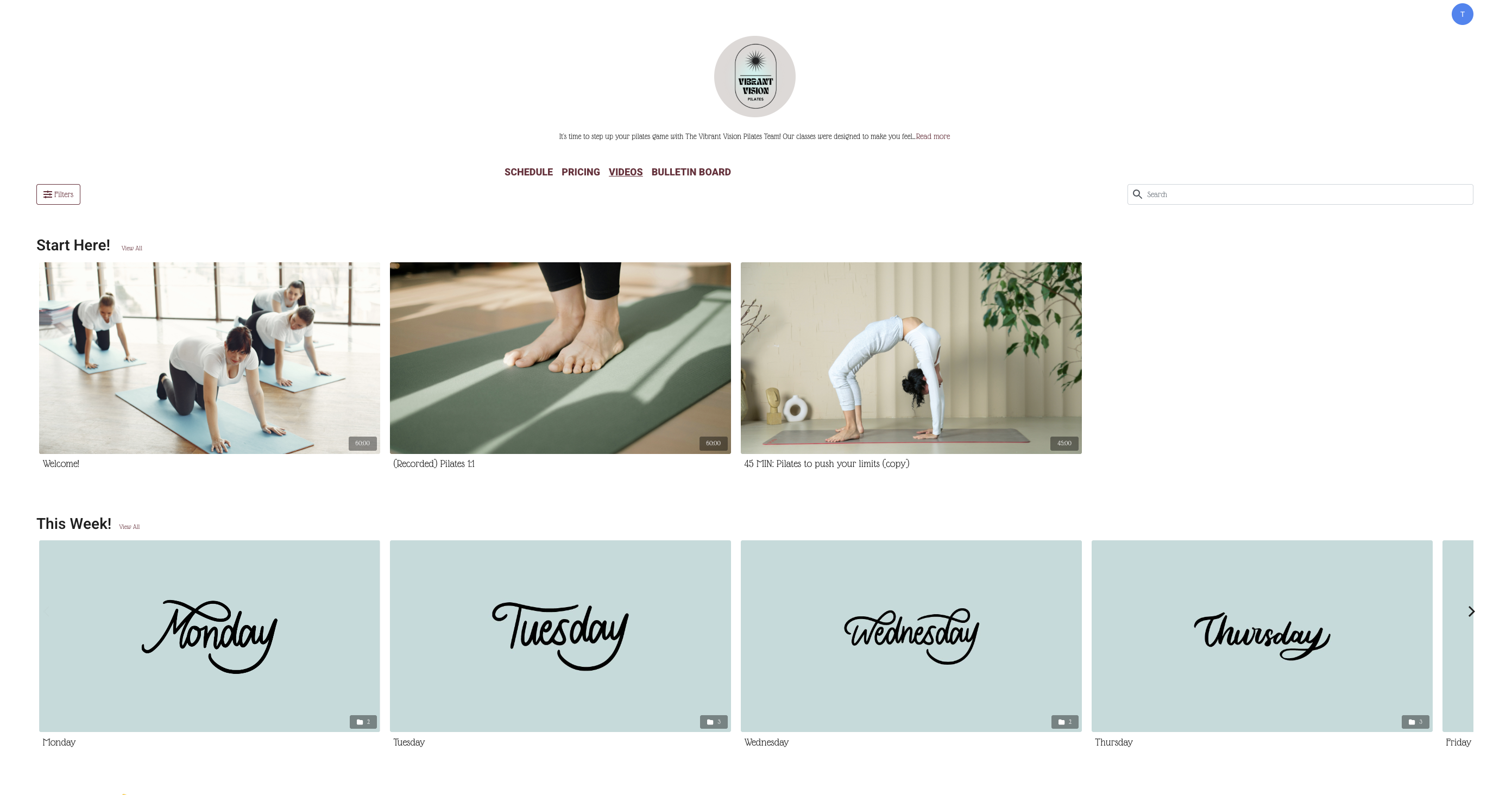
How clients access your library
Clients can browse and watch your on-demand library from:
- Your booking website — the schedule page includes a link to your video library
- Your branded mobile app (if you have one)
- A direct link to any specific video, which you can share in emails, social posts, or ads
Pricing your video content
You have full control over how each video is monetized:
| Option | How it works |
|---|---|
| Buy | Client pays once and has permanent access (until any expiration date you set) |
| Rent | Client pays and can watch during a set rental window (e.g., 24 or 48 hours) |
| Subscription/package only | Video is only accessible to clients with an active membership or package |
| Drop-in/rental only | Clients can only pay per view — subscriptions and packages don't unlock this video |
What's next
Upload your first video
Create categories to organize your library
Set pricing and publish
Configure who can access each video and at what price when you upload.