
Videos, collections, and categories
Understand how the three building blocks of your on-demand library work together.
Your on-demand library is built from three things: videos, collections, and categories. They work together in a hierarchy to help clients find and navigate your content.
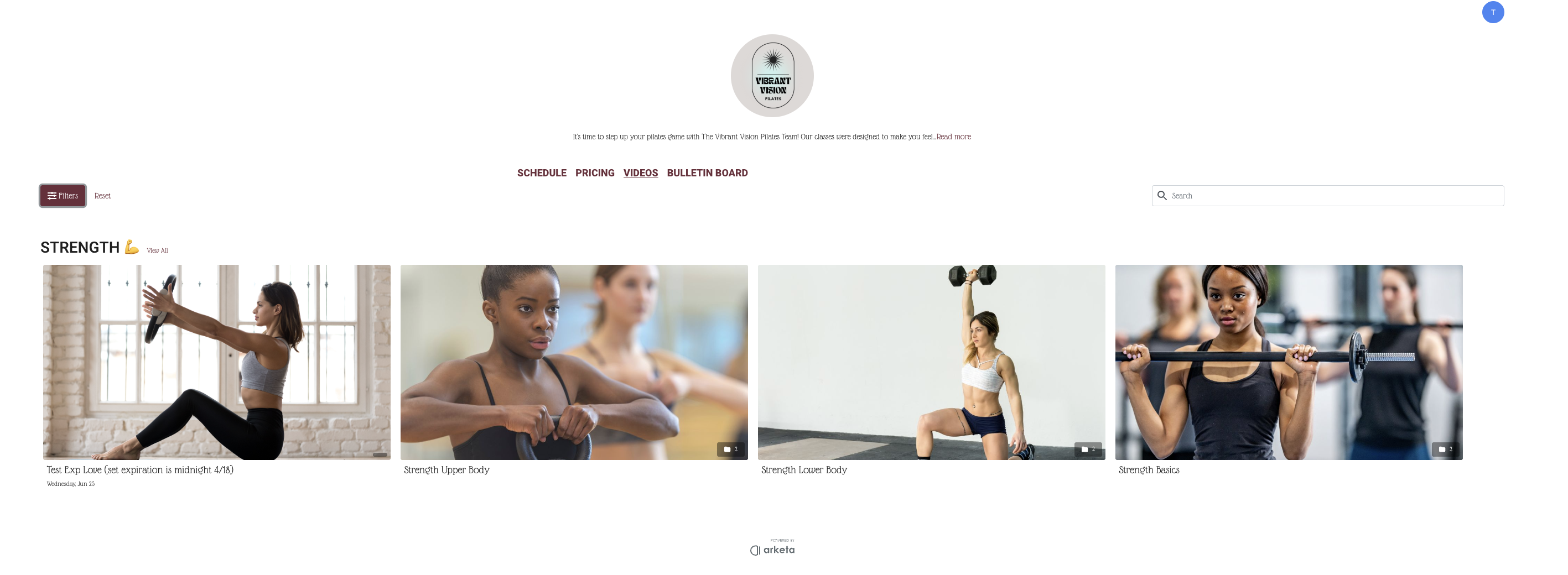
The three building blocks
Videos are the individual pieces of content — a single workout, class recording, or tutorial. Every piece of content starts as a video.
Collections are groups of videos bundled together under a single thumbnail. Use collections to create series, programs, or curated playlists — like a 10-day yoga course or a beginner strength series.
Categories are the broadest level. Each category appears as a horizontal carousel on your library page (think Netflix rows). A category can contain individual videos, collections, or both.
How they nest
Category (carousel on library page)
  ├── Video
  ├── Collection (program or series)
  │     ├── Video 1
  │     ├── Video 2
  │     └── Video 3
  └── Video
When to use each
| Use | Type |
|---|---|
| Single class recording or tutorial | Video |
| Multi-part program (e.g., "30-Day Core Challenge") | Collection |
| Workout type grouping (e.g., "Yoga", "HIIT", "Strength") | Category |
| Featured content or homepage section | Category with featured flag |
Example library structure
A Pilates studio might set up their library like this:
-
Category: New? Start Here → 3 intro videos
-
Category: Weekly Schedule → individual class recordings
-
Category: Programs
- Collection: 21-Day Reformer Challenge (5 videos)
- Collection: Foundations Series (6 videos)
-
Category: Stretch & Recovery → 8 videos
Clients browse categories horizontally, then tap into a collection or video to watch.