
Retention reports
Track client engagement and identify clients at risk of churning.
Retention analysis in Arketa combines subscription reports with attendance data to understand how engaged clients are.
Key retention metrics to watch
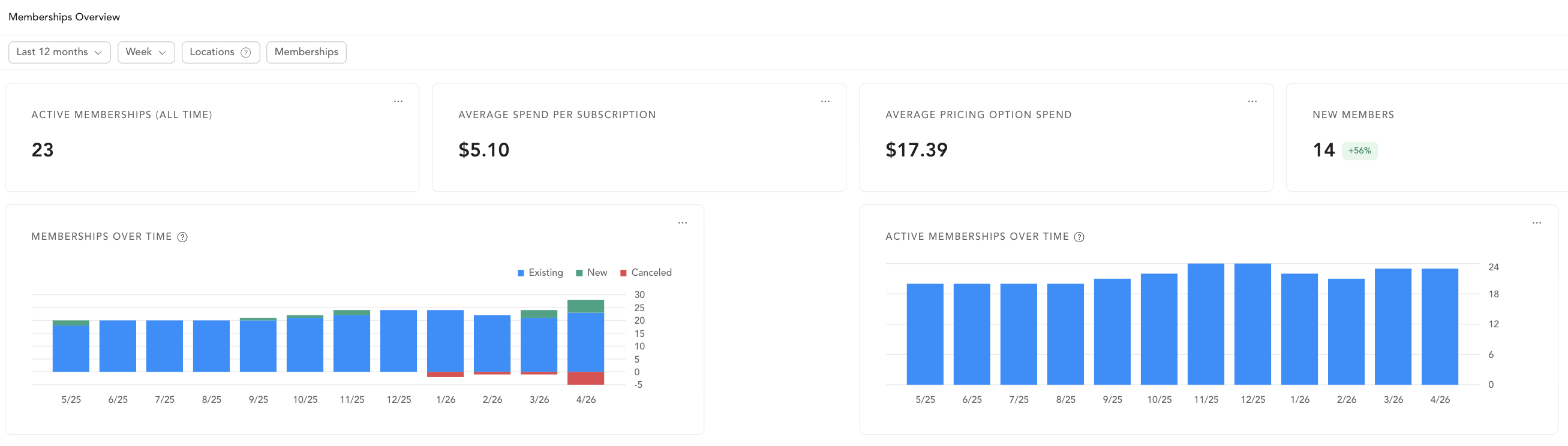
Active Memberships Over Time (on the dashboard) — shows whether your member count is growing or shrinking. A consistent decline indicates a retention problem.
Subscriptions to Cancel — clients who've already decided to leave. This is your last chance to intervene.
Client Attendance — clients who are booking but not attending may cancel soon. Low attendance predicts cancellation.
Past Due Subscriptions — failed payments are a retention risk. Clients in past due status often churn if not resolved quickly.
Building a retention workflow
-
Weekly: Run the Subscriptions to Cancel report. Assign team tasks to personally reach out to clients before they leave.
-
Monthly: Compare active membership count month-over-month on the dashboard.
-
Automated: Set up automations for:
- Subscription expiring trigger → send a renewal encouragement email
- Client has made no recent bookings trigger → send a re-engagement email or task for staff to call
-
Quarterly: Run the Client Attendance report, filter for clients who booked but attended less than 50% of their reservations — these are at-risk members.