Clients
Manage client profiles, bookings, notes, and account access all from one place.
Every person who books with you gets a client profile in Arketa. From there, you can see their booking history, manage their account credits and packages, add notes, upload documents, and send waivers — everything in one place.
What you can manage
Client profiles
Add clients, edit their details, manage tags, and set up family sharing.
Notes & documents
Track session notes, check-in observations, waivers, and uploaded documents.
Bookings
View full booking history, create reservations, and manage upcoming sessions.
Account & access
Help clients with login issues, manage credits, and track milestones.
The client list
Go to Customers → Clients to see your full client list. You can:
- Search by name or email
- Filter by tags, lifecycle stage, last visit, or booking activity
- Save custom views (Client View) for groups you check regularly
- Export a list for reporting or outreach
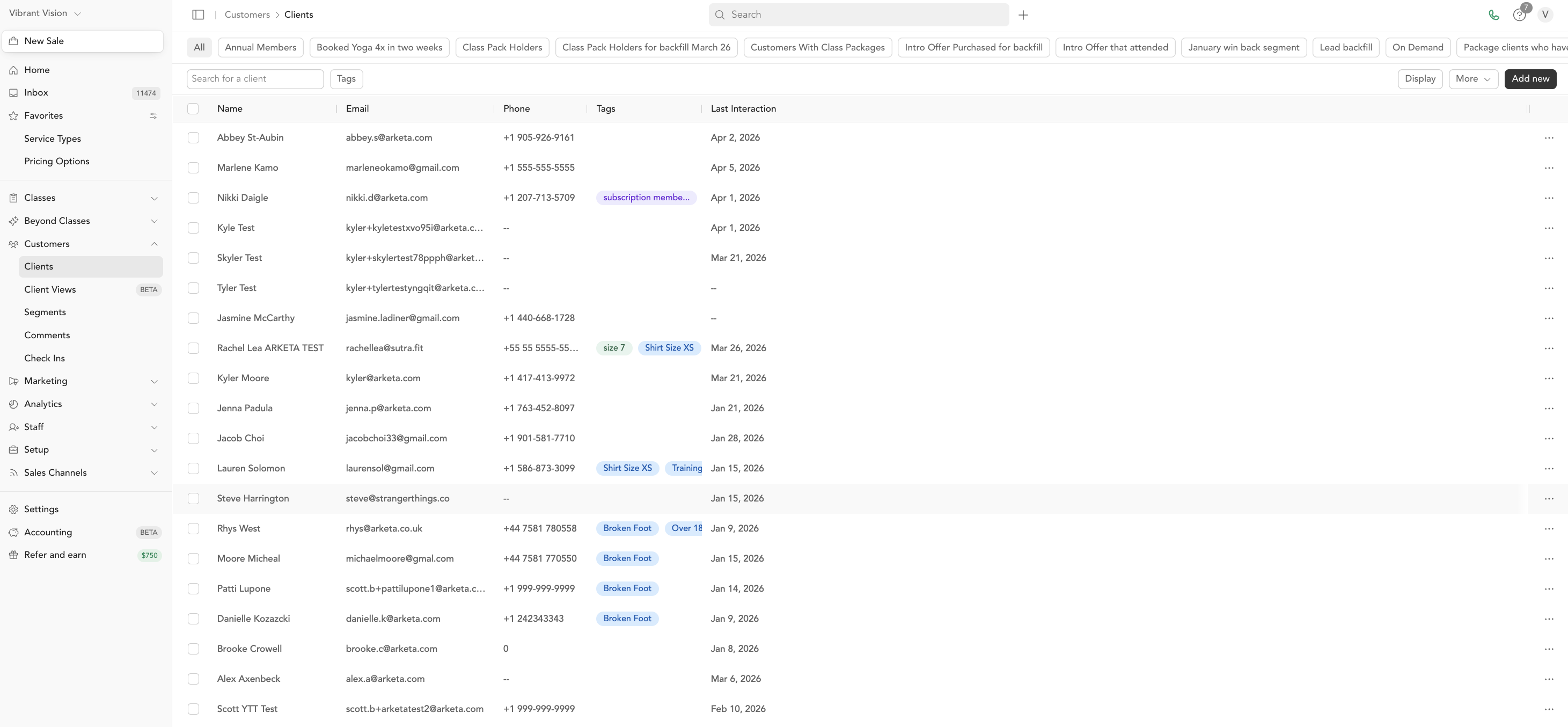
The Last Interaction timestamp shows the most recent time a client booked, was added to the system, signed a waiver, or took any action in your account.
The client profile at a glance
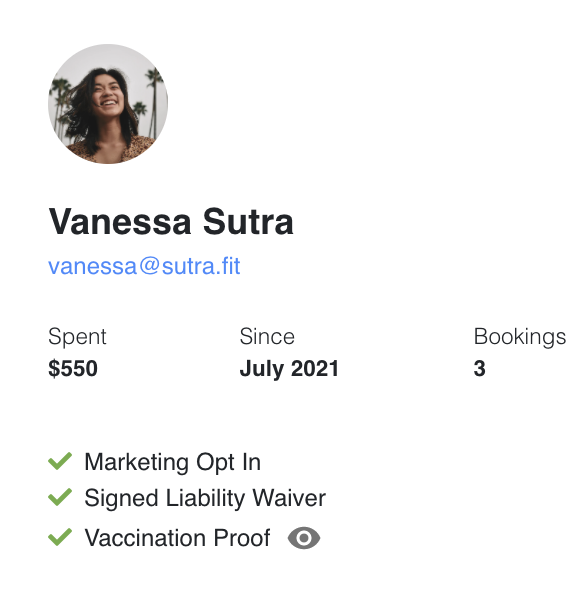
Open an individual client from Customers → Clients to see their full profile. The top of the profile shows a summary snapshot of their relationship with your studio, so you get a quick read on client value before you scroll into their booking history, notes, and packages below.
The snapshot covers:
- Total spent — the lifetime revenue this client has paid you across classes, appointments, memberships, packages, and retail
- Total bookings — how many classes and sessions they've booked or attended with you
- Member since — when their profile was first created
Use it as a fast way to gauge a client's history at a glance, then open the sections below the snapshot for the full detail.