
Note types
Understand the different kinds of notes you can add to a client profile in Arketa.
Arketa has several types of notes, each serving a different purpose. They all live in the client's profile or timeline, but are added from different places and used in different ways.
Types of notes
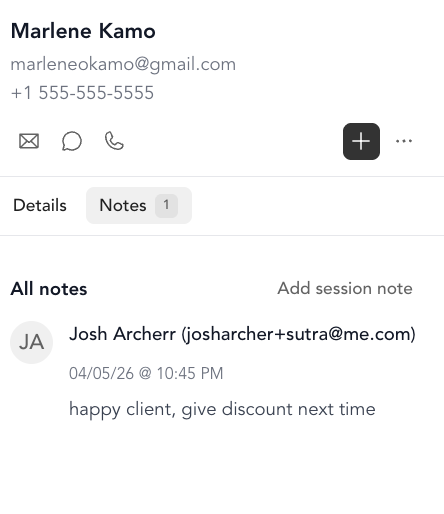
| Note type | What it's for | Where it lives |
|---|---|---|
| Client notes | General notes about the client — goals, preferences, health history, anything you want to remember | Client profile → Notes tab |
| Check-in notes | Quick observations made during or after class check-in | Class check-in screen |
| Session notes | Appointment-specific notes — what you worked on, progress, follow-ups | Appointment calendar → appointment detail |
| Timeline | Chronological log of all communications (emails, SMS), notes, and activity | Client profile → Timeline |
When to use each
Client notes are for anything that should persist long-term and be referenced across all interactions — health conditions, preferred class level, cancellation exceptions, relationship notes.
Check-in notes are for quick, in-the-moment observations. They're linked to a specific class and visible to instructors checking in clients.
Session notes are appointment-specific and tied to a single session. Great for personal trainers, therapists, or anyone who needs to track session-by-session progress.
Timeline is read-only — it's automatically populated as Arketa logs emails, SMS messages, automations, and notes. Use it to see the full history of your communication with a client.
Visibility
All notes are staff-facing only — clients don't see any notes you add to their profile. Notes also aren't visible to the client through their account or booking confirmation emails.