
Team
Add instructors and staff, manage permissions, set pay rates, and run payroll reports.
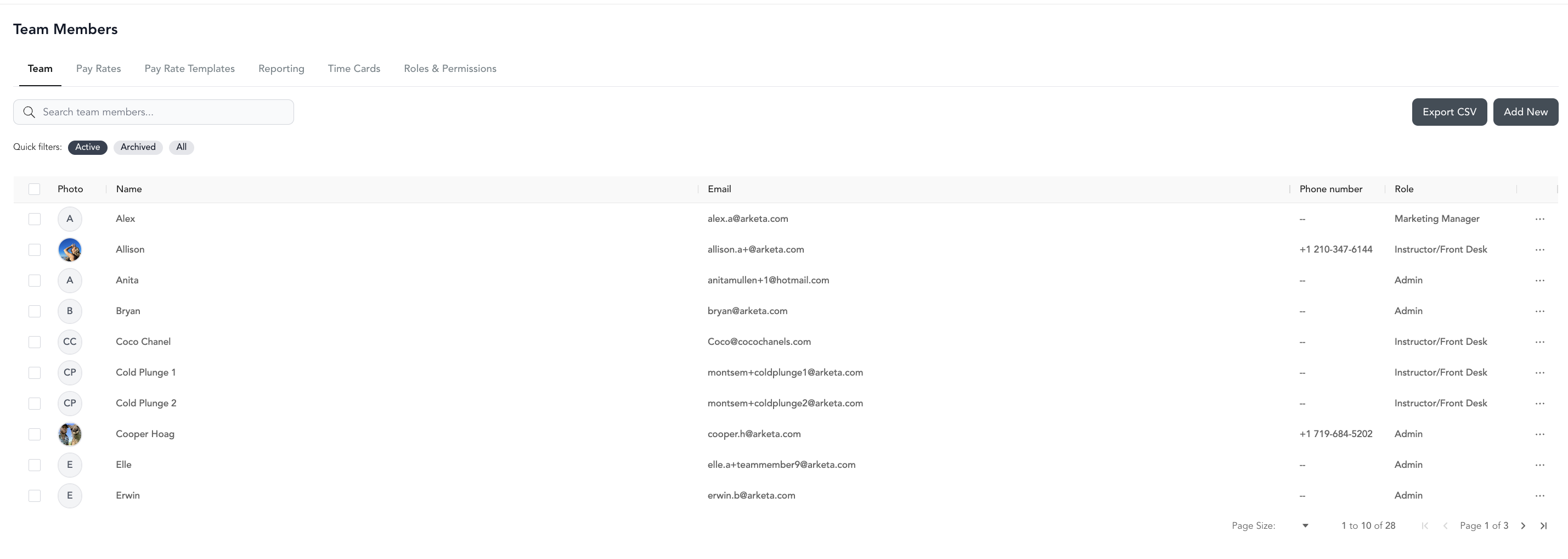
The Team section covers everything related to the people who work at your studio — from adding a new instructor to running payroll at the end of the month.
Team setup
Add team members, set roles, and configure permissions
Scheduling
Manage instructor availability, subbing, and time clocking
Payroll
Configure pay rates and export payroll reports
Commissions
Set up commission structures for retail and product sales
How team members work
Each team member has a profile with:
- Basic info — name, email, photo, bio
- Role — determines what they can see and do in the dashboard
- Pay rates — how they're compensated for classes, appointments, and videos
- Availability — when they're available to take appointments
- Notes — internal-only notes visible to admins
Adding team members is a Studio plan feature. Individual plan users can add themselves as a second team member to support multiple appointment calendars.
Team member access
When you add a team member, they access the dashboard at dashboard.arketa.com using their email. They reset their password at app.arketa.co/forgotpass.
What they see in the dashboard depends on their role. Roles range from Admin (full access) to Guest (view-only, own schedule).