
Taxes and fees
Configure sales tax for your products and services, and understand Stripe processing fees.
Setting up taxes
You can apply taxes to any sale in Arketa — class packs, memberships, retail items, etc.
-
Go to Settings → Taxes
-
Click Add Tax
-
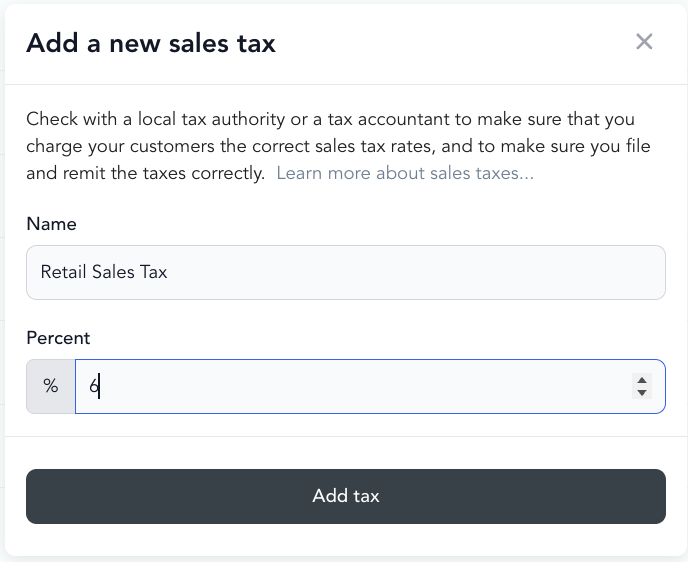
Set:
- Name — what appears on receipts (e.g., "Sales Tax", "GST")
- Rate — percentage
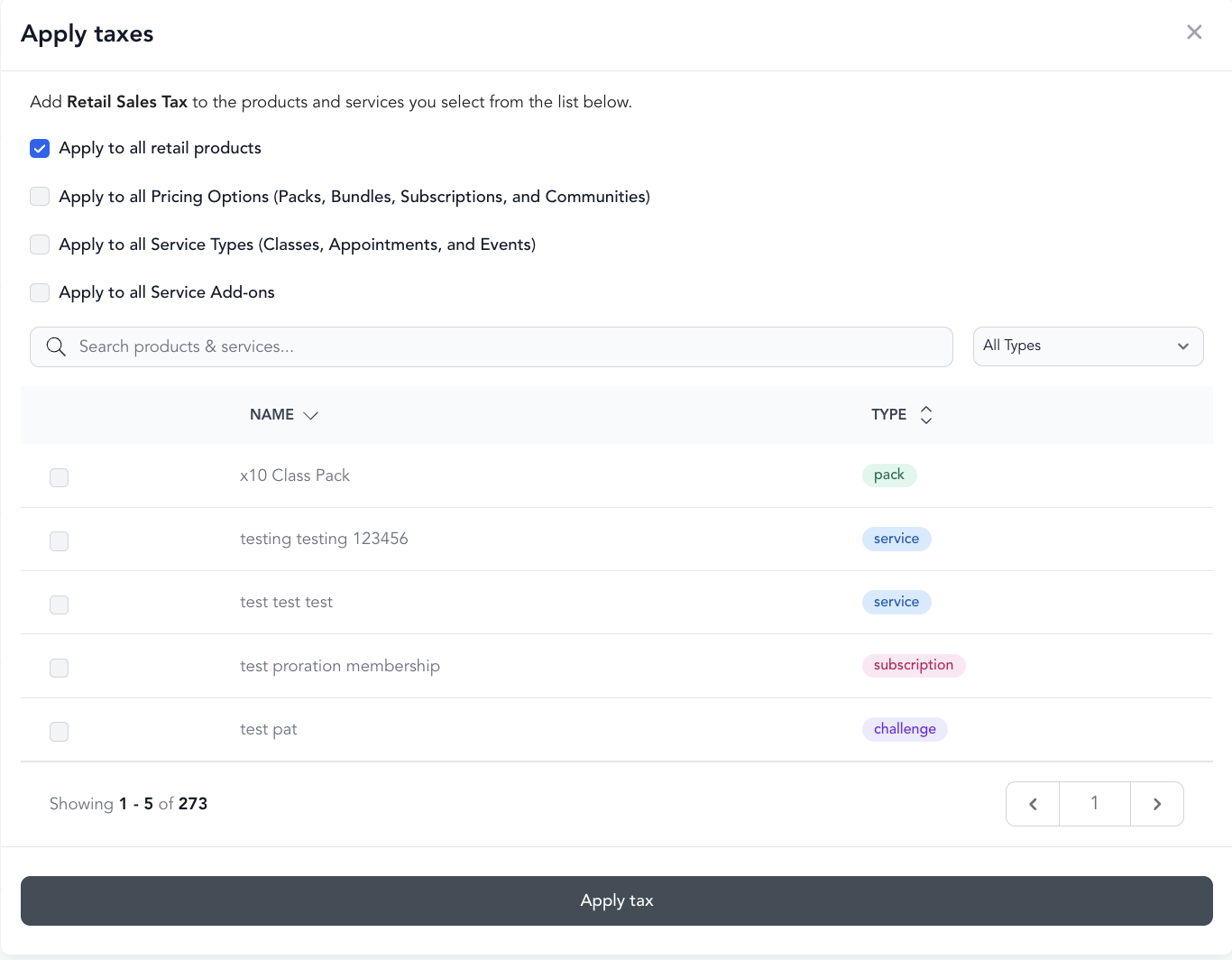
- What it applies to — all products, specific types, or specific pricing options
-
Save
Taxes are calculated on the item price only, not on Arketa's platform fees or Stripe's processing fees.
Alternatively, you can set up:
- Location tax - taxes applied to everything sold at a particular location. Set this up under Settings > Locations.
- Site Wide tax - taxes applied to everything sold through your platform. Enable under Settings > Payments.
How taxes appear
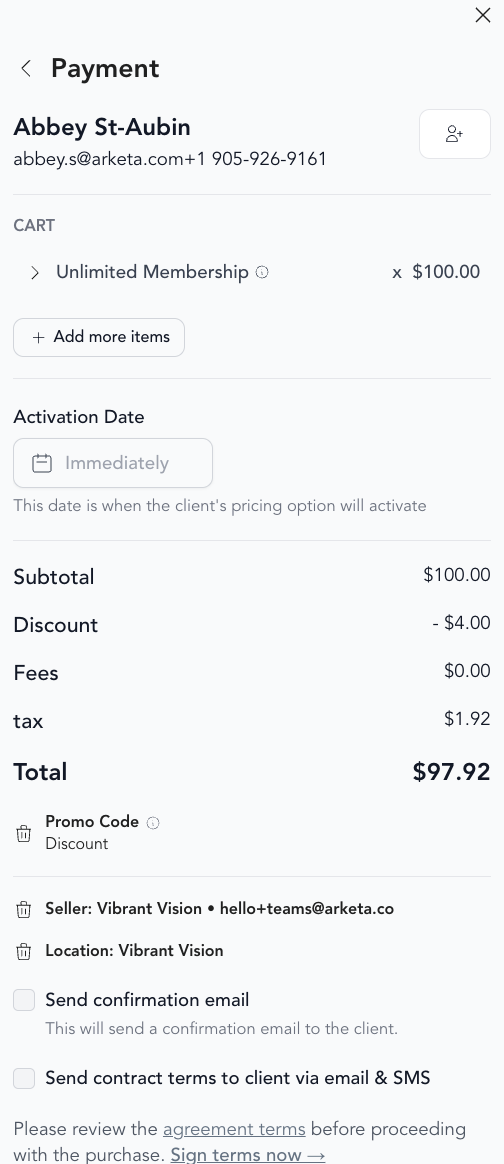
When a client purchases something with a tax applied, the tax amount is shown as a separate line item at checkout and on the receipt.
Stripe processing fees
Stripe charges a processing fee on every card transaction (typically 2.9% + 30¢ for US cards, varies by country and card type). This fee is deducted from your payout — you don't pay it separately.
Stripe does charge its processing fee on tax amounts as well. For example, if a $100 item has $10 in tax, Stripe calculates its fee on the full $110.
Transaction fees by plan
Every sale through Arketa includes a transaction fee on top of Stripe's processing fee. There are two separate fees on each sale:
- Stripe processing fee — charged on all plans, and varies based on location.
- Arketa booking fee — Arketa's transaction fee, which depends on your plan.
| Plan | Transaction fee | Stripe fees |
|---|---|---|
| Arketa Starter | 9% | Yes |
| Arketa Individual | 3% | Yes |
| Arketa Studios | 0–3% | Yes |
These fees are what keep your subscription cost competitive while giving you an unlimited on-demand library and livestream integration.
Passing fees on to your clients
By default, all fees are passed on to the client at checkout, so you keep the full revenue of what you're selling.
Passing fees on does not apply to subscription purchases. This minimizes the chance of card declines on recurring billing. Because subscription fees can't be passed on to clients, we recommend you increase your subscription pricing to account for them.
When you're charged and how fees are calculated
Fees are split out immediately upon a successful transaction, and are separate from your own recurring Arketa subscription payment.
Fees are based on the final order total. If the price is $0, there's no transaction fee from either Arketa or Stripe.
Reviewing Arketa's fee on a transaction in Stripe
To see the breakdown of fees on a single sale:
-
Open the transaction in Stripe.
-
Find the Fee line item in the Payment details section.
-
Hover over the info icon next to the fee amount to see the split:
- Stripe processing fees — the amount Stripe charged to process the payment.
- Arketa application fees — Arketa's fee.
To download this data as a CSV or report, click View All Payments in Stripe. The key columns are:
- Charge Fee — the transaction fee.
- Charge Gross — the amount before fees.
- Charge Net — the amount transferred after the fee.
Arketa fees
Arketa's platform fees are not taxed. They're separate from what Stripe charges.
Where fees appear in reporting
Stripe's fees and Arketa's fees are visible in your Payouts section and your Balance Summary report. Your payout amount is your gross revenue minus Stripe fees. See how payouts work for a full breakdown.
Reporting VAT taxes (EU)
If you collect VAT in the EU, Arketa's payout reporting shows both where each payment was made and how much tax you collected, so you have what you need to file.
-
Go to Settings → Payments → View Payout History
-
Download each report for the tax year you're filing
-
In the report, use these columns:
- country — the location where the payment was made.
- tax_amount — the tax collected on that payment, which is the amount to report.
Setting up taxes for retail vs. classes
Some states tax retail products but not services (classes). You can configure different tax rules for different product categories — apply a retail tax rate to products only and leave classes tax-free, or configure based on your local tax requirements.
Arketa doesn't provide tax advice. Consult with a tax professional about what services and products require tax collection in your jurisdiction.