
Refunds
Issue full or partial refunds to clients.
Refunds return money to a client's original payment method. Stripe processes refunds and they typically appear on the client's statement within 5–10 business days.
Issue a refund
-
Go to Customers → Clients and open the client's profile
-
Click the Payments tab
-
Find the payment you want to refund
-
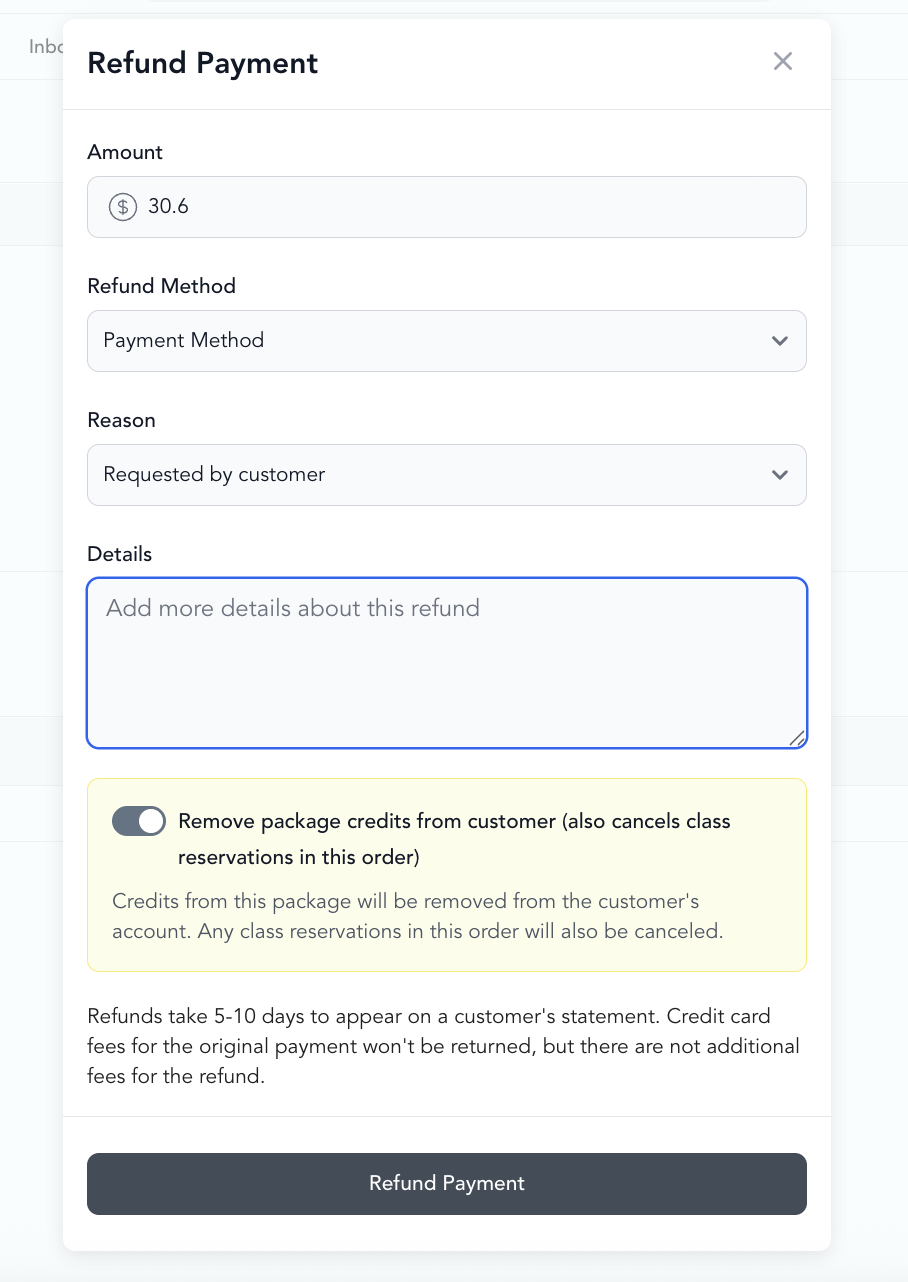
Click into the payment → Refund Payment
-
Enter:
- Amount — full or partial amount
- Reason — for your records (not shown to client)
- Notes — any internal notes about why you're refunding
-
Click Refund Payment
You can also access payments from the check-in screen roster using the actions menu.
Full vs. partial refunds
You can refund any amount up to the original payment amount. For a partial refund, enter the specific dollar amount to return.
Credit card fees
When you issue a refund, Stripe's processing fee (typically 2.9% + 30¢) is not returned to you — that fee is non-refundable. The client receives the full purchase amount, but the processing fee comes out of your balance.
Refunds and class credits
What happens when a booking is cancelled depends on how the client paid:
Paid (monetary) pricing — drop-ins:
- The client paid dollars at booking
- Cancellation refunds the dollar amount back to the client's credit card
- Stripe processes the refund (5–10 business days)
Credit-based pricing — packages and subscriptions:
- The client used a credit from a package (1-pack, 5-pack, 10-pack, etc.) or membership
- Cancellation returns the credit to the client's account balance — no money goes back to their card
- The client can use that credit to book a different class
This is the key difference between paid and credit-based pricing: paid bookings refund dollars to the card, while package/subscription bookings refund credits to the account.
If a client paid with a package but you want to give a cash refund instead, issue the refund from the payment record and manually adjust or deduct from their package.
Refund timing
- Card refunds: 5–10 business days to appear on client's statement
- The transaction shows as "Refunded" in your Arketa reports immediately
Refund limits
You can only refund up to the original payment amount. You can't refund more than what was charged.