
Accounting and reconciliation
Understand your revenue numbers and reconcile Arketa reports with your bank deposits.
Understanding how your revenue flows from client payments to your bank account helps you reconcile your books and work with your accountant.
Revenue flow
Client payment → Stripe → Stripe balance → Payout to your bank
Each step has fees deducted:
- Stripe processing fee — deducted per transaction (~2.9% + 30¢)
- Arketa platform fee — deducted per your plan
- Refunds — reduce your balance before payout
- Disputes — funds held and potentially lost
Key reports for accounting
| Report | What it's for |
|---|---|
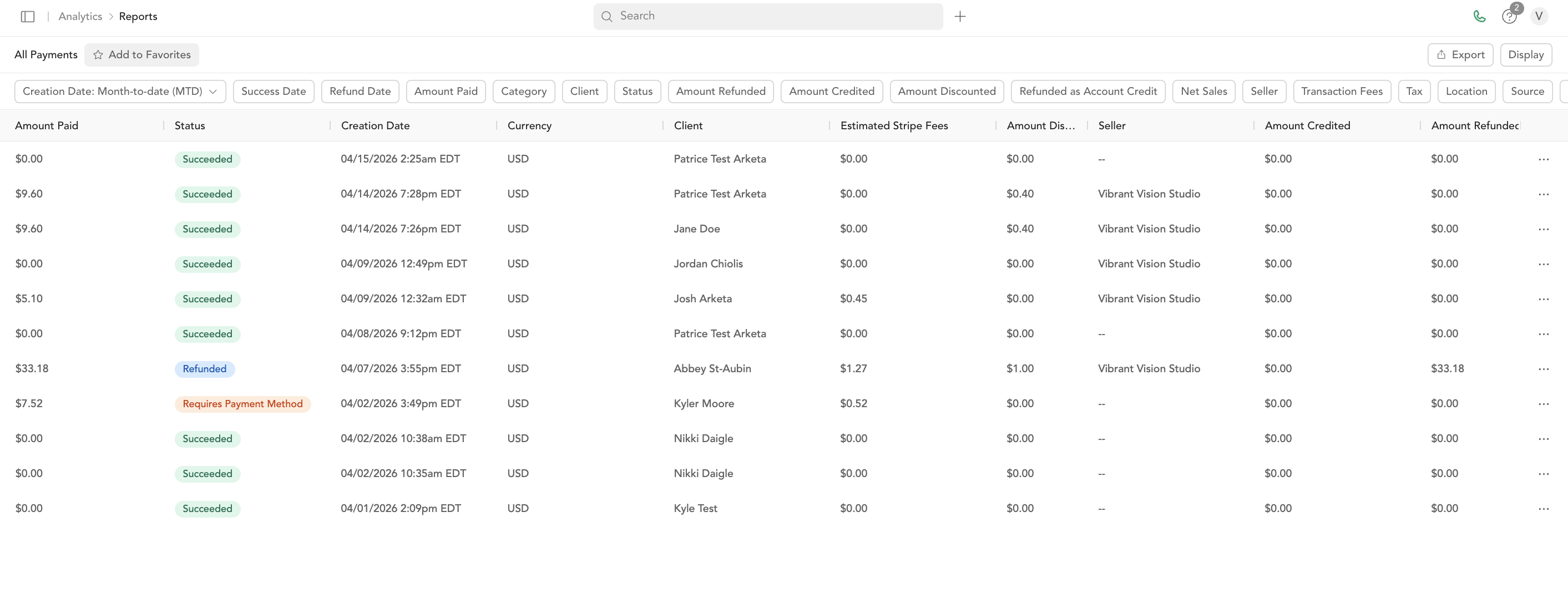
| All Payments | Every transaction — the most granular view |
Find these under Reports → Sales.
Why Stripe payouts don't match your Arketa revenue
Your Stripe payout may be different from your Arketa revenue numbers for several reasons:
- Timing — some payments from last month may have arrived in this month's payout
- Fees — Stripe deducts processing fees before sending the payout
- Refunds — reduce payout amounts
- Rolling reserve — new accounts may have a portion held by Stripe temporarily
Why your payout is less than the "Available for payout" balance
The Available for payout figure on your payouts page is your live balance in Stripe — it includes funds that are still settling and haven't been released yet. A scheduled payout only deposits the portion that has finished settling for that payout cycle, after fees. So the amount that lands in your bank is usually less than the balance you saw, and the rest is paid out in a later cycle — nothing is missing.
A few things that widen the gap:
- Settling funds — recent payments are still in transit and pay out in a later cycle
- Fees — if you absorb Stripe's processing fees, they come out of each payout
- Payout timing — a bank holiday can delay a scheduled payout without changing the amount
The "available for instant payout" number is also capped per transaction, so on a large balance it may show a fixed maximum rather than your full balance.
Stripe's 1099-K vs. Arketa reports
Stripe's 1099-K reflects total gross payment volume — including amounts that were later refunded. Your Arketa reports show net revenue. These numbers won't match exactly, and that's normal.
Arketa Accounting
Arketa Accounting is a built-in bookkeeping product that connects your business bank accounts and credit cards and automatically imports your transactions into your Arketa Suite. From there you can categorize and reconcile every transaction and see live financials — no separate accounting software required.
To turn it on, reach out to Arketa Support or Sales to get started.
Connect your bank accounts and credit cards
Start a new connection
In the Linked Accounts section, select (+) New account.
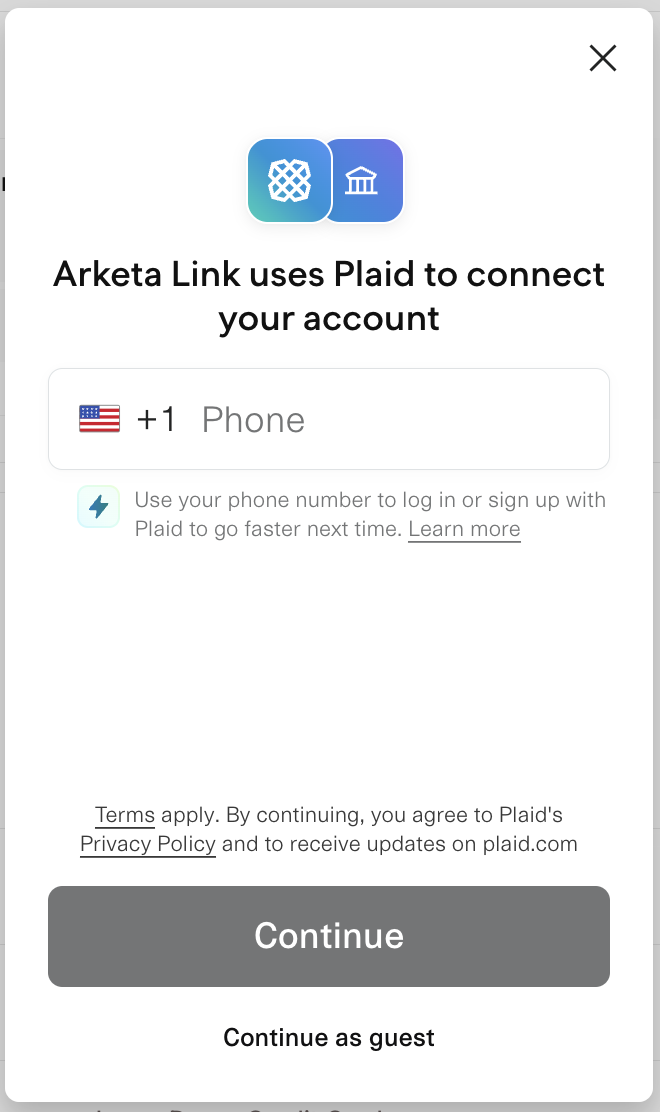
Continue as guest
In the modal that pops up, choose Continue as guest. Entering your phone number is optional.
Select your institution
Find and select your bank in the list under Select your institution.
Log in and grant access
Continue to log in to your bank account, then follow the on-screen prompts to grant Arketa read-only access.
Choose your accounts
If prompted, select the accounts you want to connect. If you're asked to save your phone number, select Continue without saving.
Repeat for other institutions
Repeat these steps for any additional business bank accounts or credit cards held at other financial institutions.
Categorize your transactions
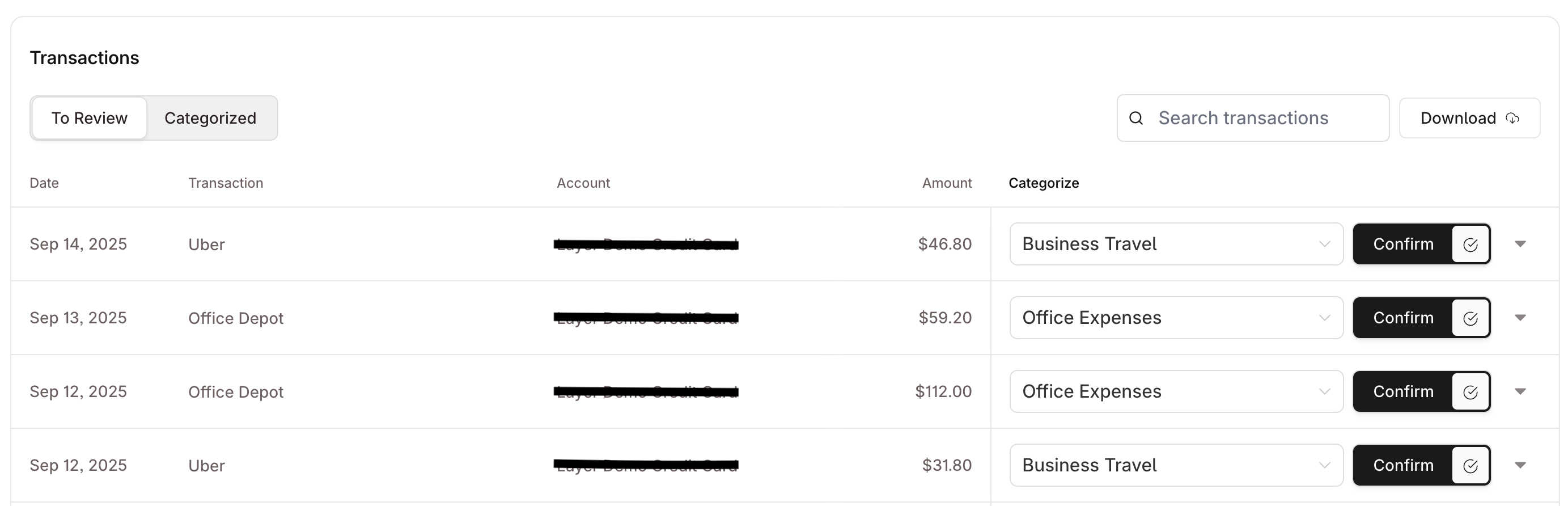
Transactions from your linked accounts import automatically for reconciliation. Manage and categorize them in the Bank Transactions section. Categorizing your transactions is what powers the live charts and reports, so keep them up to date.
Review your financials
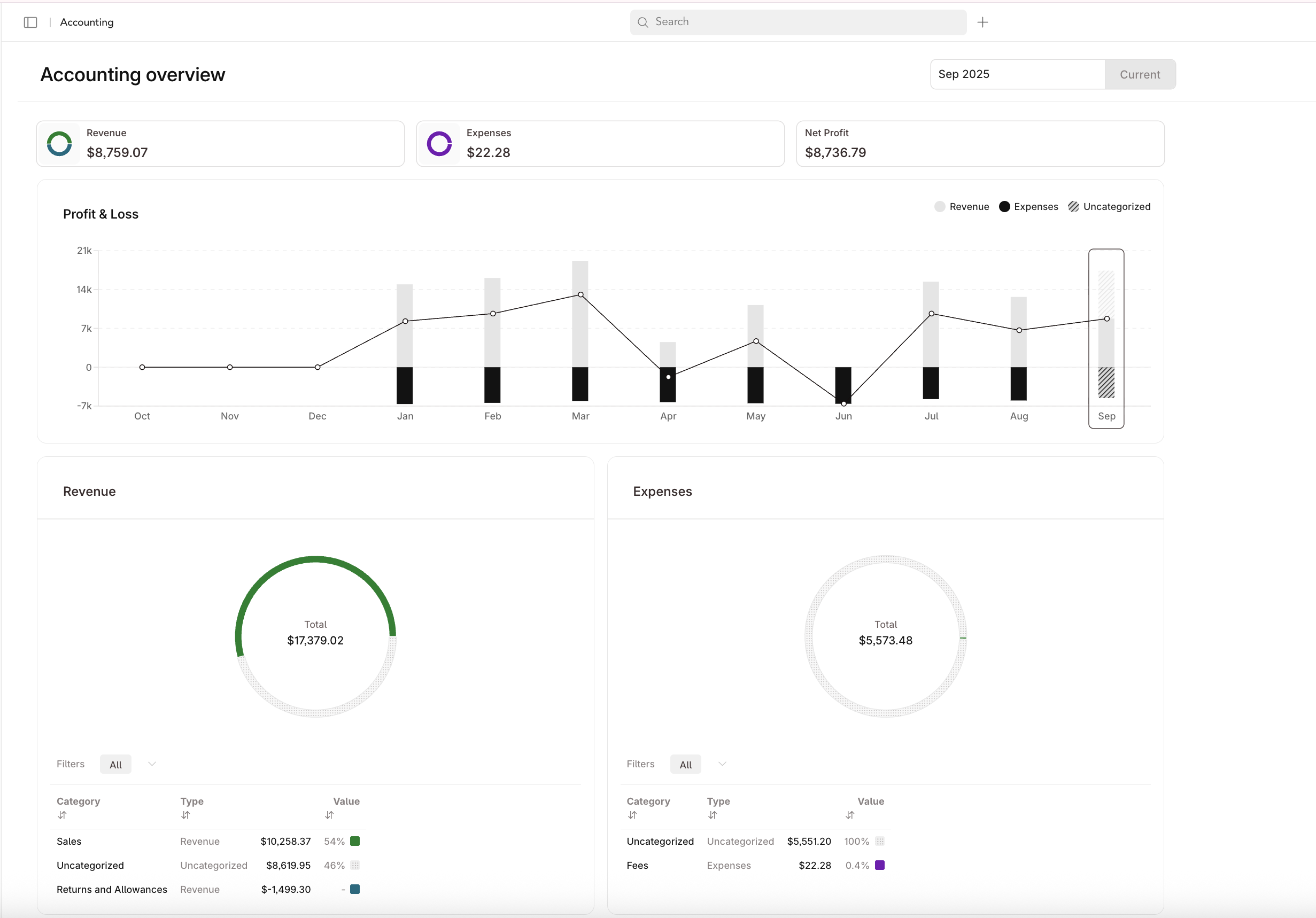
- Overview — see a month-over-month view of your Profit & Loss, plus a more granular breakdown of your Revenue and Expenses for each month.
- Reports — dive into your detailed Arketa financial reports.
Manage your linked accounts
Add or remove connected bank accounts and credit cards anytime from the Bank Transactions section. Connect all accounts tied to your business during onboarding, and update the list whenever your banking changes.