
Automated late cancel fees
Automatically charge clients a fee when they cancel after the cancellation deadline.
Automated late cancel fees charge clients automatically when they cancel a class inside your cancellation window. No manual intervention needed — when the cancellation is marked as late, the fee is collected from their card on file.
Set up automated late cancel fees
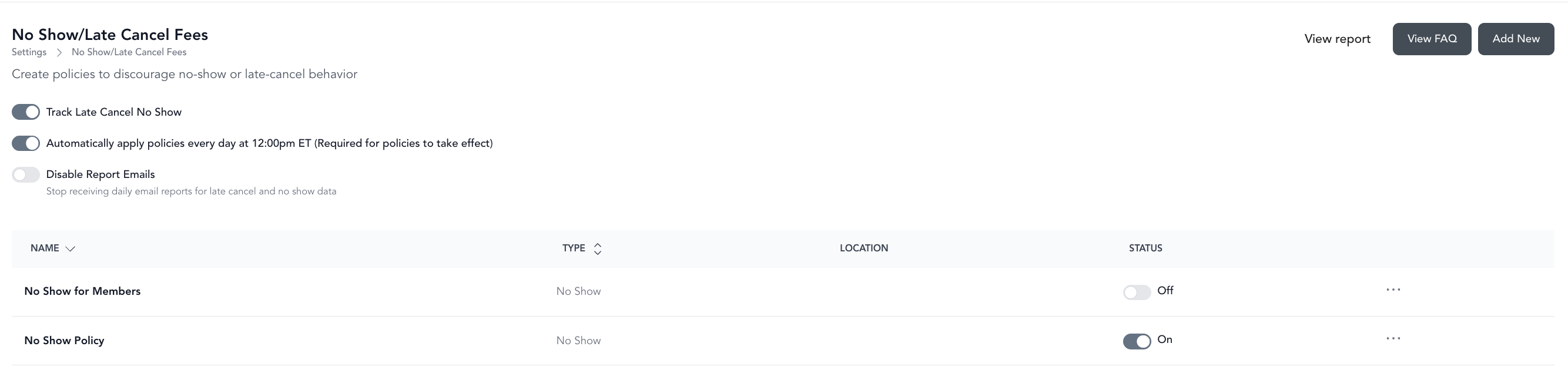
- Go to Settings → No Show/ Late Cancel Fees
- Choose to enable Tracking, automatic charging and whether or not to disable the automatic emails being sent to the business owner
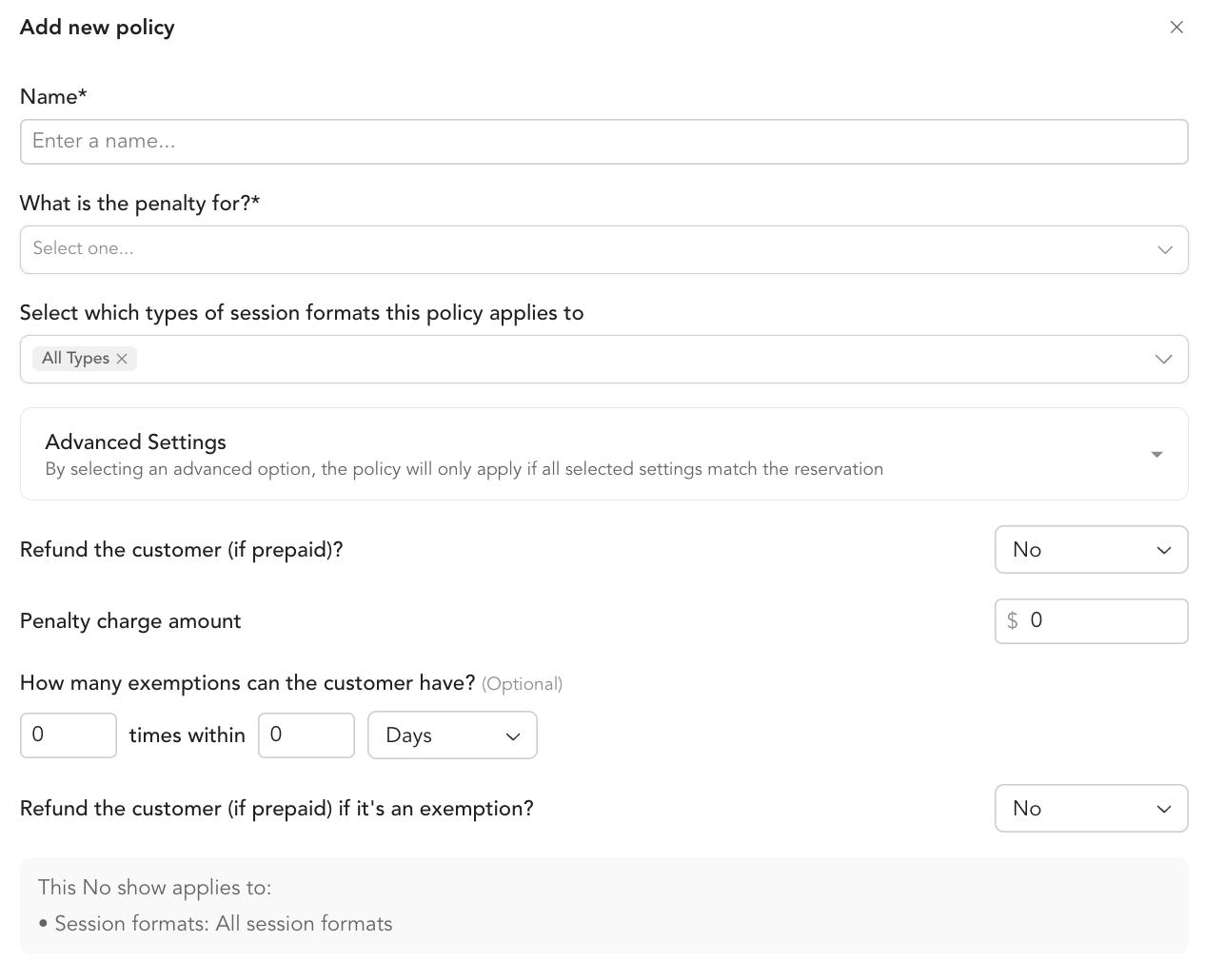
- Add New policy:
- Name the policy
- Select late cancel or no show (build multiple policies to enforce multiple scenarios)
- Select the type of services this policy will apply to - Advanced Settings will allow you to narrow this down further
- Refund the customer if paid - refund if paid, return credit if using a package or membership
- Penalty charge amount - charge an additional amount as a penalty
- Set up exemptions - leave blank if no exemptions desired
- Refund if customer paid in the event of an exemption
- Save
How it works
When a client cancels after your cancellation window closes:
- The class reservation is canceled
- Arketa automatically charges the fee to their card on file (will be scheduled and auto charged if selected, if not this will be added to your To Do list in your late cancel/no show report)
- The client receives a notification about the charge via late cancel transactional message (be sure to set these up prior to enabling policies)
- The charge appears in your payment reports and in the client account under Payments
Any refunds (credit or monetary) or auto charges set up as part of these policies are applied on the timing of the Auto Charge ~48hrs in the future at 12pm EST.
Guest bookings
When a client books a guest and that guest's spot is canceled late, the fee is charged to the client who made the booking, not to the guest. The charge description names the class, so if the booking client also attended that same class it can look like they were charged for their own reservation. To confirm which reservation a fee belongs to, open the client's Payments record and check the late cancel entry against the class roster.
Configuring the cancellation window
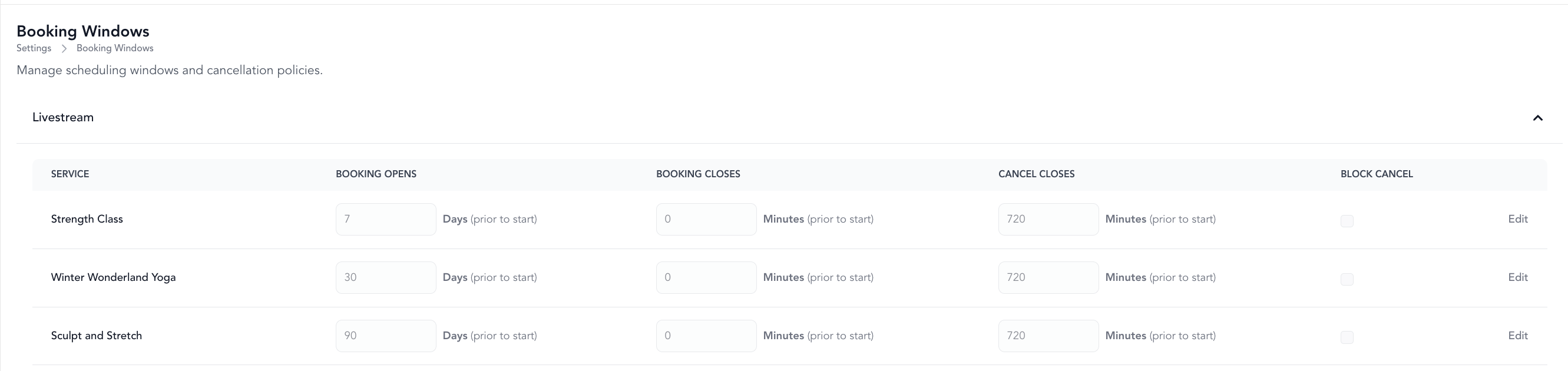
The cancellation window is set in Settings → Booking Windows. This is the cutoff time before class — after this point, cancellations are counted as late.
Manual late cancel fees
You can also manually mark a cancellation as late and process the fee from the class roster without the automated system. This gives you more discretion for exceptions.
Exceptions and refunds
If you want to waive a late cancel fee for a client, process a refund from their payment record after the fee has been charged. See refunds.