
Account credits
Add, remove, and understand account credits on a client's profile.
Account credits are a flexible payment option that lets clients carry a balance on their Arketa account. Credits can be used at checkout for classes, appointments, and videos — either instead of or in addition to their payment method.
Types of credits
Package credits — earned when a client purchases a class pack. Each credit = one class booking (or however many credits a class requires). These live on the specific pricing option, not the general account balance.
Account credit (monetary) — a dollar balance on the client's account. This is what gets added or removed manually. It can be used at checkout, and it applies to subscriptions automatically when you turn on Automatically apply account credit to subscriptions.
Add credit to a client's account
- Go to Customers → Clients and open the client's profile
- Find the Credit balance section
- Click Adjust balance
- Set Adjustment type to Increase, then enter the Amount and an Internal note
- Save

Remove credit from a client's account
Same process — set Adjustment type to Decrease to reduce their balance.
Gift a courtesy class credit
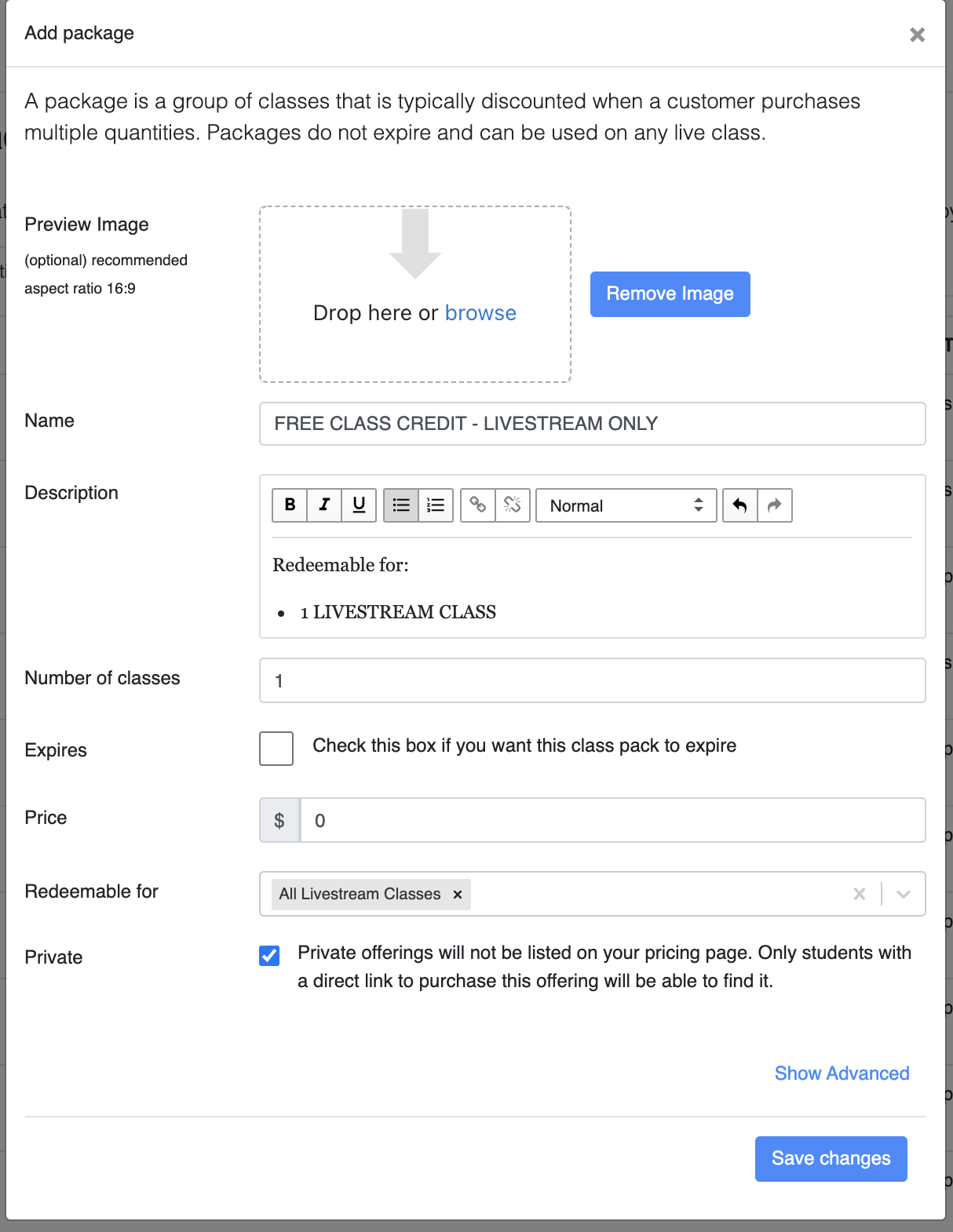
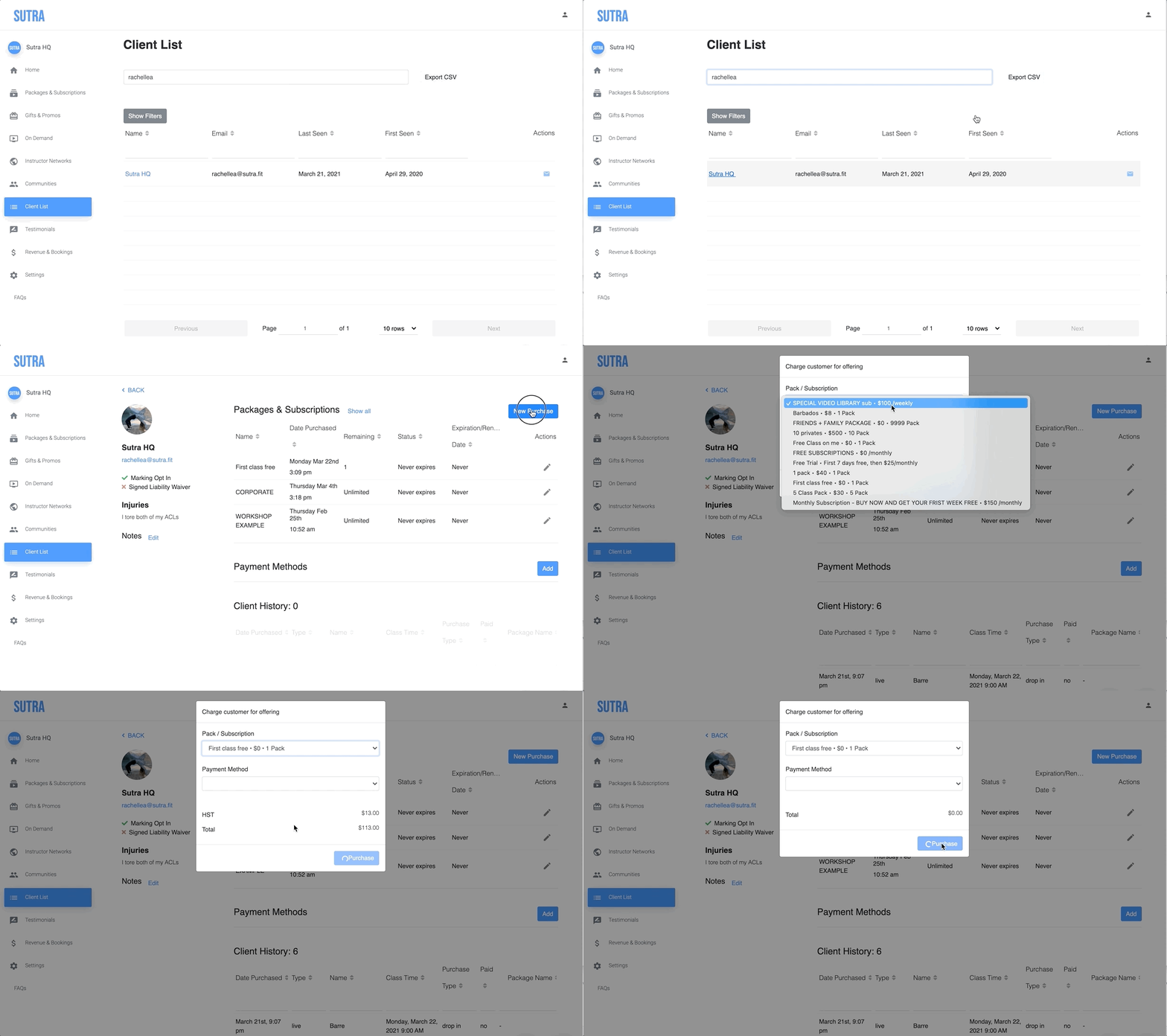
Adding a courtesy class credit is a great way to give a client another chance to take your class without issuing a refund. Instead of adding a dollar balance, you create a private class package for the credit amount and purchase it directly onto their account.
- Create a class package for the credit amount you want to give — for example, 1 livestream class credit. Make sure to mark it private so it doesn't show up in your public pricing options.
- Search for the student in your client list and purchase the credit to add it to their account.
How account credits work at checkout
When Automatically apply account credit to subscriptions is on in Settings → General Business Settings, a client's account credit is applied automatically to subscription checkouts and recurring invoices:
- Credit is applied first, before their payment method is charged
- Example: $20 credit + $80 membership renewal = $60 charged to card after $20 credit is applied
When the setting is off, credit is only used when someone applies it explicitly at checkout.
Pay with account (negative balance): If you turn on Enable pay with account in Settings → General Business Settings, clients can choose to pay with their account balance at checkout, even if that leaves a negative balance — essentially, they owe you money and can pay it off later. This is useful for trusted long-time clients or when billing after a service. Pay with account isn't available for subscriptions.
Subscription credits
If a client's subscription payment fails, adding account credit retroactively will not apply to the open, unpaid invoice.
Viewing a client's credit balance
Their current account credit balance is visible on their profile. For a report across all clients, see Credit Balances report.