
Family sharing
Let family members share packages and memberships, and allow parents to book and sign waivers for their children.
Family sharing lets household members share pricing options — one parent can purchase a package and the whole family can use it for bookings. It also lets parents sign liability waivers on behalf of children.
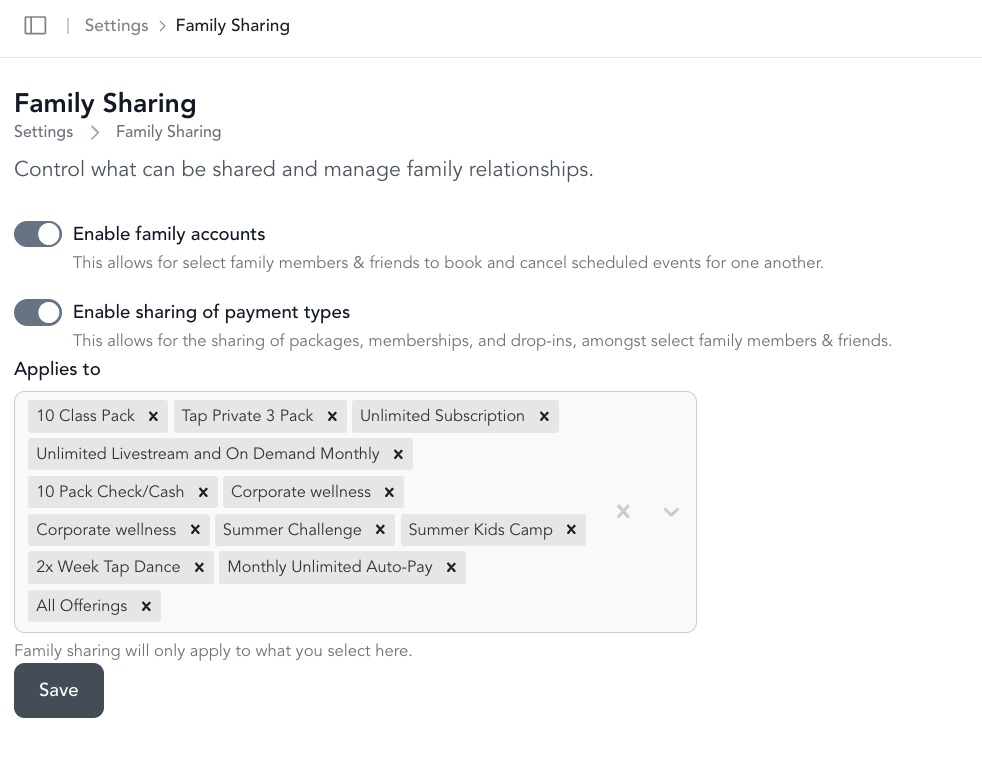
Enable family sharing
- Go to Settings → Family Sharing
- Toggle on Family accounts to allow clients to connect family members
- Toggle on Enable sharing of payment types to allow families to share packages, memberships, and drop-ins
How clients add family members
From their account on your website or app, clients can:
- Go to their profile → Family Sharing
- Click Add New
- Enter the family member's details
If the family member doesn't have their own email address (like a young child), uncheck Has their own email — Arketa will create a placeholder account.
Where shared packages appear
Once a client links a family member and Enable sharing of payment types is on, a pricing option bought by one family member also appears on each linked client's profile under Packages, Memberships & Bundles, with (family) after its name. Only purchases that are still active appear this way.
These shared rows are read-only on the other family member's profile, so they have no three dots — the purchase belongs to the client who bought it. To edit, pause, or cancel it, go to Customers → Clients, open the profile of the client who owns the purchase, and use the three dots there. Clicking the shared row takes you straight to the owner's copy.
Allow packages to be shared with guests/family
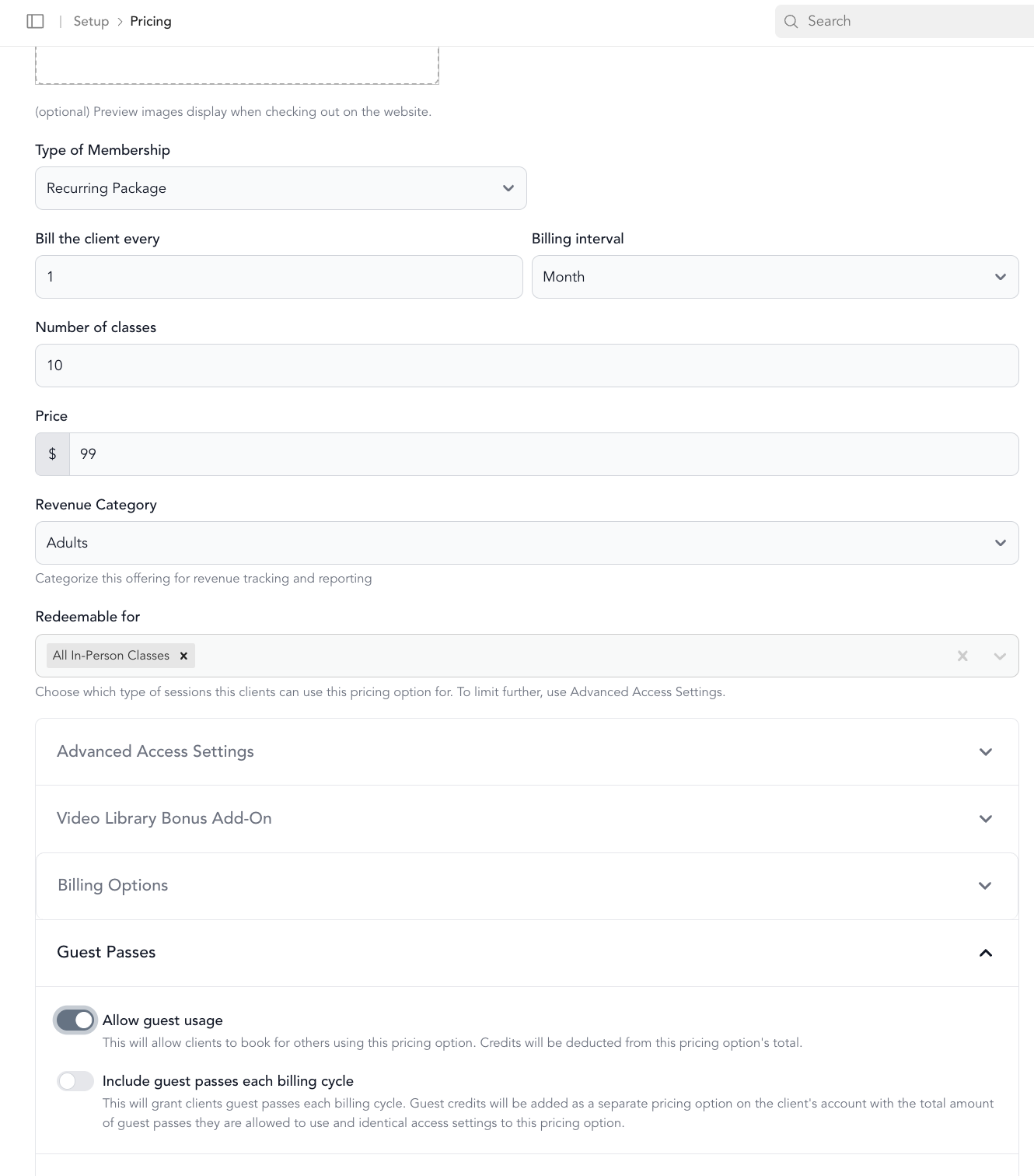
On individual pricing options, you can enable guest usage:
- Go to Setup → Pricing
- Edit the pricing option
- Scroll to Advanced Access Settings
- Enable Allow Guest Usage
- Save
This allows the primary account holder to use that package to book for their family members.
Parents signing waivers for children
Parents can sign your liability waiver on behalf of children — either during the booking flow or via the waiver link.
During booking:
- At checkout, select Reserve for → Family
- Choose the family member
- If no waiver is on file, the option to sign on their behalf appears
- Sign and complete the booking
The signed waiver is saved to the child's profile automatically.
Via waiver link: When parents open the liability waiver link (from Settings → General Business Settings → copy waiver link), they can select "New family member" or choose an existing one. The waiver is linked to the child and saved to their profile.
Booking for a guest (non-family)
Clients can also book for guests — friends they're bringing to a class, for example. Enable this under Settings → Business Settings by toggling on "Buy for a Guest." Drop-in purchases work immediately; packages and subscriptions need guest usage enabled on the pricing option.