
Reservation statuses
What each booking status means in Arketa.
Every booking in Arketa has a status that reflects its current state. Here's what each one means.
| Status | What it means |
|---|---|
| Confirmed | Active reservation — the client is signed up as paid or unpaid |
| Checked In | Client arrived and was checked in for the class or appointment |
| Checked Out | Client has completed the session (used for some appointment flows) |
| Completed | Reservation or service is finished |
| Waitlist | Client is on the waitlist, not yet in the class |
| Unpaid | Reservation exists but payment hasn't been collected |
| Past due | Client's subscription payment is past due, blocking their active status |
| No show | Class ended and the client was not checked in |
| Late Canceled | Client canceled after the cancellation deadline |
| Canceled | Client canceled on time (or was given a grace cancellation) |
| Modified | Reservation was changed (e.g., moved to a different class or time) |
| Deleted | Reservation was permanently removed |
Status priority notes
- Unpaid overrides No Show — if a reservation is both unpaid and the client didn't show, the status shows as Unpaid, not No Show
- No Show is set automatically after class ends if the client wasn't checked in
Why an upcoming booking shows Unpaid
When a client books a class on a recurring basis, Arketa reserves every future occurrence in the series right away and holds each one as Unpaid until shortly before that class starts. Payment is settled close to class time rather than when the series is booked, so a client can hold spots for classes that fall after their membership renews.
If you have the unpaid reservation resolver turned on, each held reservation is settled automatically before class starts: Arketa applies the client's available membership or pack credits first, then charges their payment method on file if you allow it, and cancels the reservation if neither is possible.
Seeing Unpaid on a class that is weeks out is expected — check the reservation again closer to the class date to confirm it settled.
Filtering by status
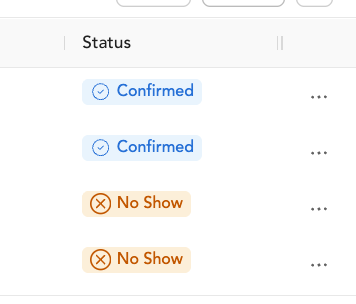
In the client's Bookings tab or in reporting, you can filter by reservation status. This is useful for:
- Finding all unpaid reservations
- Reviewing late cancel patterns
- Identifying clients with high no-show rates