
Client documents
Upload and store files on a client's profile — waivers, intake forms, health documents, and more.
You can upload files directly to a client's profile for safekeeping — signed waivers, intake forms, health questionnaires, assessment results, or any other document relevant to that client.
Upload a document
- Go to Customers → Clients and open the client's profile
- Find the Documents section
- Click the + button across from Documents
- Drag and drop a file, or click Select to browse your computer
- Click Upload Document
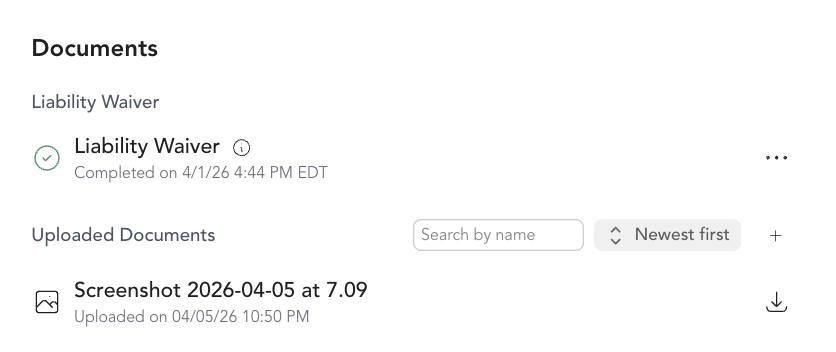
The document appears in the Documents section with its filename and an upload timestamp.
Supported file types
- Word documents (.doc, .docx)
- Text files (.txt)
- Images (PNG, JPEG, WebP, GIF)
Maximum file size: 15MB
What it's good for
- Signed liability waivers — Arketa can send waivers and collect signatures electronically, but you can also upload a scanned copy of a paper waiver
- Health intake forms — upload completed intake questionnaires for personal training or wellness clients
- Assessment results — fitness assessments, body composition results, progress photos
- Custom contracts — membership agreements or specialized service agreements
- Medical clearance letters — if a client needs to provide clearance before participating
Viewing uploaded documents
Anyone on your team with access to the client list can view uploaded documents from the client's profile. Documents are staff-only — clients can't see them from their account.
Was this helpful?