
Email preferences
Manage what emails a client receives from your studio.
Clients can manage their own email preferences from their account, and you can also update them from the dashboard.
What clients can unsubscribe from
Clients can opt out of marketing emails — broadcasts, promotional campaigns, and newsletters. They do this by clicking "Unsubscribe" in any marketing email, or from their account settings.
Transactional emails (booking confirmations, receipts, cancellation notices, password resets) can't be unsubscribed from — these are operational emails clients need to manage their account.
Update email preferences for a client
- Go to Customers → Clients and open the client's profile
- Look for the Email or Communication preferences section
- Update their subscription status
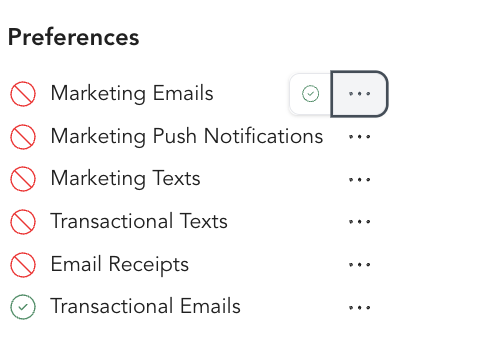
If a client asks to be removed from your marketing list, update their preference here so they stop receiving broadcasts and automation emails.
Communication preferences you can toggle
From the client's profile, you can turn any of these preferences on or off individually:
- Marketing emails — broadcasts, promotions, and newsletters
- Marketing texts — promotional SMS messages
- Transactional emails — booking confirmations and account notices
- Email receipts — the emailed copy of a client's purchase receipts
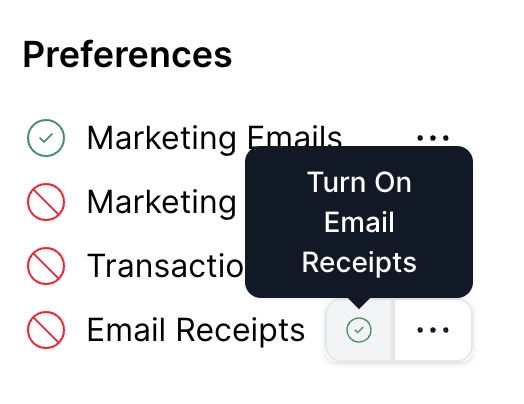
Marketing texts and email receipts live here alongside email subscriptions, so you can fine-tune exactly which messages a client receives.
What happens when a client unsubscribes
- They stop receiving marketing broadcasts and automated marketing emails
- They continue to receive transactional emails (booking confirmations, receipts, etc.)
- Their account and bookings are unaffected
Re-subscribing a client
If a client unsubscribed by mistake and wants back on your list:
- Open their profile
- Update their email preference to re-subscribe
Note that the client must also confirm this from their side — re-subscribing on their behalf marks them as opted in, but it's best practice to have them confirm they want to receive emails again.