
Custom fields
Collect additional information from clients at signup or on their profile.
Custom fields let you collect information beyond the standard name and email — things like emergency contacts, fitness goals, health conditions, phone numbers, or anything specific to your business.
Set up custom fields
-
Go to Settings → Custom Fields (or search for "Custom Fields" in Settings)
-
Click Add New Field
-
Configure:
- Field name — what you're asking (e.g., "Emergency contact phone")
- Field type — text, number, dropdown, checkbox, date
- Required — if checked, clients must fill this out to complete signup
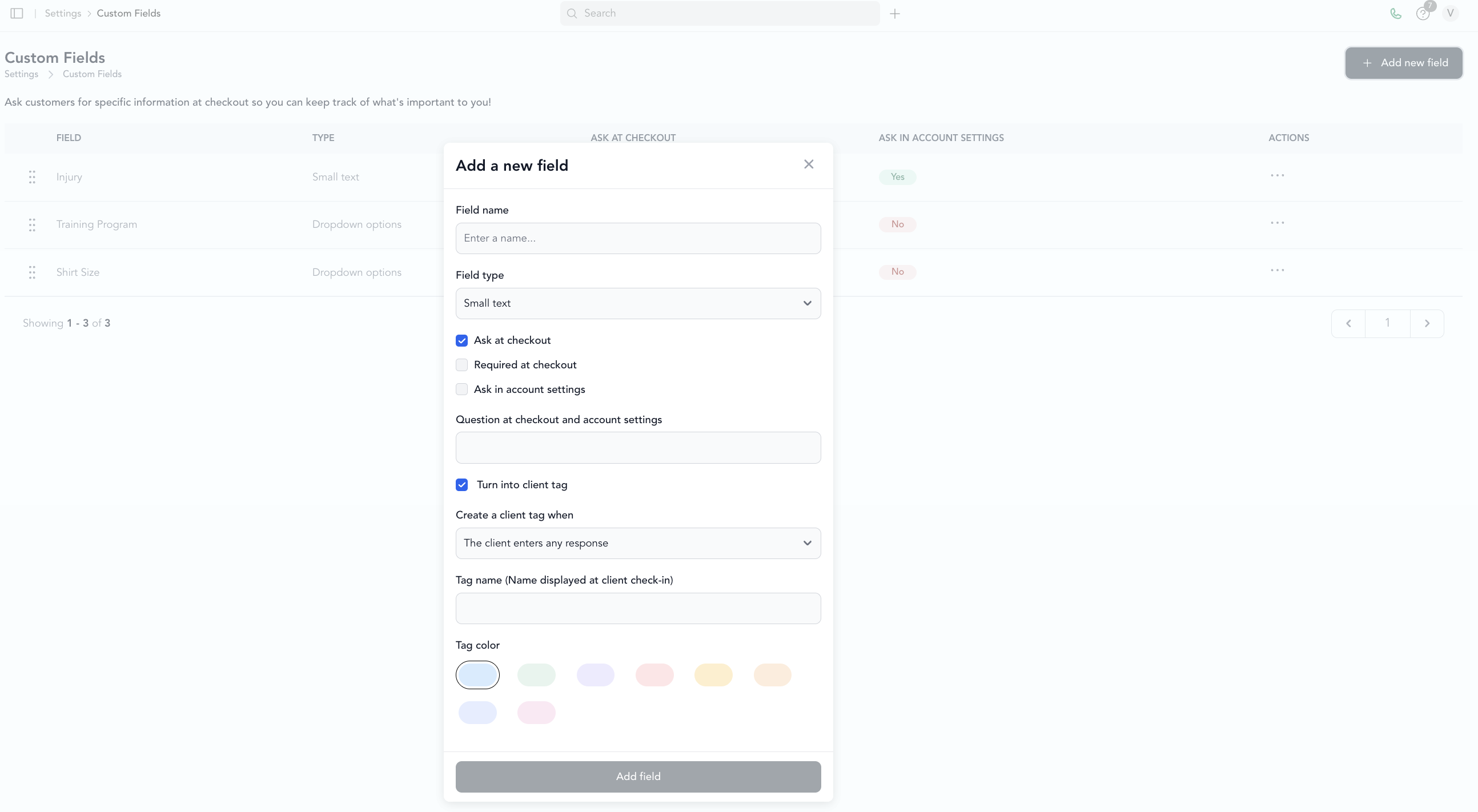
Fields are shown to clients when they create an account or on your client-facing profile page.
Types of custom fields
| Type | Use case |
|---|---|
| Text | Open-ended input — goals, health notes, emergency contact name |
| Number | Height, weight, age |
| Dropdown | Select from a list — fitness level, how they heard about you |
| Checkbox | Yes/no — agree to terms, interested in workshops |
| Date | Birthday, program start date |
View custom field responses
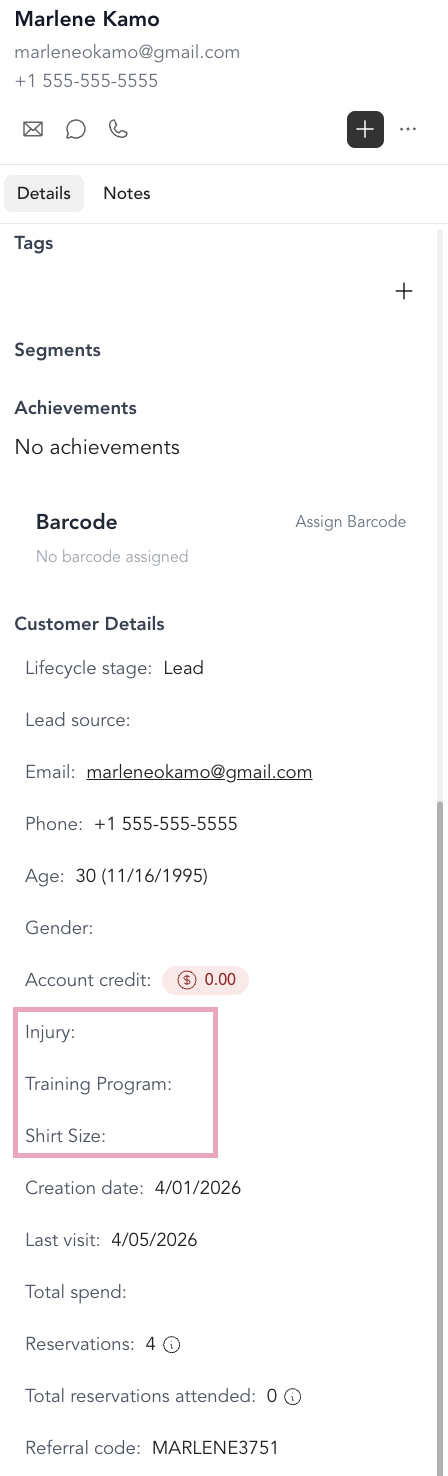
Custom field data is visible on each client's profile. You can also filter the client list by custom field values — for example, finding all clients who selected "Intermediate" from a fitness level dropdown.
Require phone number at signup
A common use case: making phone number required. Since phone isn't a default required field, add a custom field for it and mark it required. New clients will be prompted to enter it when they sign up.
Custom fields appear for new client signups. Existing clients won't see them unless they visit their account settings — you can fill in fields on their behalf from the client profile in your dashboard.