
SMS broadcasts
Send a text message to all your clients or a specific segment.
SMS broadcasts send a text message to clients who've opted in to receive SMS from your business. Open rates for SMS are typically much higher than email — great for time-sensitive promotions, schedule announcements, or flash offers.
SMS broadcasts require the Marketing Suite add-on. Contact support to enable this feature.
Create an SMS broadcast
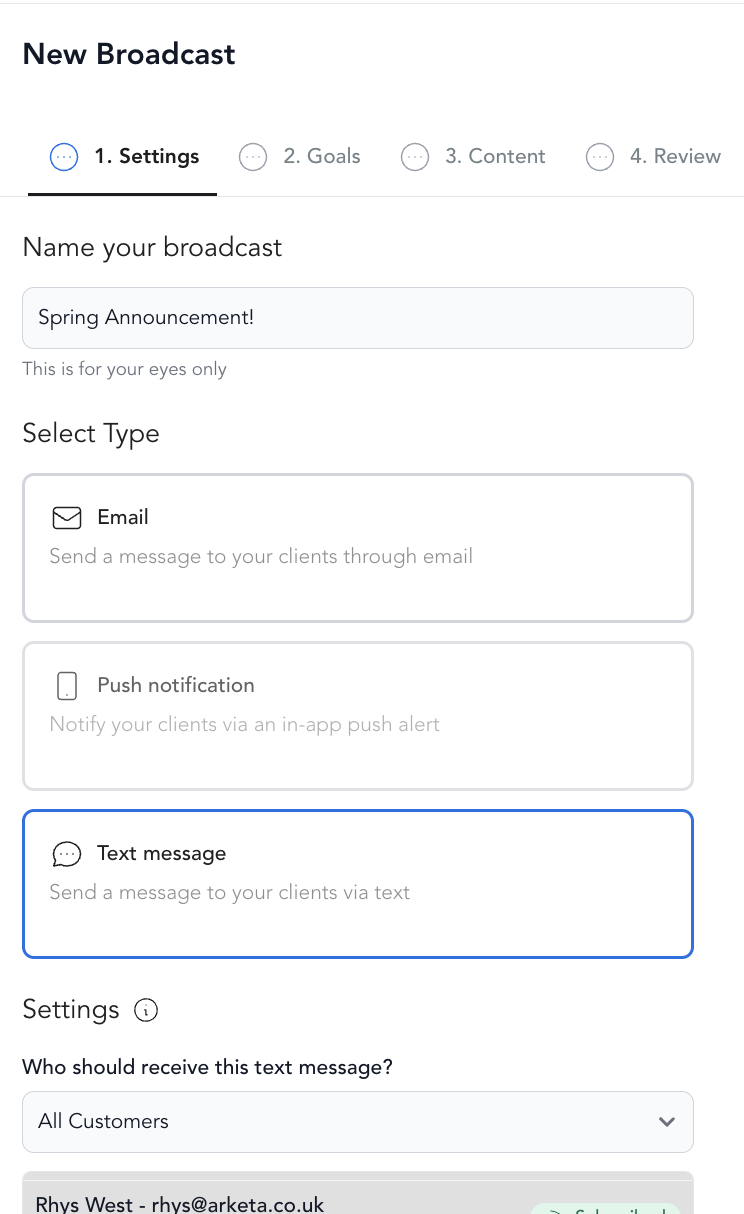
-
Go to Marketing → Broadcasts
-
Click Create Broadcast
-
Select SMS
-
Fill in:
- Name — internal label
- Send to — all SMS-opted-in clients or a segment
- Message — your text (160 characters = 1 SMS segment; longer messages use multiple segments and cost more)
-
Preview and send or schedule
SMS character limits
SMS messages are measured in "segments" of 160 characters each. Longer messages automatically split into multiple segments — each adds to your SMS cost. Keep messages concise for best results and cost efficiency.
Opt-in requirements
Clients must opt in to receive SMS marketing messages. Arketa tracks opt-in status and only sends to opted-in recipients. Clients who haven't opted in won't receive your SMS broadcasts.
Two-way SMS
SMS broadcasts are one-directional — clients can't reply to a broadcast and have it come back to you. For two-way conversations, use the Inbox. See two-way texting.
Best uses for SMS
- Last-minute class openings ("Spot just opened in tonight's 7pm yoga!")
- Flash promotions with a short deadline
- Schedule changes or cancellations
- Event reminders the day before
- Quick wins with high urgency
Tracking SMS results
After sending, view delivery rates and opt-out rates from the broadcast detail page.