
Plan and billing
Manage your Arketa subscription plan, view invoices, update payment details, and track your monthly email and SMS usage.
Your Arketa subscription is managed from Settings → Plan & Billing. This is separate from the payments your clients make to you — it covers your own subscription to Arketa.
View your current plan
Your active plan, billing cycle, and next renewal date are shown at the top of the Plan & Billing page. Arketa offers Individual and Studio plans with different feature sets and team member limits.
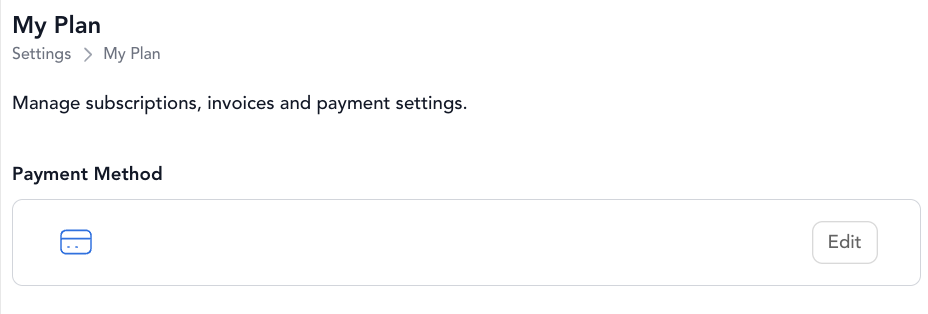
Update payment method
To update the card on file for your Arketa subscription, go to Settings → Plan & Billing and click Update Payment Method. Enter the new card details and save.
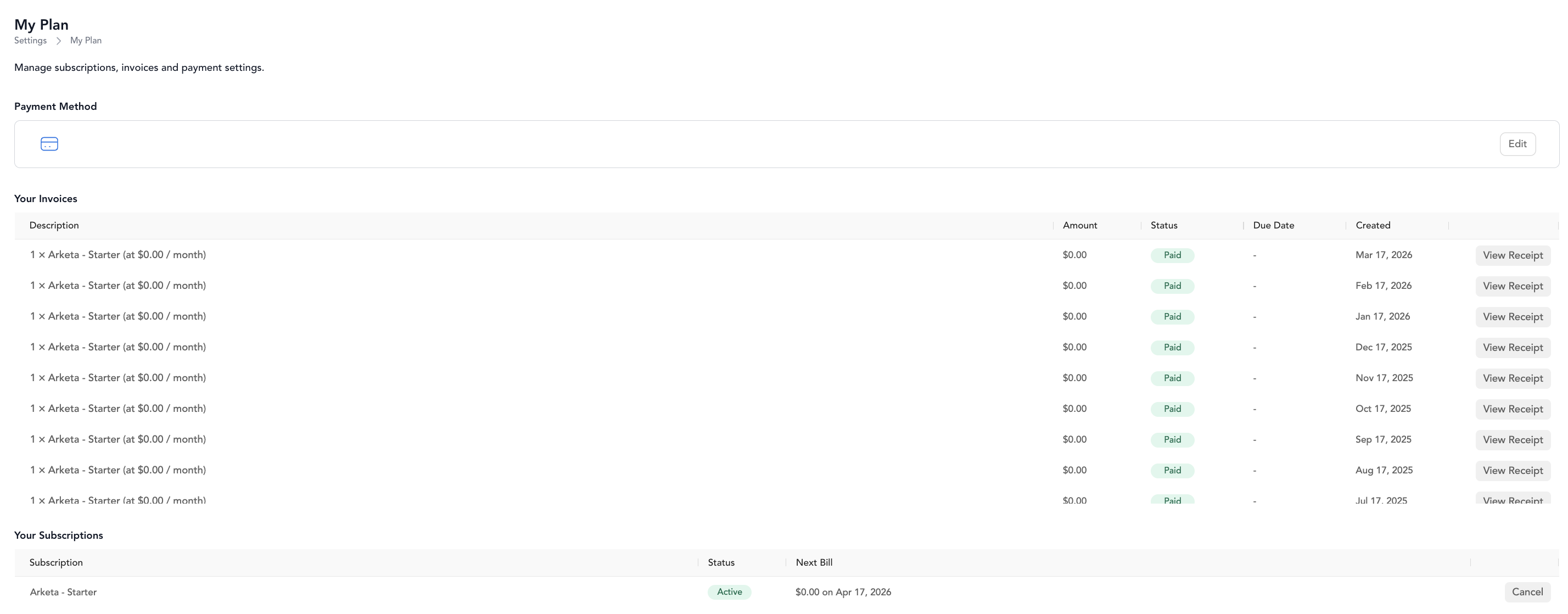
View invoices
Past invoices for your Arketa subscription are listed on the Plan & Billing page. Click any invoice to view or download it.
Upgrade or downgrade your plan
To change your plan, click Change Plan on the Plan & Billing page. Changes take effect at the start of your next billing cycle.
Need to pause or cancel your Arketa account? Contact Arketa support — these changes require assistance from the team.
Email and SMS usage
Every Arketa account includes 10,000 marketing emails and 2,500 SMS credits each month at no extra charge. These allotments reset on the 1st of each calendar month (UTC), regardless of when your own billing cycle renews.
To view your usage, go to Settings → Plan & Billing and scroll to the CRM Usage section. It shows your included amounts, current usage, and remaining balance for both email and SMS. You can also check your email usage from the dashboard by clicking the My Plan button and scrolling to the bottom of the page.
Usage is counted per account
The allotment and the usage counter belong to one Arketa account. If you run more than one studio and each one has its own Arketa account, each account gets its own 10,000 emails and 2,500 SMS credits, tracks its own usage, and is billed for its own overage separately.
Switching studios changes which account you're looking at, so the CRM Usage numbers will differ between them. That's expected — the totals are not shared, and they are not added together. Locations inside a single account do share one allotment.
Which messages count toward your limit
Only marketing messages count against your monthly allotment. Transactional messages are counted separately and keep sending even when marketing sends are paused.
| Marketing — counts toward your limit | Transactional — doesn't count |
|---|---|
| Broadcasts | Booking confirmations |
| Promotional automations | Receipts |
| Texts you send a client from your Inbox | Class reminders and appointment reminders |
| Other user-initiated marketing emails and SMS |
How SMS credits are counted
One text is not one credit. Your 2,500 SMS credits are not 2,500 text messages, and a single long text can use dozens of them. Two things decide the cost of each text you send.
1. Length, counted in segments. Carriers split every text into segments of up to 160 characters. Adding an emoji, a curly apostrophe, or an em dash switches the text to a different character encoding and drops each segment to 67 characters — so a single emoji roughly doubles the cost of the same message.
| Your text | Segments |
|---|---|
| 150 characters, plain text | 1 |
| 150 characters with an emoji | 3 |
| 500 characters with an emoji | 8 |
2. Where your phone number is registered. Each segment costs a different number of credits by country. A US number is 1 credit per segment; a Canadian number is 3; a UK number is 5. To see the full table, go to Settings → Plan & Billing → CRM Usage and click Show credit rates by country.
Put together: a 500-character text with an emoji costs 8 credits from a US number and 40 credits from a UK number. At the UK rate, roughly 60 texts of that length would use the whole monthly allotment.
When you write a text in the Inbox, the counter under the message box shows segments, not credits. Multiply it by your country's rate from the table above to get the credits that text will use.
Overages
Overages are optional and must be turned on. By default, marketing email and SMS sending pauses once you hit your monthly limit — transactional messages are not affected.
To keep sending beyond your included limits, go to Settings → Plan & Billing → CRM Usage and toggle on Allow overage. Set an optional monthly spend cap so overage charges never exceed an amount you choose.
Overage rates:
| Message type | Rate | Per 1,000 |
|---|---|---|
| Marketing emails | $0.0005 per email | $0.50 |
| SMS | $0.015 per credit | $15 |
For example, sending 110,000 emails in a month — 100,000 over the included limit — costs roughly $50 in overage fees.
Tips for reducing usage
- Use segments to target specific groups, such as active or at-risk members, instead of broad audiences like All Members.
- Exclude low-engagement recipients — clients who never open your emails — to conserve credits while keeping your sends relevant.
Email and SMS FAQs
Currency settings
You can change the currency your clients are charged in at Settings → Payments → Payment Settings. Select the currency from the dropdown and click Save Changes.
Changing currency affects how prices are displayed to clients. Make sure pricing options are set up correctly after any currency change.