
Push notifications
Send push notifications to clients using your branded mobile app.
If you have the branded mobile app add-on, you can send push notifications directly to clients' phones — messages that appear on their lock screen even when the app isn't open.
Push notifications require a branded mobile app. Contact support if you're interested in adding a mobile app to your Arketa plan.
How push notifications work
- Client downloads your branded app
- They allow notification permissions when prompted
- You send a push notification from your dashboard
- The notification appears on their phone
Send a push notification
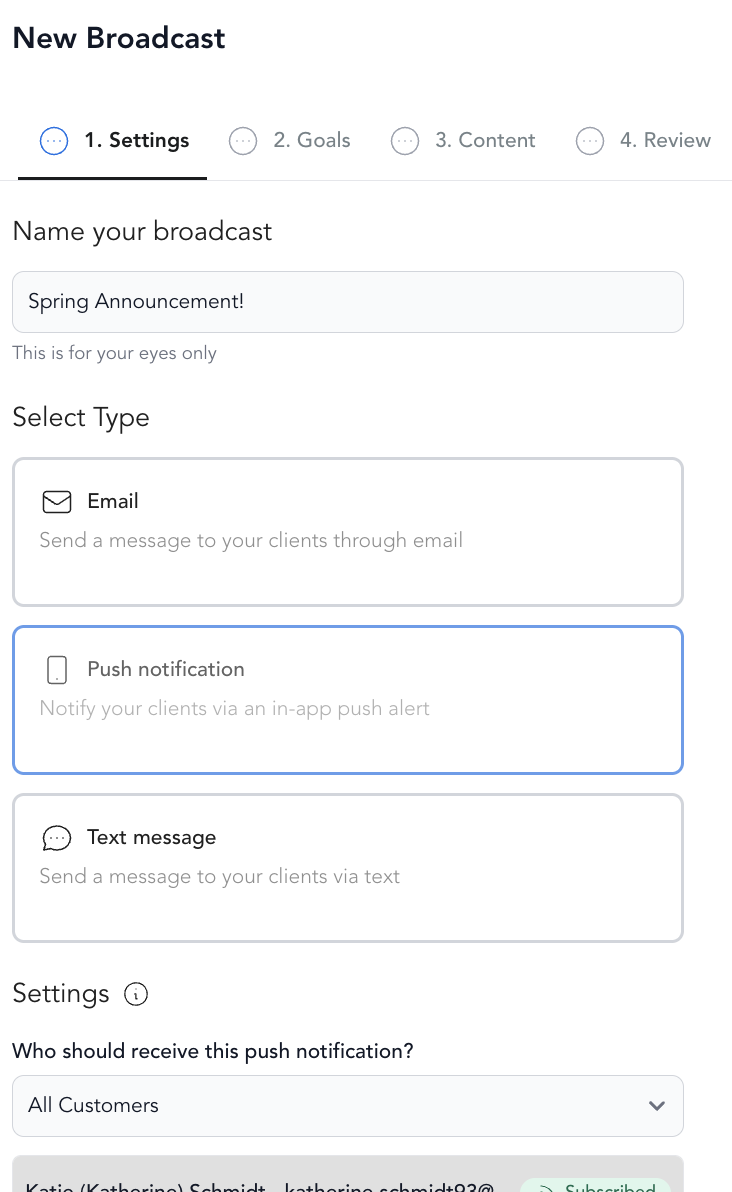
-
Go to Marketing → Broadcasts
-
Click Create Broadcast
-
Select Push Notification
-
Enter:
- Title — headline of the notification (short)
- Message — the notification body text
- Send to — all app users or a segment
- Action — where tapping the notification takes the client (e.g., your class schedule)
-
Send now or schedule
Best uses for push
- Schedule drop announcements ("This week's classes are live!")
- Class reminders ("Your 9am class starts in 1 hour")
- Promotional offers to active app users
- New content alerts ("New on-demand video just dropped")
Push vs. SMS vs. email
| Push | SMS | ||
|---|---|---|---|
| Requires app | Yes | No | No |
| Opt-in required | Yes (at install) | Yes | Yes |
| Character limit | Short | 160 chars/segment | None |
| Cost | Included with app | Per message | Included |
| Best for | App users, immediate alerts | Urgent offers | Detailed content |
Was this helpful?