
Late cancel & no-show
How to handle late cancellations and no-shows, including manual fees and automated penalties.
Arketa tracks late cancellations and no-shows automatically, and you can charge fees either manually or through automated rules.
How no-shows are tracked
Any client who was enrolled in class but not checked in by the time class ends is automatically recorded as a no-show. You can see this data in Reports → Late Cancel / No-Show Report.
Manual late cancel
To mark a client as a late cancel from the check-in screen:
- Click ... next to the client
- Select cancel reservation
- Confirm
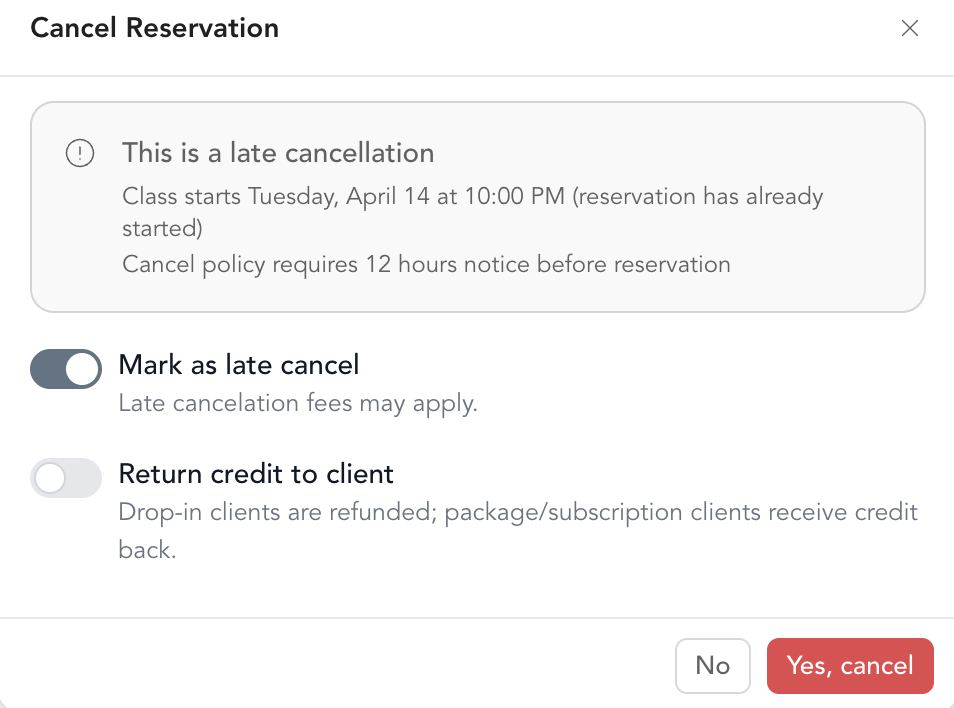
The client is moved to the late cancel list if you are within the time frame of a late cancellation. If you have automated penalty charging enabled, they'll be charged according to your settings. If not, you can charge them manually.
Manual no-show charge
To charge a client for a no-show:
- Go to the late cancel/no show report
- Find the reservation in your to do list
- Press the $ icon to manually charge a no show amount
How to charge for late cancel/no-show →
Automated late cancel & no-show fees
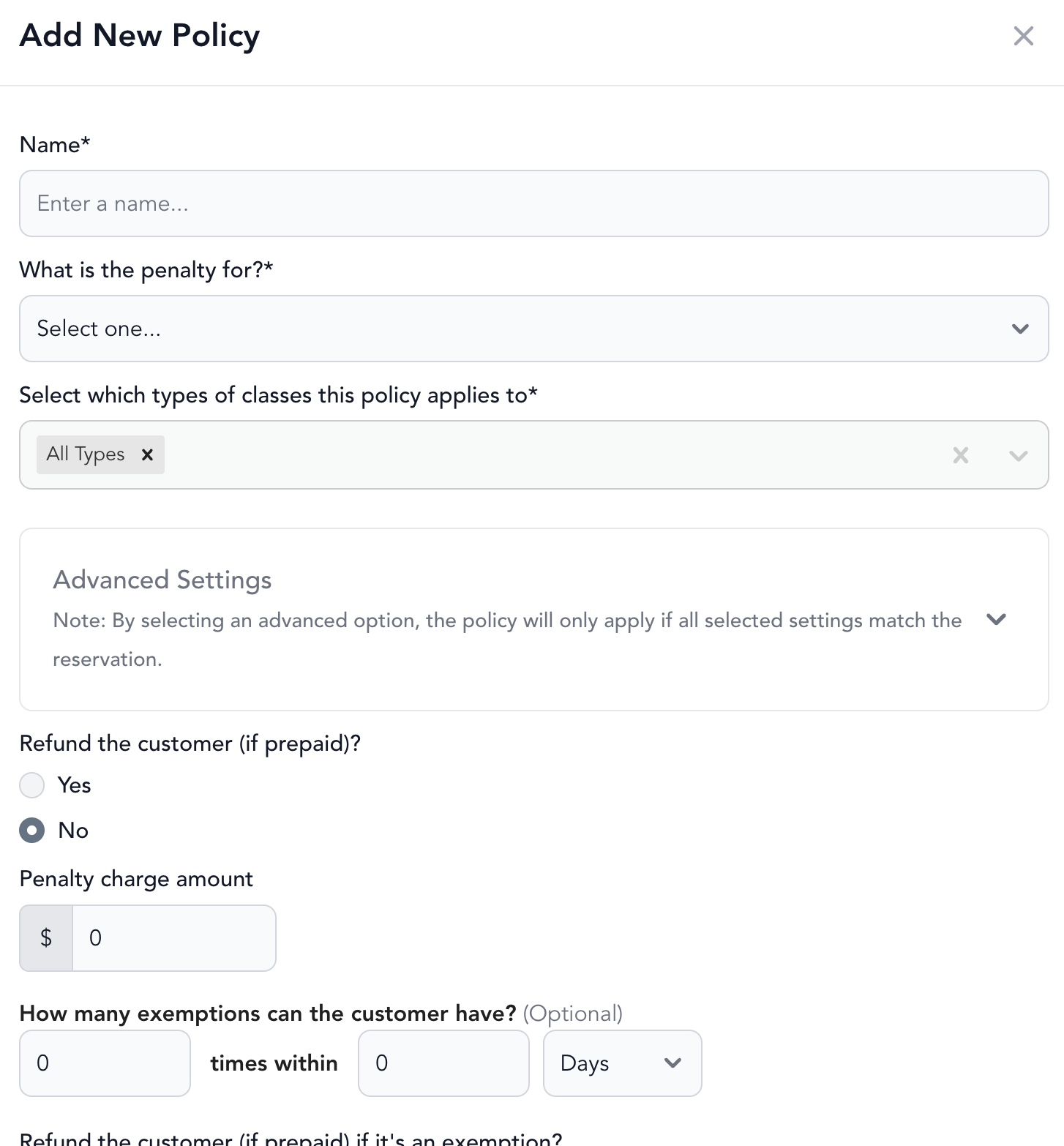
Rather than chasing down fees manually, you can set Arketa to automatically charge clients when they late cancel or no-show.
Go to Settings → Scheduling → Set Up Automated Late Cancel No Show to configure:
- The penalty amount and any exemptions
- Which pricing option types and services are subject to fees
Be sure to first set up your late cancel windows to designate what counts towards a late cancellation under settings > booking windows
Cancel vs. delete vs. late cancel
| Action | Notifies client? | Returns credit? | Tracks as late cancel? |
|---|---|---|---|
| Cancel reservation | Yes | Yes (if selected) | No |
| Delete reservation | No | No | No |
| Late cancel | Yes | No (by default) | Yes |
Use cancel reservation when you're removing a client before the cancellation window — it's clean and notifies them. Use late cancel when they've violated your cancellation policy and you want a record of it.