
Payment plans
Split a larger program or package cost into automatic installments.
Payment plans let clients pay for a high-ticket program or package over multiple installments instead of all upfront. The total access is granted immediately, but the payment is split automatically over a set period.
How payment plans work
When a client purchases a pricing option set up as a payment plan:
- They get full access immediately
- Arketa charges the first installment at purchase
- Subsequent installments are charged automatically on the schedule you set
- All charges are tracked in the client's payment history
Create a payment plan
-
Go to Setup → Pricing Options
-
Click Add New
-
Select Subscription or Bundle
-
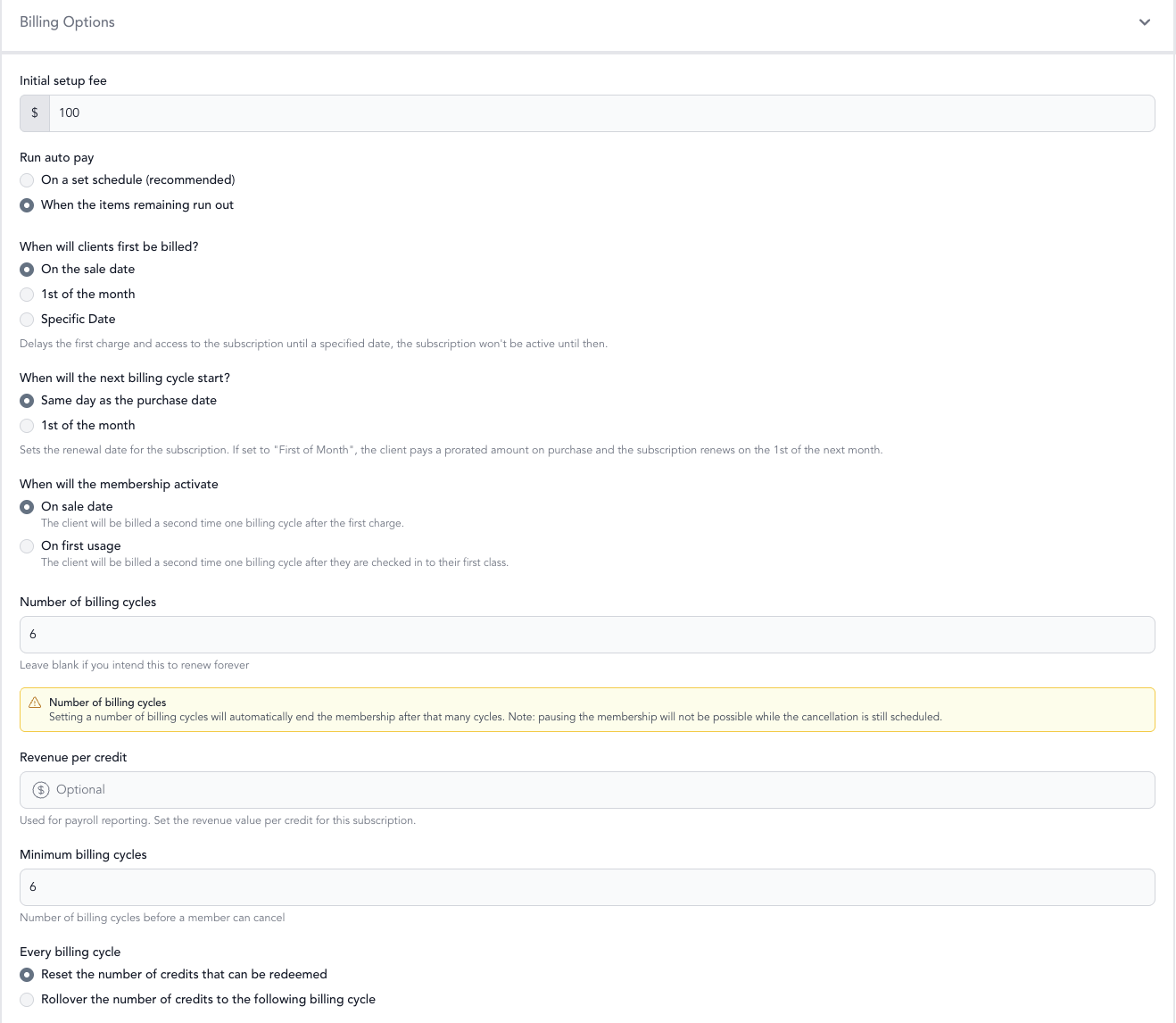
In billing options, configure the payment plan settings:
- Number of installments — how many payments to split into
- Billing interval — how often installments are charged (weekly, monthly)
- First billing date — immediate or future start
-
Save and make active
Use cases
- 6-week program — charge $250/week for 6 weeks, full access from day 1
- Annual membership — charge $99/month instead of $1,188 upfront
- Workshop series — split a $500 workshop into 3 monthly installments
- Personal training block — 20 sessions, paid in 4 monthly installments
What happens if a payment fails
If an installment payment fails, Arketa attempts to retry and notifies the client. Depending on your settings, a failed payment may restrict the client's ability to book new classes until the payment is resolved.
See failed payments and subscription failures for handling payment issues.