
Bundles
Package multiple service types or offerings together in one pricing option.
Bundles let you combine different types of services into one pricing option. For example: a bundle that includes 10 group classes + 2 private sessions, or a package that covers both your yoga and pilates class types. It's useful when you offer multiple distinct services and want clients to access them with one purchase.
Create a bundle
-
Go to Setup → Pricing Options
-
Click Add New
-
Select Bundle
-
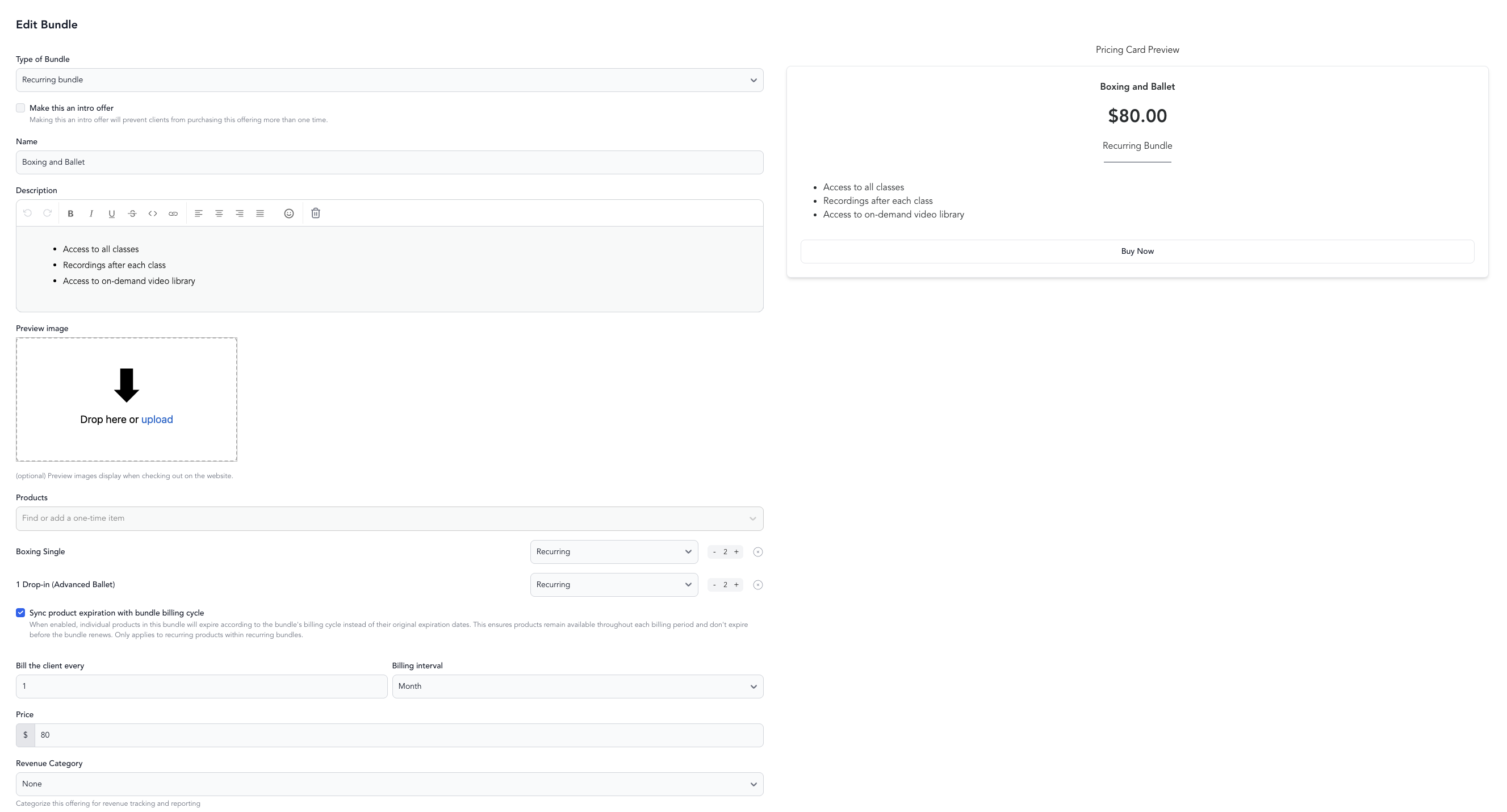
Configure:
- Name — what clients see at checkout
- Price — total cost of the bundle
- Include services — select which service types are included and how many credits per service type
-
Save and make active
Bundle vs. class package
| Class package | Bundle | |
|---|---|---|
| Service types | One or more of the same type | Multiple different types with separate credit pools |
| Credit tracking | Shared pool | Separate credits per included service |
| Best for | Clients who primarily take one type of class | Clients who mix service types |
Example bundles
- Wellness Package — 8 yoga classes + 2 massage appointments
- Personal Training Combo — 10 gym classes + 5 PT sessions
- Intro Program — 4 beginner classes + 1 assessment session
- Couples Retreat — 3 partner yoga classes + 1 private session
Connecting to service types
Each component of the bundle needs to be connected to the relevant service types in the bundle settings. When a client books a class using the bundle, Arketa deducts from the correct credit pool based on the class type.
Was this helpful?