
Intro offers
Create a discounted first-time offer or free trial to convert new clients into regulars.
An intro offer is a special pricing option available only to new clients — designed to lower the barrier to that first purchase and get someone through the door. Think: "First month for $49", "New Student Special: 2 weeks unlimited for $29", or "3 classes for $30".
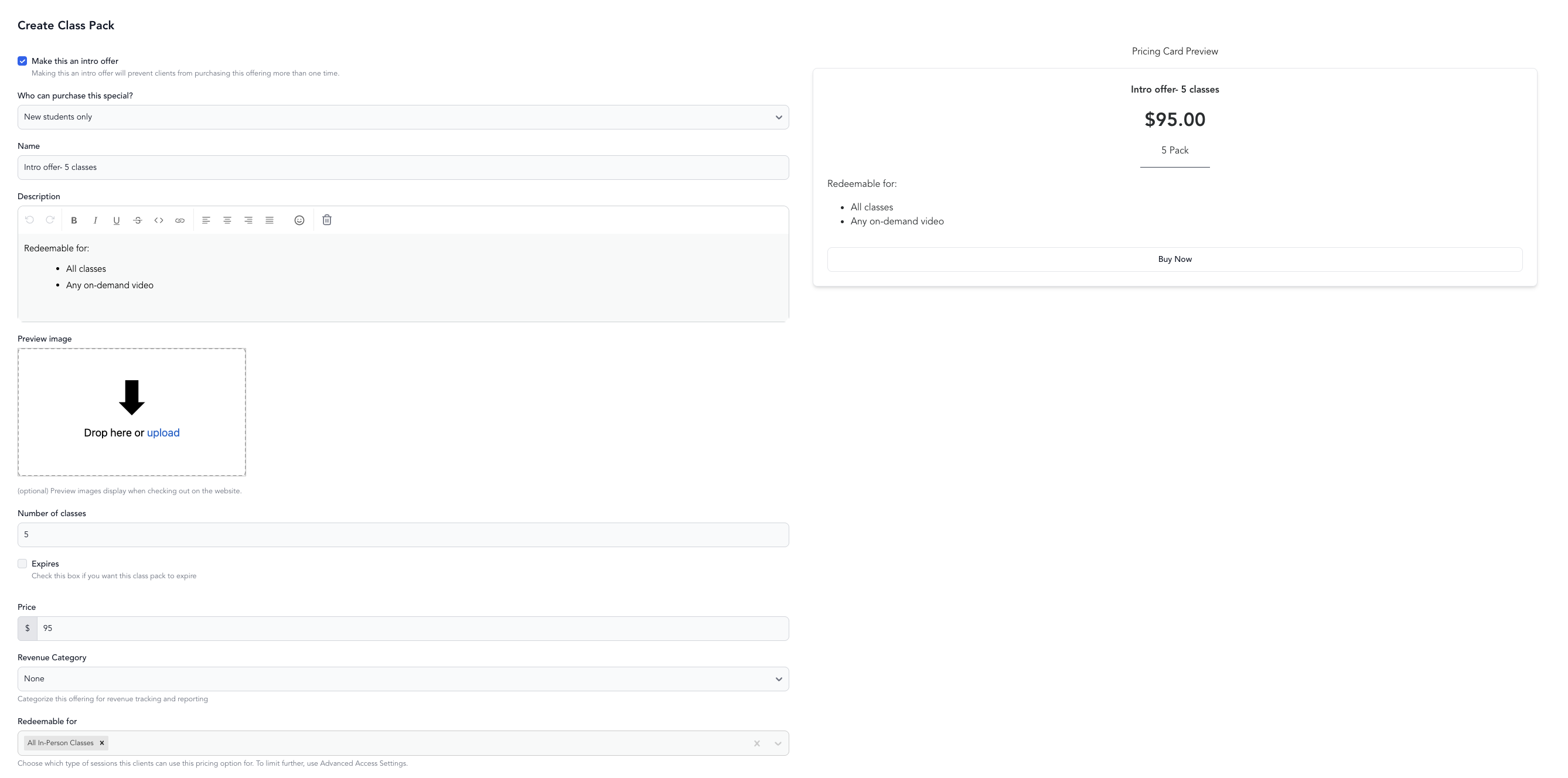
Create an intro offer
- Go to Setup → Pricing Options
- Click Add New
- Select Intro Offer
- Configure:
| Setting | What it does |
|---|---|
| Name | What clients see (e.g., "New Student Special — 2 Weeks Unlimited") |
| Price | The intro price |
| Duration | How long the offer lasts (e.g., 14 days, 30 days) |
| Credits (if credit-based) | How many class credits are included |
| Service types | Which classes the intro offer covers |
| One per customer | Automatically enforced — intro offers can only be purchased once |
- Save and make active
Set up a free trial or first-period discount
Intro offers aren't limited to packages — you can also set one up as a subscription. This is how you offer a free trial or a discounted first billing period.
- Go to Setup → Pricing Options
- Click Add New
- Select Subscription
- Check Make this an intro offer
- Choose your intro type (see below), then save and make active
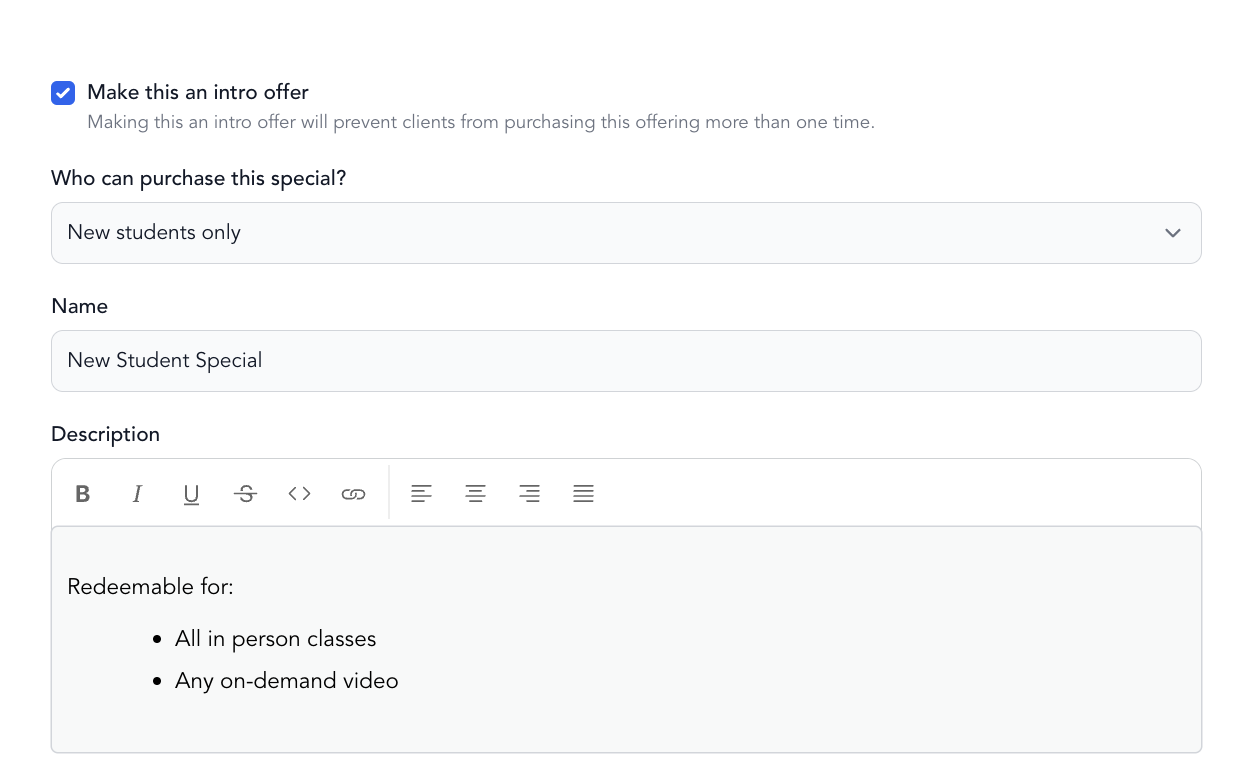
You have two ways to structure the offer:
- Free trial (no charge) — the client isn't charged at all for the trial period. For example, a 7-day free trial means no payment is taken until the trial ends, at which point normal billing begins automatically.
- First-period discount — the client pays a reduced amount for the first billing cycle (e.g., first month for $49), then the regular rate on every renewal after that.
Tip: Require a card on file so billing starts automatically when the free trial or discounted period ends. Without a card, the subscription won't convert on its own.
Choose who can buy the intro offer
When you configure an intro offer, you decide who's eligible to purchase it:
- New students only — clients who have never made a purchase with your business. Use this when the offer is strictly a first-timer special.
- New + existing students — any client can buy it, but still only once per client. This is useful when you want existing clients to try a different service or test a membership package before committing.
Set this audience option while configuring the offer.
How "new client only" is enforced
Arketa automatically limits intro offers to one purchase per client. Once someone buys an intro offer, they won't see it as an option at future checkouts.
A past purchase still counts even if it's no longer active. If a client bought the intro offer and later canceled it, or let it expire, they still won't see it at checkout. This is why a lapsed client can find that a membership they used to have has disappeared from their options once they log in — signed out, they see it, because Arketa doesn't yet know who they are. To let them buy it again at the regular rate, turn on Allow purchasing multiple times without discount (see below).
Eligibility for New students only is based on past purchases — a client counts as new until they buy a package, membership, or subscription from you. Attending a free class does not use up their "new client" status: a client who has only booked free classes, and never purchased a pricing option, is still treated as new and can buy the intro offer.
You don't need "Max buyers" to limit an intro offer to one per client — that limit is automatic (see the table above). The Max buyers field is a total cap across all clients combined, not a per-client limit: if you set it to 1, the offer sells out for everyone after the very first purchase, and later clients see "This offering cannot be purchased." Leave Max buyers blank unless you genuinely want to cap the total number of buyers across your whole studio.
Let clients repurchase at full price
If you'd rather let a client buy the same pricing option again — just without the intro discount the second time — turn on Allow purchasing multiple times without discount while editing the intro offer.
Here's how it works:
- The client buys the intro offer the first time with its discount (for example, a 7-day trial).
- If they later go to purchase the same pricing option again, it's presented to them at full price, with no discount applied.
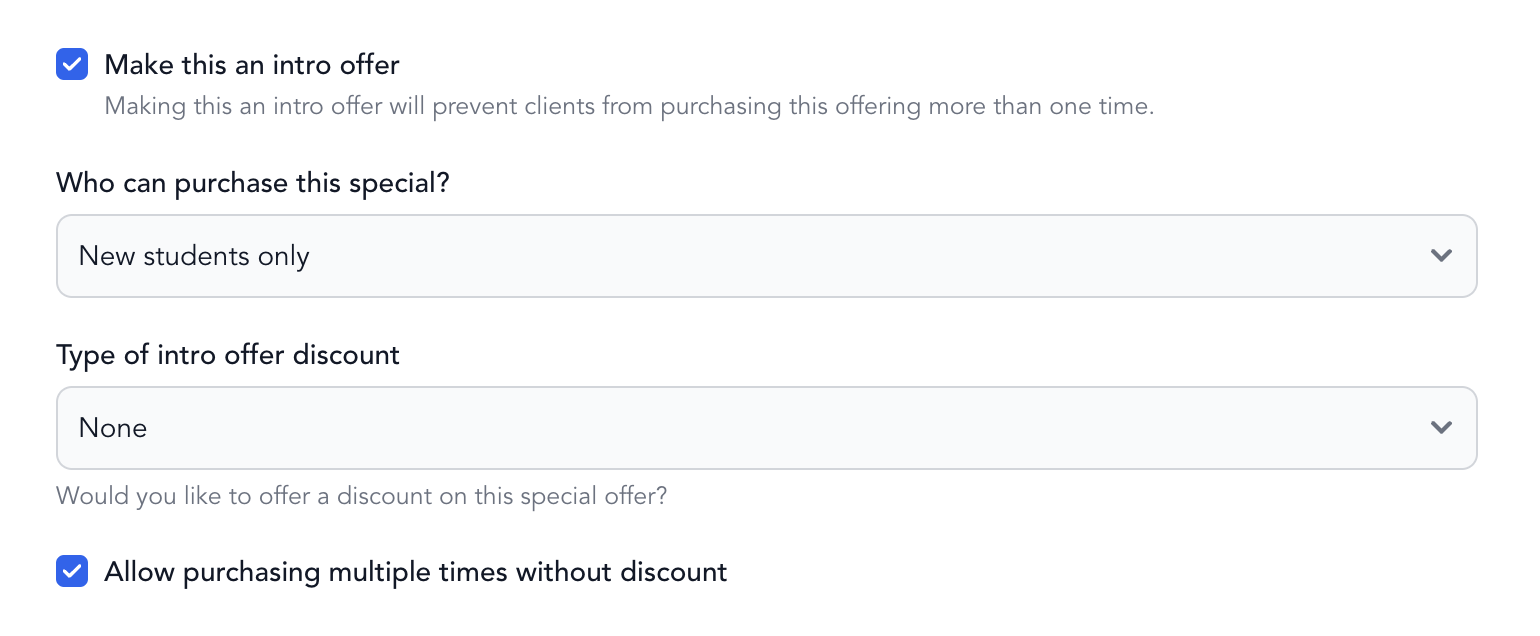
Note: This setting is only available on intro offers.
Showing both intro and regular pricing
If you want clients who don't qualify for the intro offer to see the full-price option right below it, you can configure the pricing display to show both side by side. This makes the intro offer's value clear and the upgrade to a full membership obvious.
Tips for effective intro offers
- Price it to get people in the door, not to be profitable on its own. The goal is conversion.
- Make the duration short enough to create urgency — 2 weeks or 30 days is typical.
- Follow up with an automation that triggers when the intro offer is about to expire, prompting the client to upgrade to a full membership. See automations.
- Use unlimited access during the trial so clients discover how much they love your classes before committing.