
Set up a new studio
Give a new studio your organization's starter automations and email templates in one step with the Standard set.
When your organization opens a new studio, Set up a studio gives it your organization's starter automations and email templates in one step — instead of pushing each one by hand.
Choose your Standard set
The Standard set is everything a new studio should start with.
- Switch to your organization and go to Sharing → Automations
- Turn on the Standard set switch for each automation a new studio should get
- Do the same on Sharing → Email templates
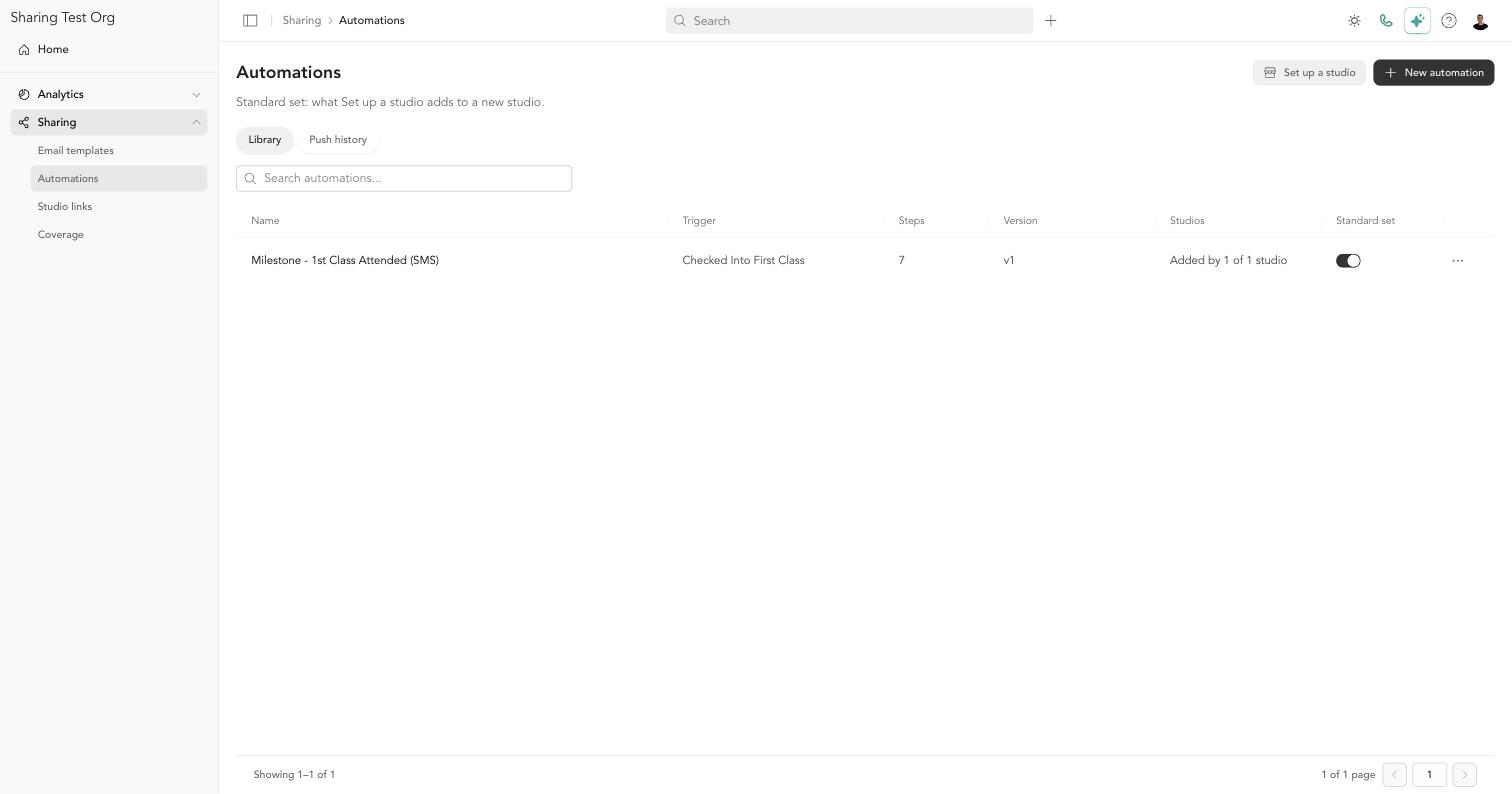
When you share a new version of an automation that's in the Standard set, the new version stays in the set.
Set up a studio
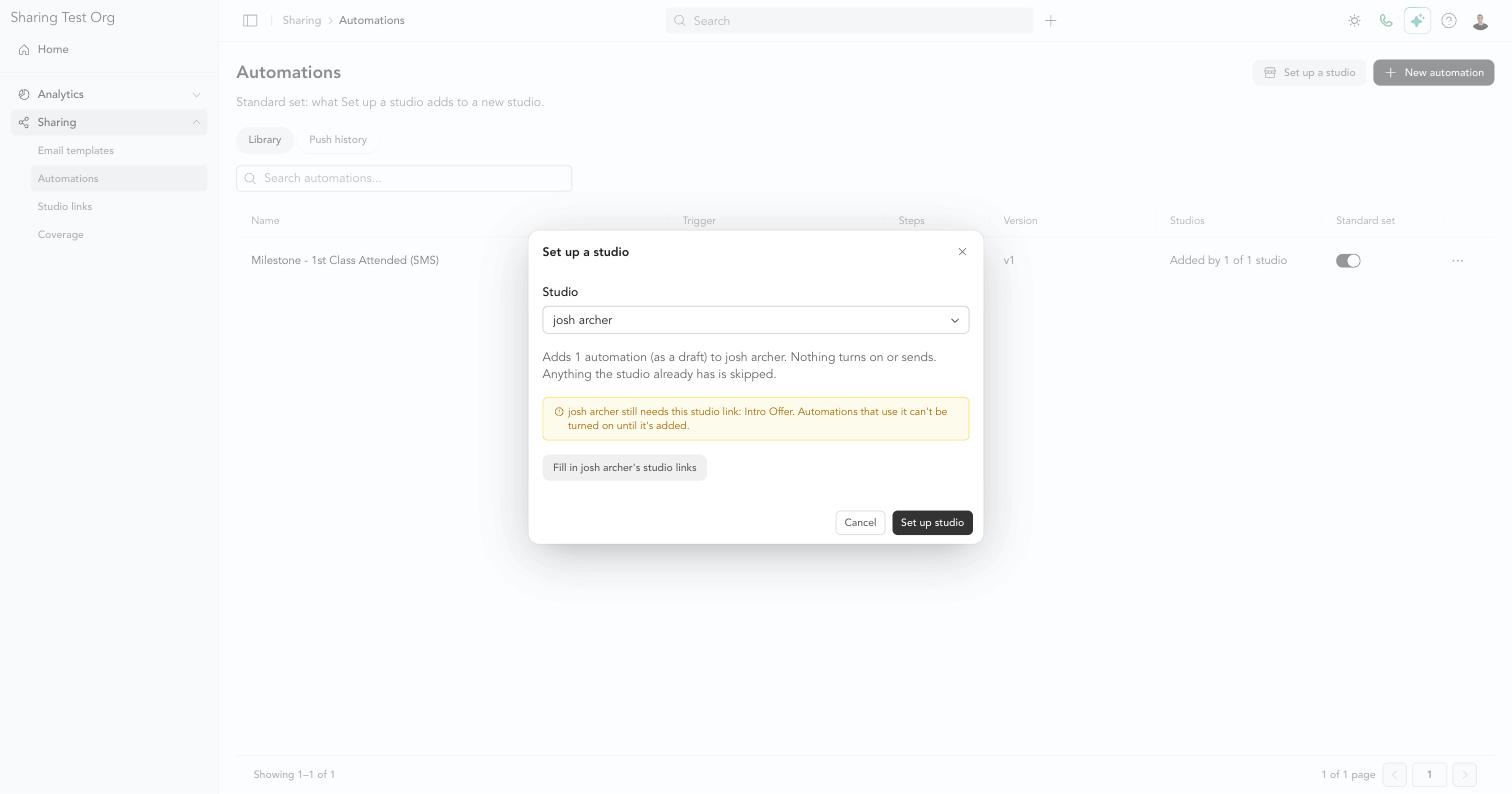
- On Sharing → Automations or Sharing → Email templates, click Set up a studio
- Choose the Studio
- Review the summary — for example, Adds 6 automations (as drafts) and 4 email templates to Downtown. Nothing turns on or sends.
- Click Set up studio
Arketa adds each item and shows the result for each one, just like a push.
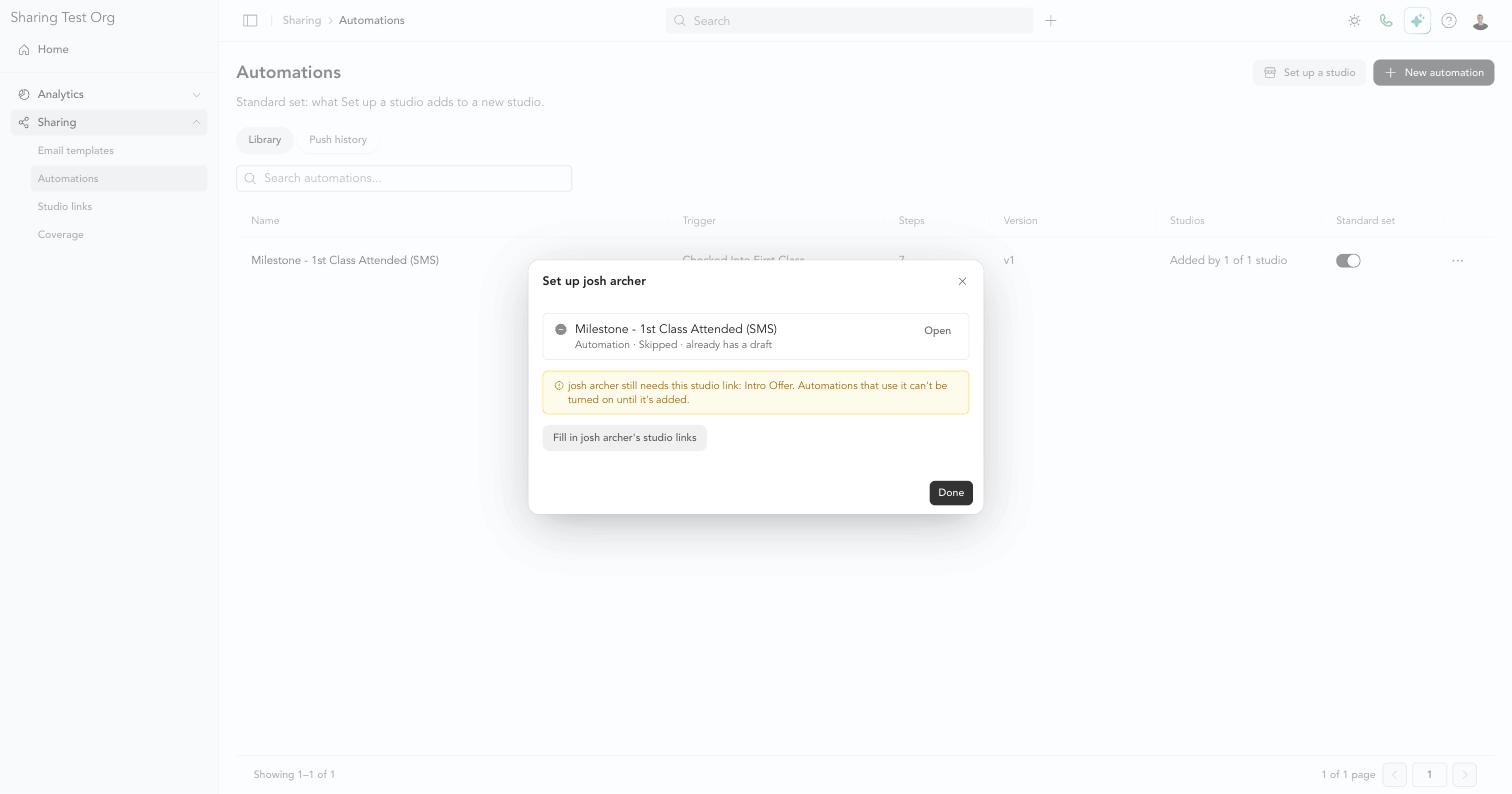
Set up a studio is safe to run more than once. Anything the studio already has is skipped. If the studio deleted one of its copies, running it again adds that automation back as a draft.
Fill in the new studio's studio links
If your standard automations or templates use studio links, the new studio needs its own URLs before those items can turn on. Set up a studio tells you which links the studio is missing, before and after you run it. Click Fill in [studio]'s studio links to go straight to the Studio links page.
What the new studio does next
The studio's new automations arrive as drafts. The studio matches any items Arketa couldn't match by name, then turns each automation on. Set up a shared automation at your studio →
Track the new studio's progress on Sharing → Coverage.