
Tasks
Create to-do reminders for you and your team, assign them, and track them through to done.
Tasks are to-do reminders for you or a teammate — a call to make, a message to send, or anything else that needs a human touch.
Create a task
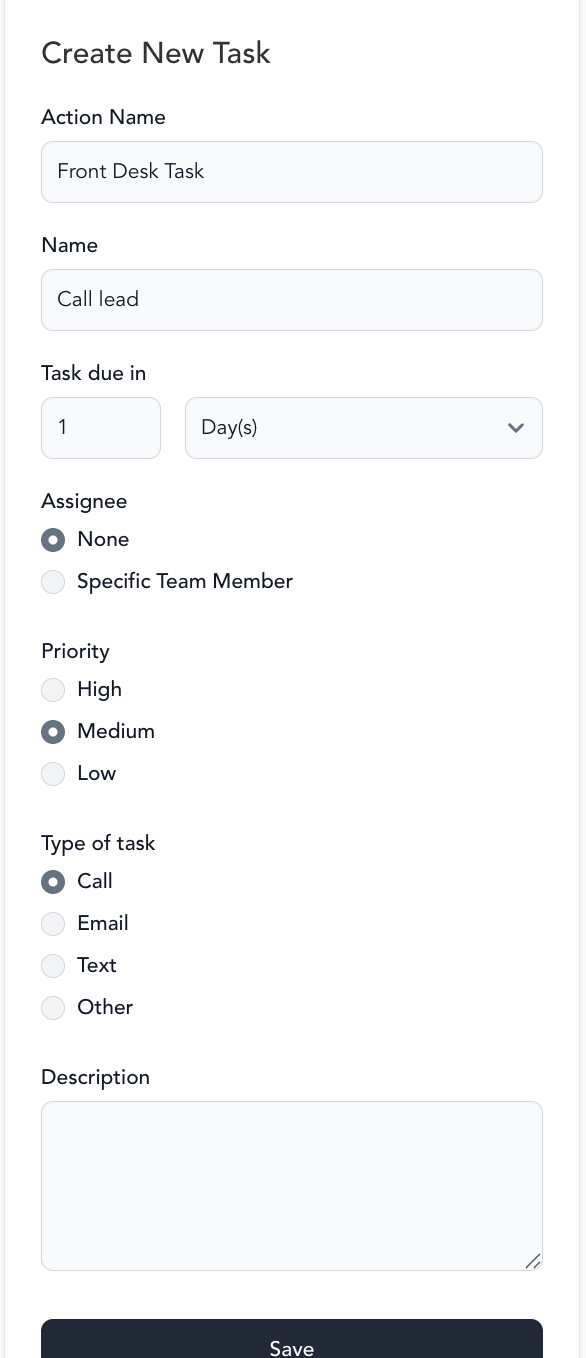
- Go to Marketing → Tasks
- Click Create new
- Add a name, due date, due time, type, and priority
- Optionally search for a client and choose an assignee
- Click Create task
Task types
| Type | What it does |
|---|---|
| Call | Reminder to phone the client — no in-app action button |
| Generates a personalized email you can send from the task | |
| Text | Generates a personalized text you can send from the task |
| Other | Reminder only — use for anything outside messaging |
Status and priority
Tasks move through three statuses — To-Do, In Progress, and Done — updated from the dropdown next to each task. Set a priority (Low, Medium, or High) to flag how urgent a task is.
Use the Due today, Overdue, and Upcoming tabs to jump to what needs attention, or Show all to see the full list, including tasks marked Done. Filter by Priority or Assignee, or toggle Assigned to me to see just your own queue.
Frequently asked questions
Was this helpful?