
Edit a client's package
Adjust the credits remaining or expiration date on a package a client has already purchased.
Sometimes you need to tweak a package after a client has bought it — add a credit back after a cancellation, or extend an expiration date. You can do this directly from the client's profile, and the change only affects that one client.
Edit a purchased package
Open the client's profile
Go to Customers → Clients and open the client's profile.
Find the package
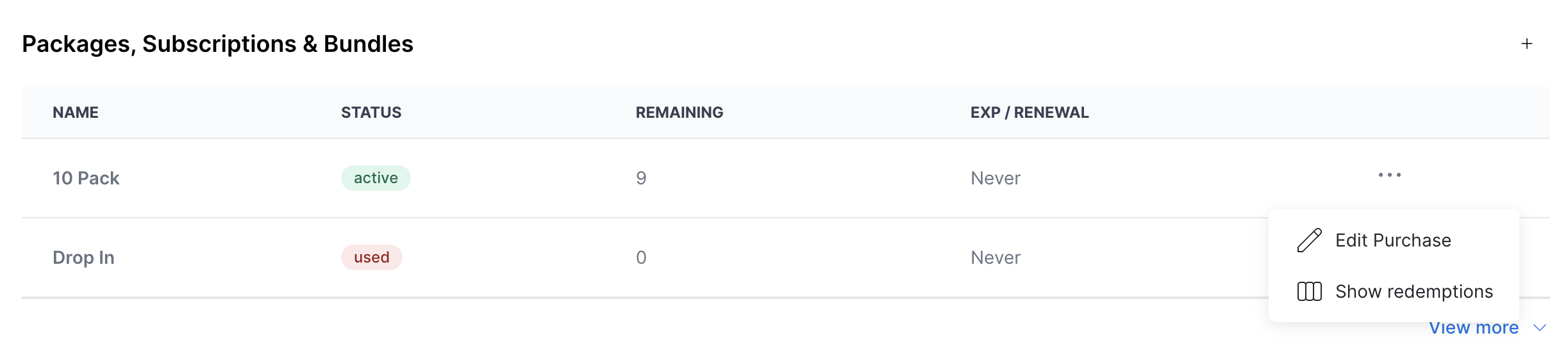
Scroll to the Packages, Subscriptions & Bundles section and locate the package you want to change.
Open the edit menu
Hover over the ... menu next to the package and tap Edit purchase.
Adjust the details
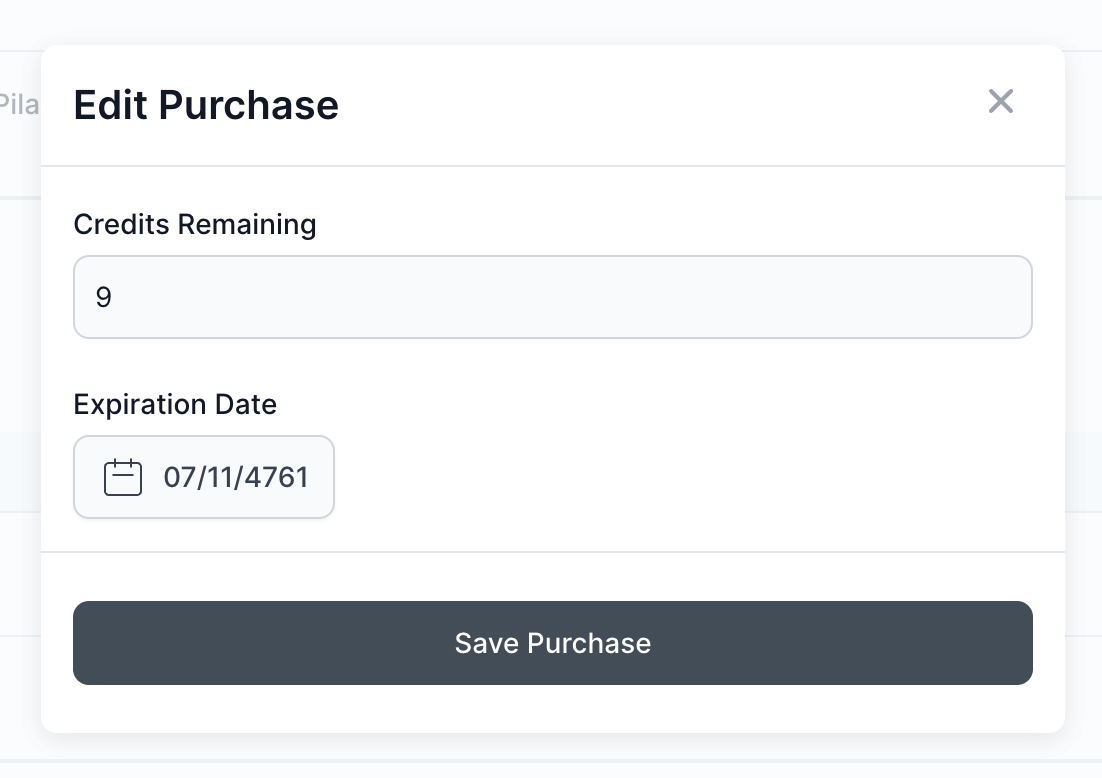
Change the Credits remaining or the Expiration date to whatever you need.
Save
Click Save purchase.
See where a package was used
To review exactly where a package's credits went, open the ... menu next to the package and tap Show redemptions. This lists every reservation the package was applied to, so you can confirm the current balance before making a change.
Keep in mind
Editing a package on one client's profile only affects that client. It does not change the pricing option for anyone else.
- To change the underlying pricing option for all clients — such as the credit count or expiration window every future purchaser gets — edit the pricing option instead. See Edit, duplicate, or delete a pricing option.
- To adjust a monetary store credit balance rather than package credits, use account credit instead. See Account credits.