
How waitlists work
Everything you need to know about Arketa's waitlist — how clients join, how spots are filled, and how you manage it.
When a class reaches capacity, clients can join a waitlist. Arketa handles the logic of notifying and moving clients in automatically, or you can manage it manually.
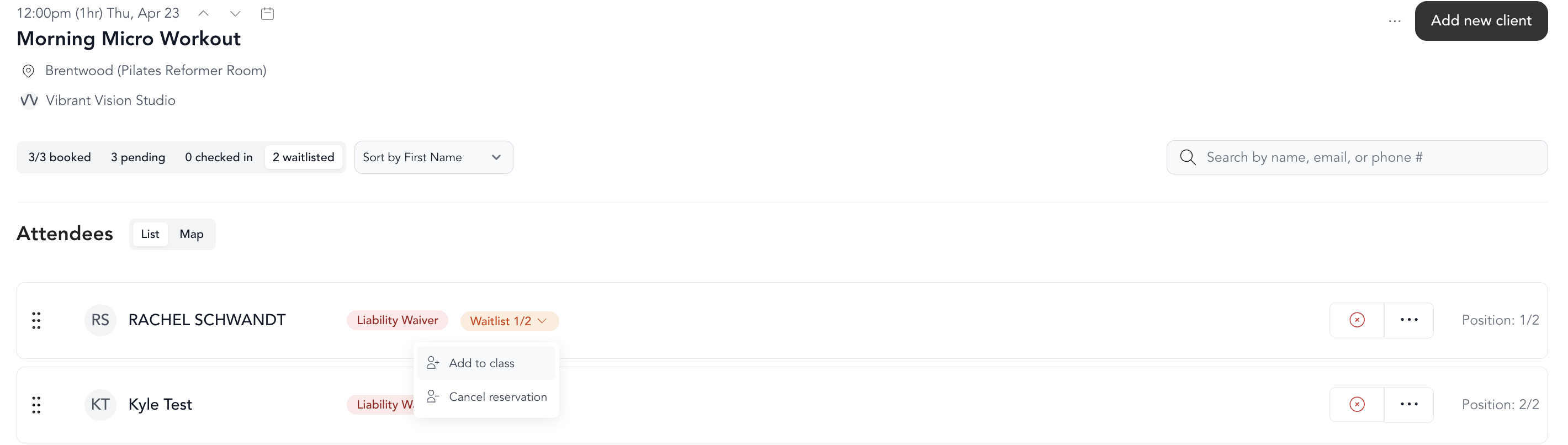
How clients get on the waitlist
When a class is full, clients see a Join Waitlist option instead of a book button. They join the waitlist and are notified when a spot opens.
How spots are filled
Arketa offers two ways to handle waitlists:
Automatic waitlisting — when a spot opens, the next client on the waitlist is automatically moved into the class and charged (if payment is required). No manual intervention needed. Set up automatic waitlisting →
Manual waitlisting — when a spot opens, clients are notified by email. They need to manually claim the spot before someone else does. If you haven't enabled automatic waitlisting, this is the default.
Managing the waitlist manually
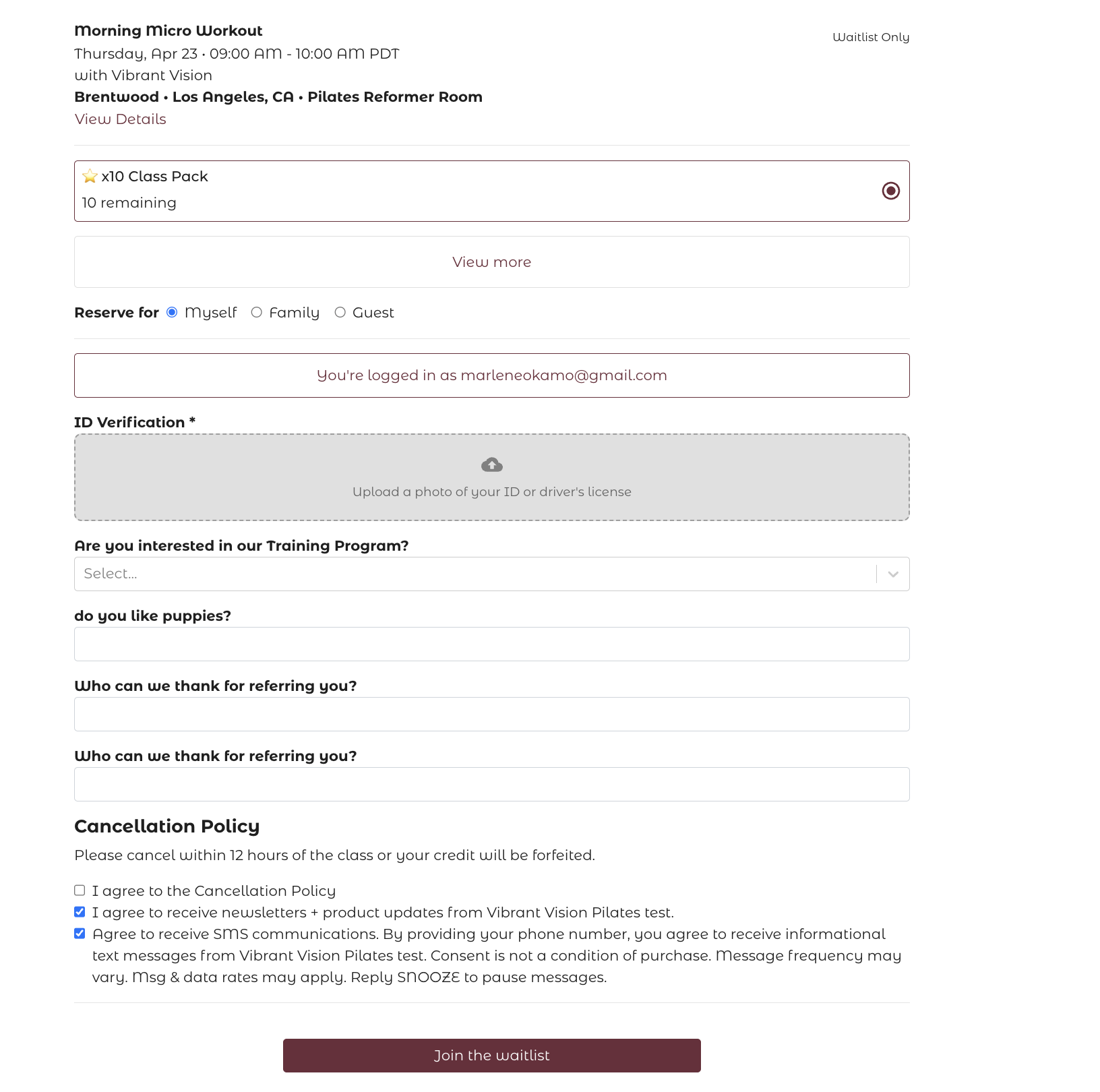
From the check-in screen, open the Waitlist tab to see everyone who's waiting. For each client, you can:
- Add to class — manually move them into the class. This bypasses the automatic waitlist logic and the class capacity limit. If the class is already full, Arketa warns you with a Class at capacity prompt and you must confirm with Override capacity; doing so puts the class over its limit (for example, 9 booked in an 8-spot class). Any staff member with dashboard access can do this, so if a class shows more bookings than its capacity, check whether someone added a client from the waitlist.
- Cancel reservation — remove them from the waitlist
You can also add a client directly to the waitlist by adding them to a class that's already full — they'll be placed on the waitlist automatically.
Waitlist order
By default, waitlist position is based on signup time (first come, first served). You can manually reorder the waitlist if you want to prioritize specific clients — for example, long-time members or clients who were bumped due to a cancellation.
Waitlists for appointments
Appointments have their own waitlist flow, where clients can specify preferred time ranges. Waitlisting for appointments →