
Reordering the waitlist
Manually adjust the waitlist order to prioritize specific clients.
By default, the waitlist is first-come, first-served — whoever joined first gets the next available spot. But you can override that and manually reorder clients when you need to.
This is useful for VIPs, long-time clients, or anyone you want to prioritize for a specific class.
How to reorder the waitlist
- Go to Full Schedule or Classes
- Click into the class
- Select Waitlist at the top of the roster
- Drag and drop clients into the order you want
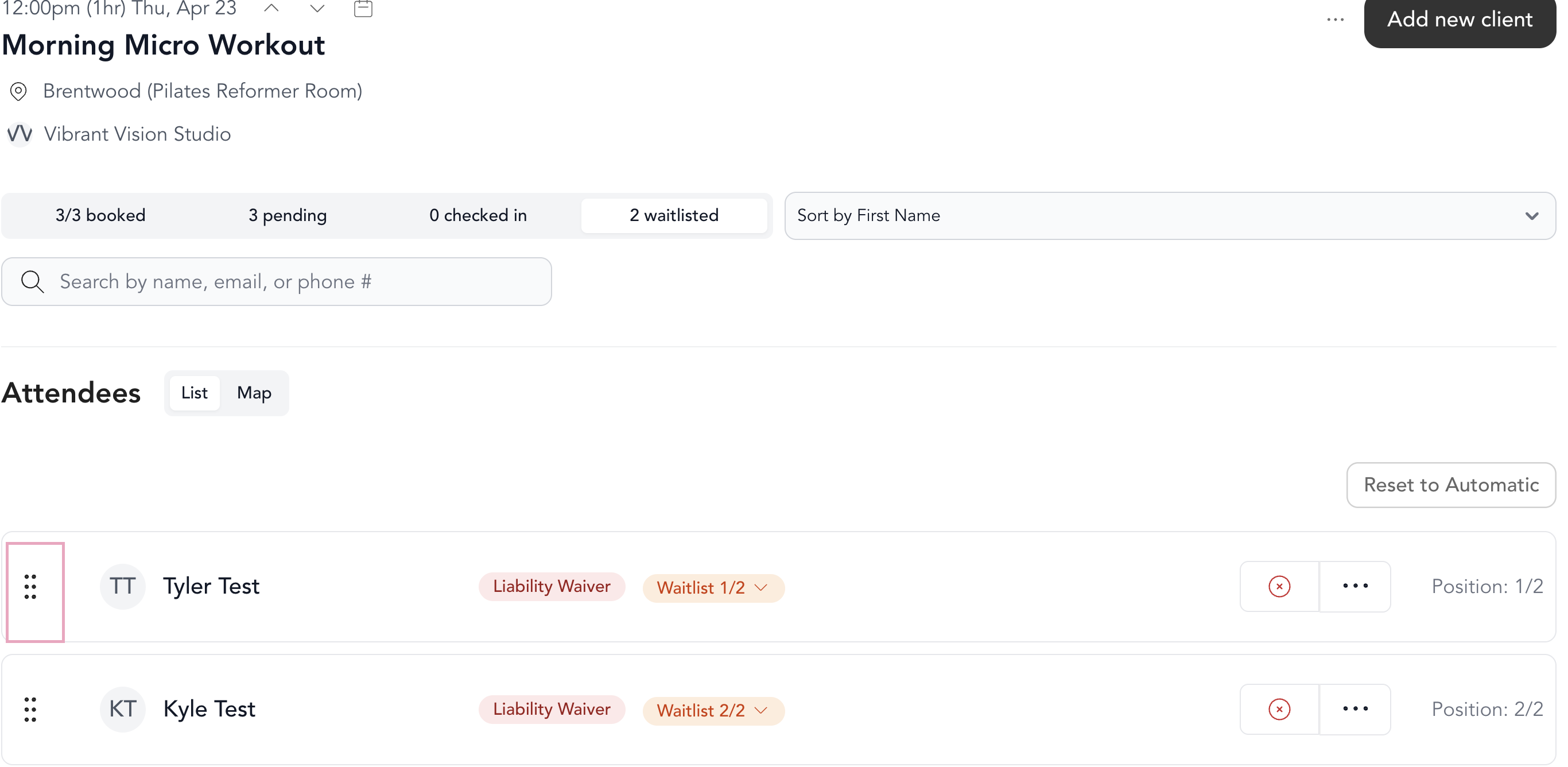
The waitlist position numbers update immediately after you drop a client into their new spot.
This only affects the order for that specific class. It doesn't change how the waitlist works for other classes or future occurrences.
How the waitlist order affects automatic waitlisting
If automatic waitlisting is enabled, the client in position #1 will be the first to get moved into class when a spot opens. So if you've manually reordered the list, that person — not the original first signup — will get the spot.
See automatic waitlisting for how to set that up.