
Donation-based classes
How to set up sliding scale or pay-what-you-can pricing for a class.
Arketa's sliding scale pricing lets you offer a class at a "pay what you can" rate — with a minimum price and a suggested price. It's great for community classes, charity events, or making your offerings more accessible.
Set up a donation-based class
Add or edit a class
Go to Classes → Full Schedule → Add New (or edit an existing class). How to add a class →
Go to Pricing Settings
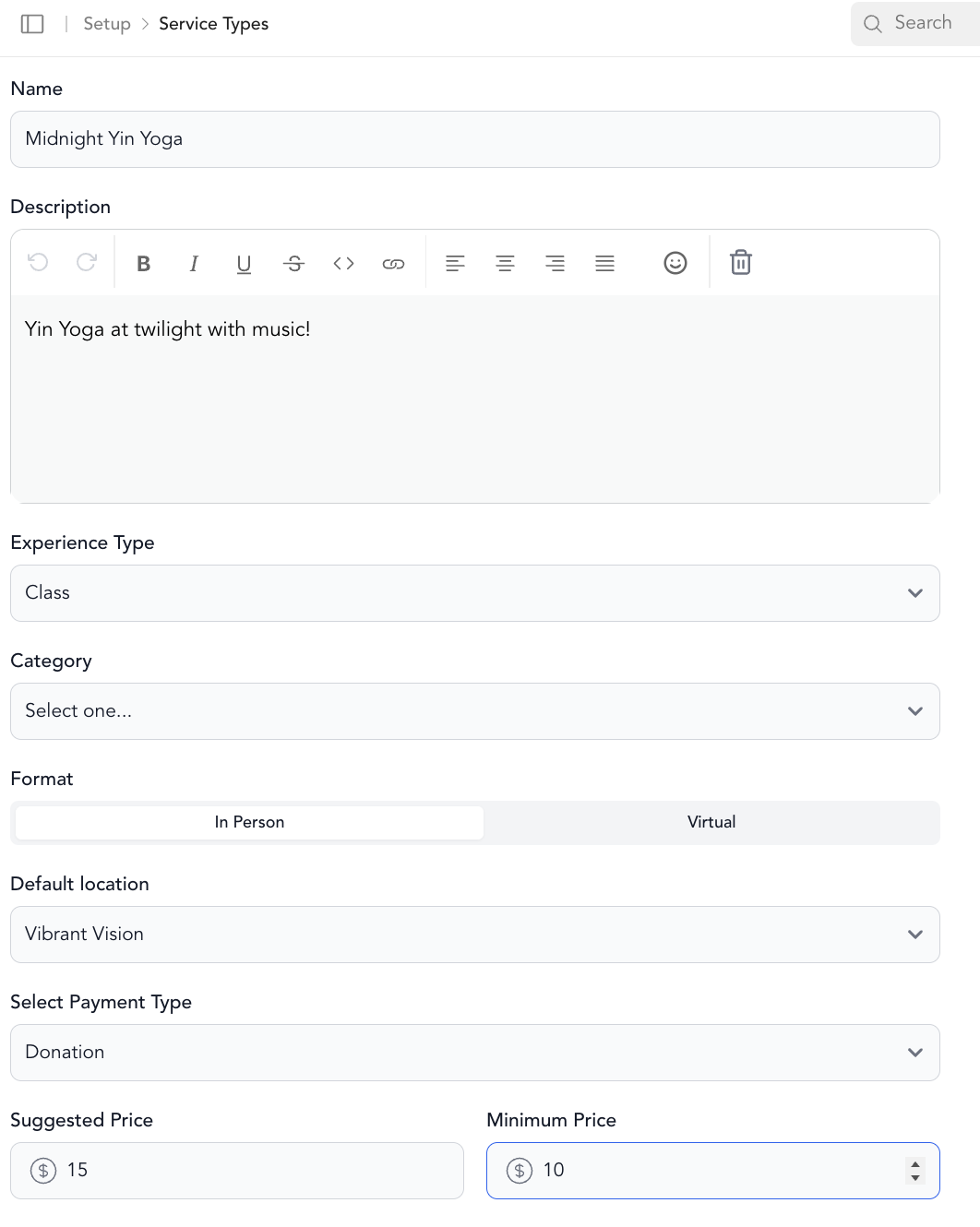
In step 3 (Pricing Settings), find the Select Payment Type field.
What clients see
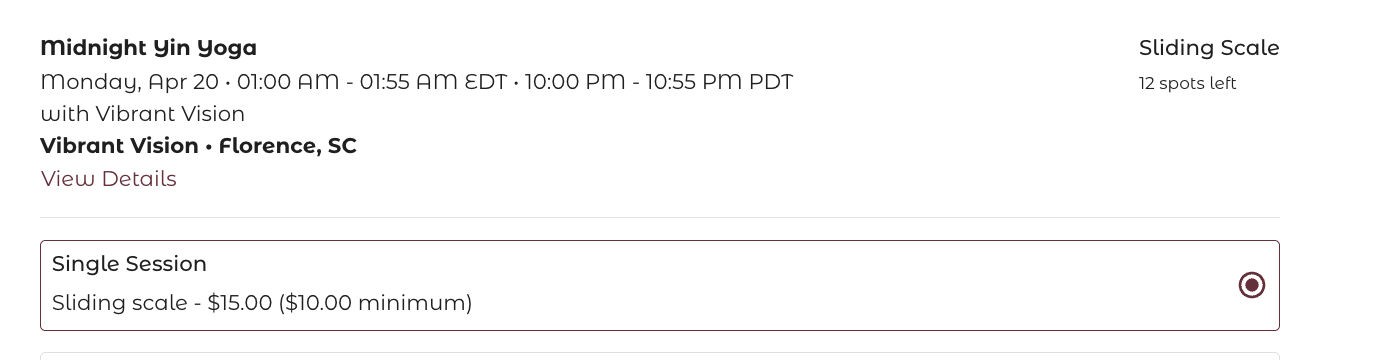
At checkout, clients see the suggested price with the option to adjust it. They can enter any amount at or above your minimum.

Can clients also use a package or subscription?
Yes. If a client has a valid package or membership that covers this class, they can choose to use it instead of paying the sliding scale price. Both options will appear at checkout.
Tips for donation classes
- Set your minimum at a price that covers your costs, not at zero — completely free sliding scale classes can attract a lot of no-shows
- Mention the recommended price and what it supports in your class description
- Consider pairing sliding scale pricing with a clear message about who the pricing is meant to help
For partners using the branded mobile app, sliding scale pricing will not display at booking for users in the mobile app.