
Roster, email & export
How to email all clients in a class, export the roster, and send liability waivers.
From the check-in screen, you have a few tools for communicating with and managing the full class roster.
Email all clients in a class
- Open the class check-in screen
- Click More
- Select Email clients
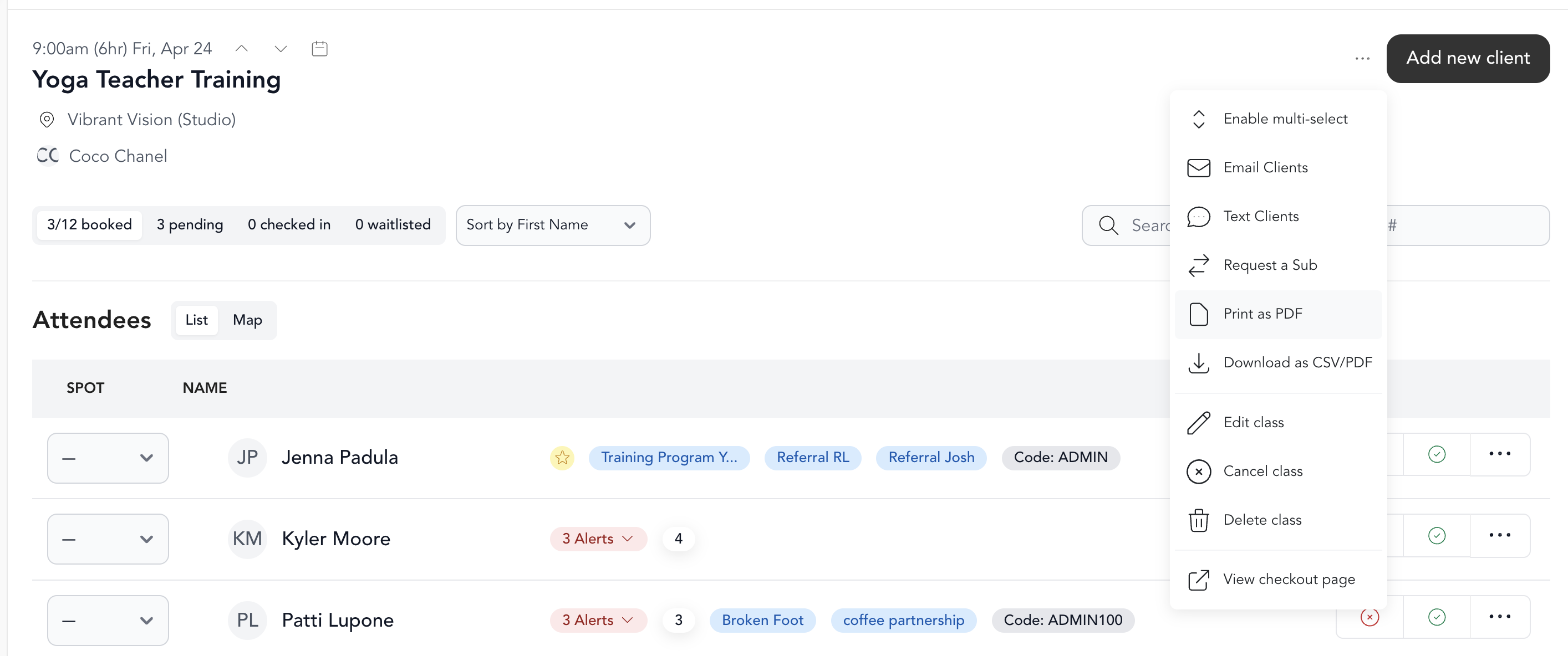
This opens a compose window pre-addressed to all enrolled clients. Use it for last-minute class notes, location changes, or any other class-specific message.
Enter a subject and a message before sending — the Send Email button stays disabled until both fields are filled in.
Export the roster
- Click More
- Select Export to CSV or Print as PDF
CSV gives you a spreadsheet with client names, emails, and check-in status — useful for record-keeping or importing into another tool.
PDF gives you a printable sign-in sheet — great for in-person check-in at a studio.
Send a liability waiver
If a client needs to sign your liability waiver before attending:
- Click the alert next to the client name
- Select Send liability waiver
They'll receive an email with a link to sign.
More about liability waivers →
Swap a client's payment method
If a client's payment needs to be updated after they've booked:
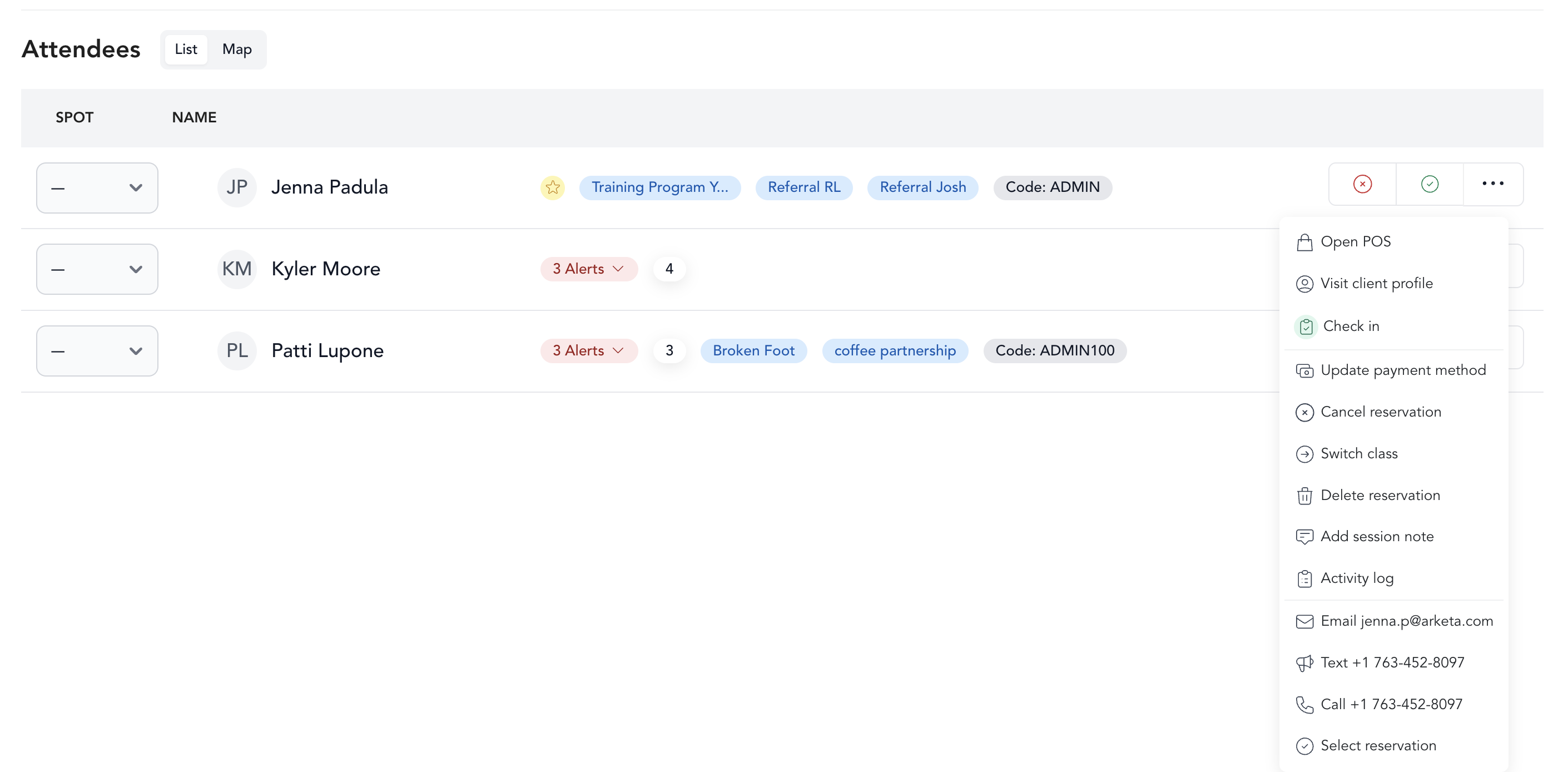
- Click ... next to the client
- Select Update payment method
- Choose the new payment method and confirm
This is useful if someone paid with the wrong package, needs to switch from one membership to another, or wants to pay with a different card.