
Drop-in pricing
Create a one-time purchase option for individual classes or sessions.
A drop-in lets clients pay for one class at a time. No commitment, no credits — just a single charge per booking. It's your default option for walk-ins, special events, or any class where you want per-session pricing.
Drop-ins use paid (monetary) pricing — the client pays a dollar amount at booking. If the booking is cancelled or refunded, the money goes back to the client's credit card. This is different from class packages and memberships, which are credit-based — cancellations return credits to the client's account instead of dollars to their card.
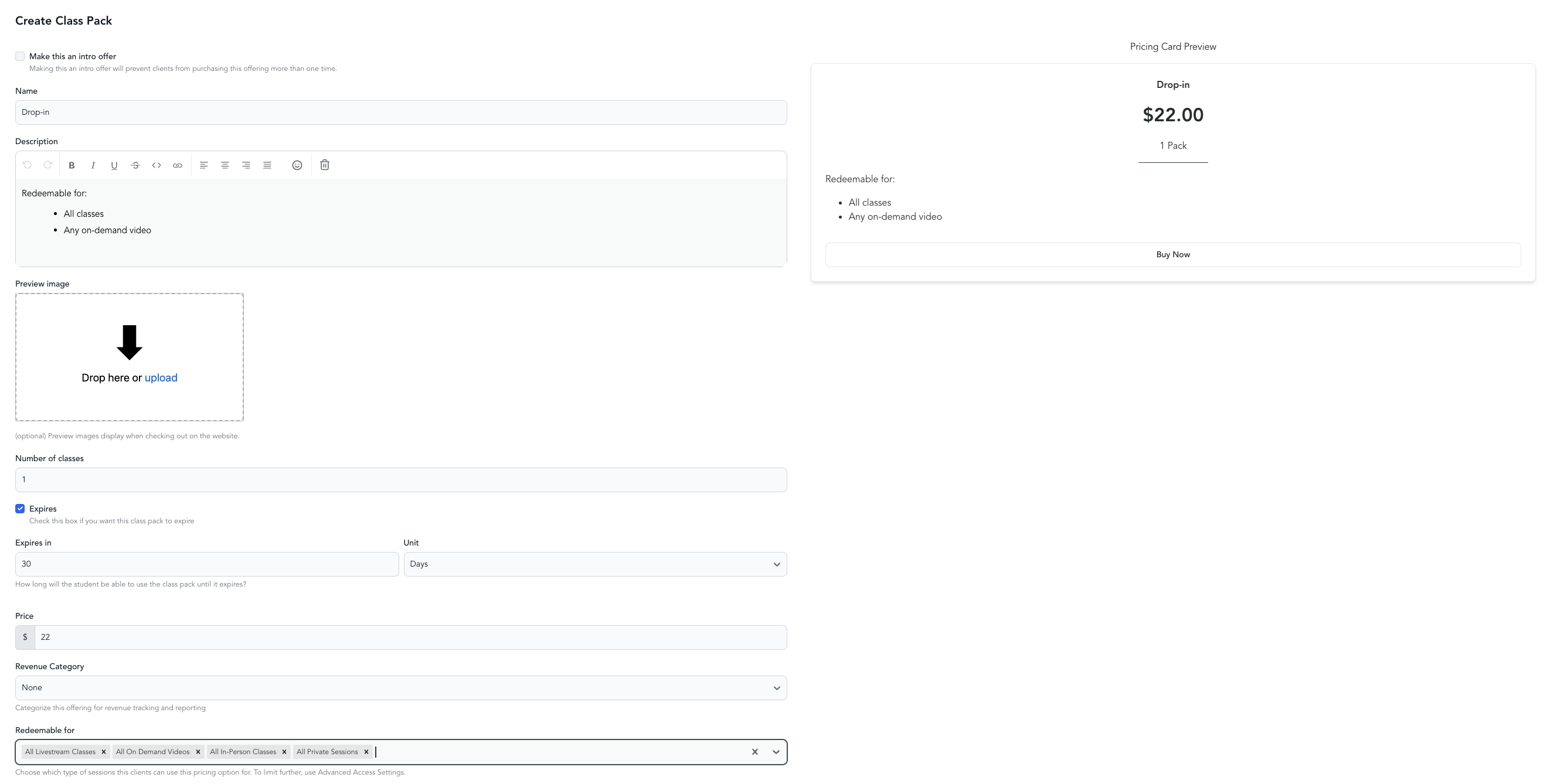
Create a drop-in class package
- Go to Setup → Pricing Options
- Click Add New
- Select Class Pack
- Set the price
- Connect it to the service types it applies to
- Save and make active
Other Drop-in options
Standard paid drop-in — client pays once and has access for a single class. Set class to be paid and set the price.
Donation / sliding scale — let clients pay what they want. You can set a minimum if needed. See donation classes.
Connecting to classes
Drop-in pricing as a single package only works if it's connected to a service type. When editing a class or service type, select package and subscription only as the valid payment method.
If you want a class to be drop-in only (no packages or memberships), set the class payment type to Paid in the class's pricing settings.
Package & Subscription Only hides the drop-in price at checkout, so at least one active pricing option must apply to that service type. If every pricing option connected to it has been deactivated or deleted, clients open the booking link, fill in the form, and see no booking button and no explanation.
If a class or event won't let anyone book, check this first. Either set the payment type to Paid so clients can pay the price directly, or activate a pricing option connected to that service type.
Drop-in vs. package
| Drop-in | Class pack | |
|---|---|---|
| Payment | At each booking | Upfront for multiple classes |
| Commitment | None | None (but paid in advance) |
| Best for | Occasional clients | Regular clients |
| Revenue timing | Per booking | Upfront |
Many studios offer drop-ins but price them higher than the per-class rate on a pack — this encourages clients to commit to a pack while keeping drop-ins available as an option.