Custom checkout
Configure what clients see and can do during the checkout experience.
You have several options to customize the checkout flow for your clients — from controlling which pricing options appear to adding add-ons and adjusting how payments are collected.
Checkout add-ons
Add-ons let clients purchase optional extras during checkout — like extending a session's duration or adding equipment. Configure add-ons on the service type:
- Go to Setup → Service Types
- Edit the service type
- Click Manage Add Ons
- Add items with name, price, and duration impact
Add-ons appear at checkout for clients booking that service type on the web. (Mobile app add-on support may vary.)
Post-checkout add-ons (mobile app)
On your branded mobile app, clients can be prompted to purchase retail items after completing checkout. Set this up by:
- Go to Beyond Classes → Retail Items
- Edit a retail item
- Enable Add-on purchase and On your website
- Make sure the Shop tab is enabled in your app settings
Clients see a "Buy an add-on" screen after booking, with suggested retail products.
Physical gift cards at checkout
If you sell physical gift card cards in-person and want to redeem them at checkout, configure gift card redemption in your point of sale settings. See gift cards.
Removing pricing options from checkout
If you don't want certain pricing options to appear for a specific class, edit that class's pricing settings and deselect the options you want to exclude. Pricing options show at checkout only if they're connected to that class's service type.
Redirect clients to a custom page after purchase
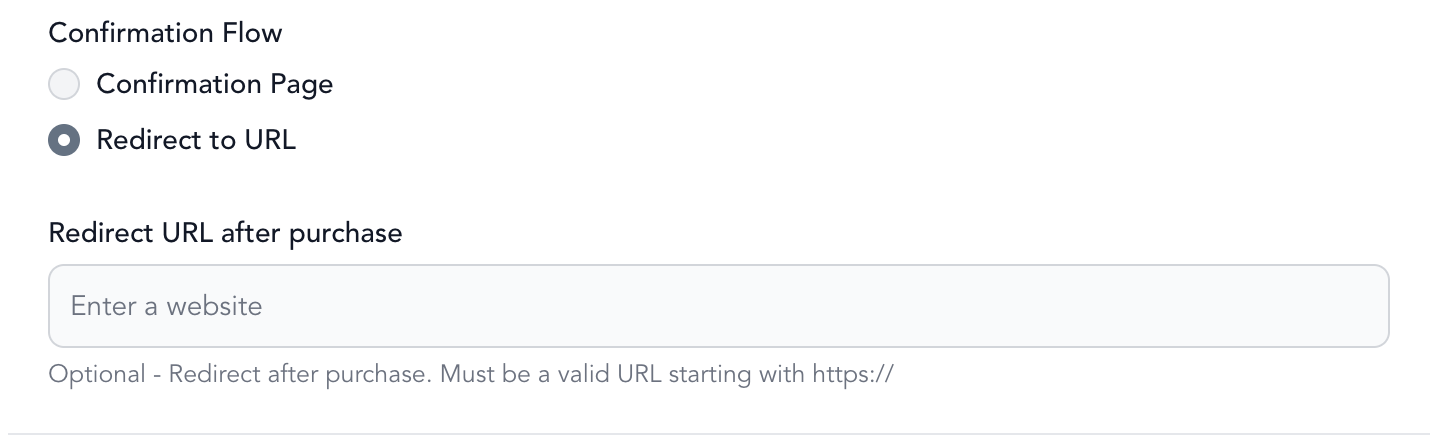
Each pricing option can send clients to a personalized page once they finish buying it — a great way to share a thank-you video, show additional information about a class, or upsell another offer. Add the custom URL when you're creating or editing the pricing option:
- Create or edit a pricing option
- Add the URL you want clients sent to after checkout
- Save
Clients who purchase that pricing option are redirected to the page you entered as soon as they complete their purchase.