
Gift cards
Sell and redeem gift cards in your studio.
Gift cards let clients give the gift of your studio to friends and family. They're purchased for a set dollar amount and redeemed at checkout toward any class, membership, or service.
How gift cards work
When a client purchases a gift card, they receive a unique code. The recipient uses that code at checkout, and the gift card balance is applied to their purchase.
For one-time purchases: Only the amount needed is deducted from the gift card. Any remaining balance stays on the card for future use.
For recurring subscriptions: The full gift card balance is withdrawn when applied to a subscription. Because subscriptions auto-renew, the entire remaining balance is debited upfront. Clients should be aware of this before applying a gift card to a membership.
Set up gift cards
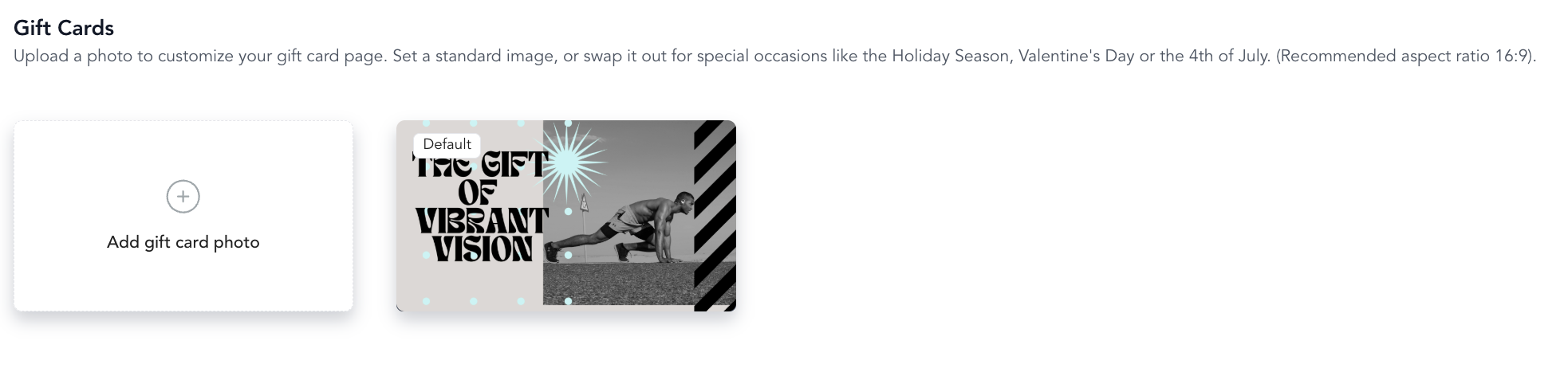
Gift cards are configured in Setup → Gift Cards:
- Click Add Gift Card Photo
- Select Gift Card
- Save and make active
The gift card appears on your pricing page where clients can purchase it for others.
Redeeming a gift card
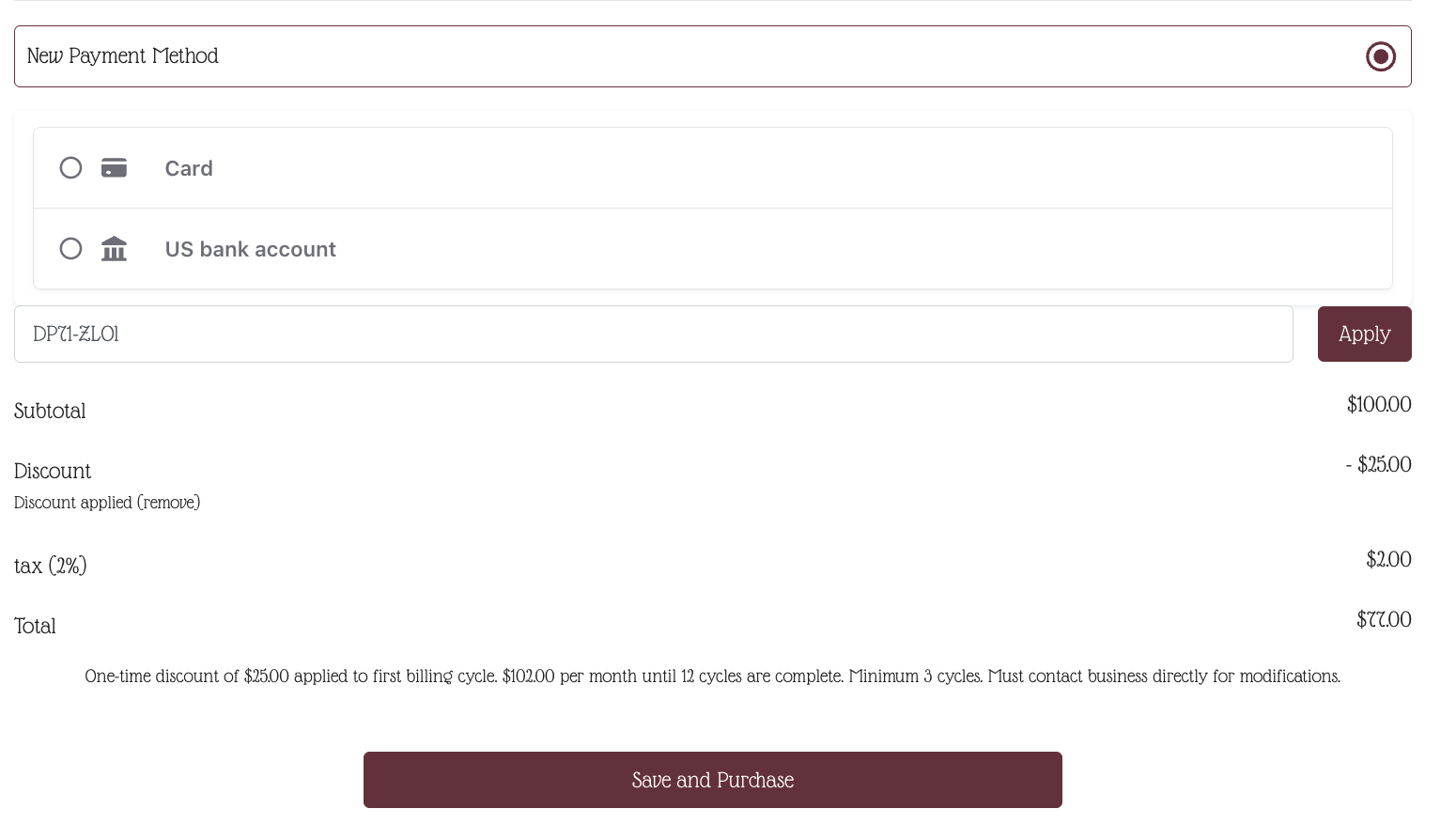
Client-initiated: At checkout, clients enter the gift card code in the promo code/gift card field.
Staff-initiated: At the point of sale, enter the gift card code to apply the balance to the current transaction.
Physical gift cards
If you sell physical gift cards in-person (like plastic cards with printed codes), clients redeem them at checkout by entering the code. Configure redemption in your point of sale settings. If you would like to order custom, physical gift cards through Arketa, follow the process outlined below:
-
Fill out the Google form:
- Merchant Name
- Contact Name
- Phone Number
-
Arketa will connect you with the Gift Card Team — you'll receive an email with next steps from lena.thomas@mycardmarket.com
-
You will order gift cards
-
They arrive in 4–6 weeks
-
You can sell them at the studio and load them up right behind the desk!
You do not need a physical terminal to issue and redeem physical gift cards — you can do so through the dashboard POS at checkout using the code on the gift card.
- To issue: Add a gift card to the cart and fill in the code where it says "enter barcode".
- To redeem: Click the Add gift card or promo code button under the cart total and enter the barcode on the gift card.
Tracking gift card balances
Gift card balances are tracked per code. You can view outstanding gift card balances in your Gift Cards report, which shows total sold, redeemed, and remaining balances.
Gift card balances auto expire 5 years post purchase unless you configure a different expiration in the Gift Card balances report.