
Download videos from your library
Download a copy of any video you've uploaded to your on-demand library.
You can download any video you've uploaded to Arketa. This is handy for keeping your own backup copy of the original source file.
Download a video
- Log in to your dashboard (Google Chrome recommended)
- Go to Products → On-Demand Video
- Click the three dots on the far right of the video you want, then click Edit
- Under Video file, click Download below the video preview

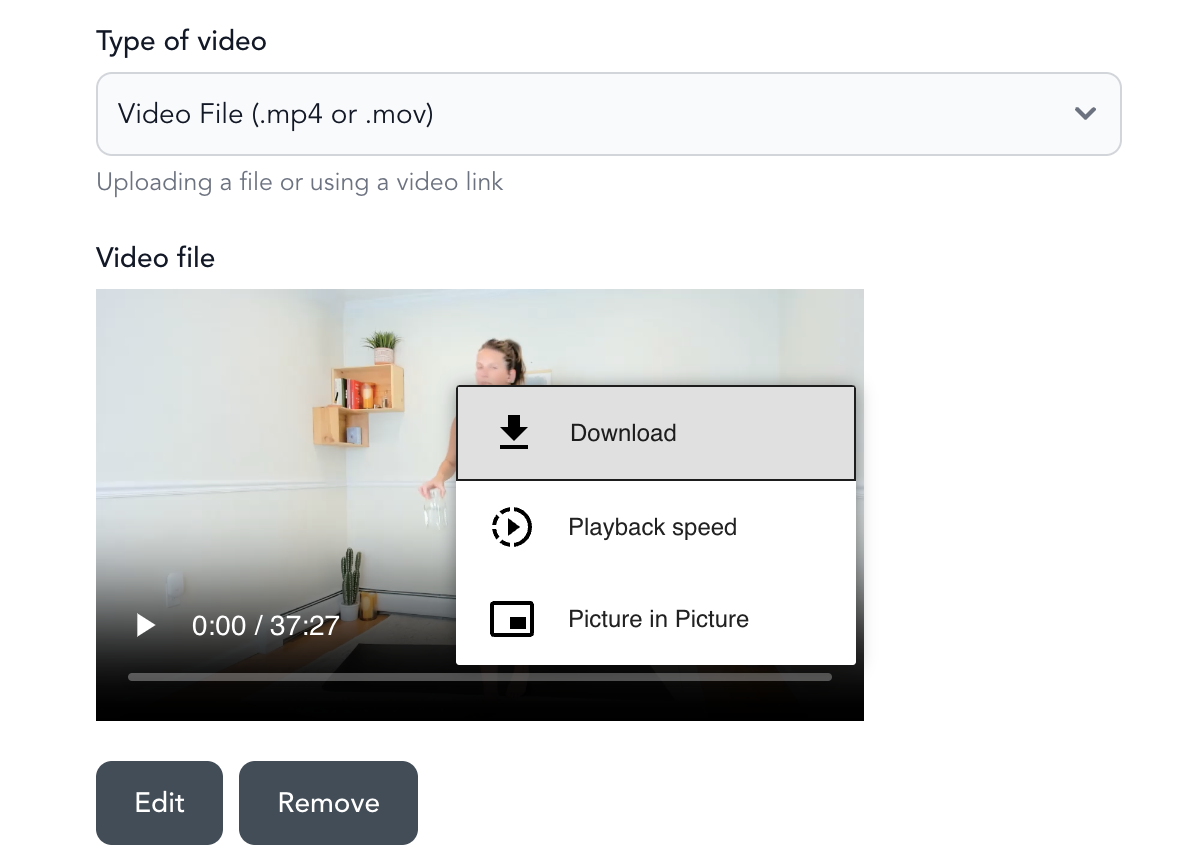
The file downloads to your computer in the same format it was uploaded in.
Good to know
This works for videos you uploaded as files. Videos linked from YouTube or Vimeo aren't stored by Arketa, so there's nothing to download here — get those from the original source instead.
Google Chrome gives the most reliable download experience, so use it if a download doesn't start in another browser.
Keep your own master copies backed up somewhere safe so your Arketa library isn't your only copy of a video.
To edit, share, or remove videos, see edit, share, and delete videos.