Marketing dashboard
See how your business performs across the customer journey — track leads, customers, members, and revenue by source, plus lifecycle transitions.
The Marketing dashboard gives you a clear snapshot of how your business is performing across the entire customer journey — from lead generation through membership renewals and beyond.
Open the Marketing dashboard
Go to Marketing → Dashboard to see a snapshot of performance across the full customer journey.
The Marketing dashboard is included with the Marketing Suite add-on. If you're interested, start a free trial from your dashboard or reach out to the support team to get started.
Lead stages
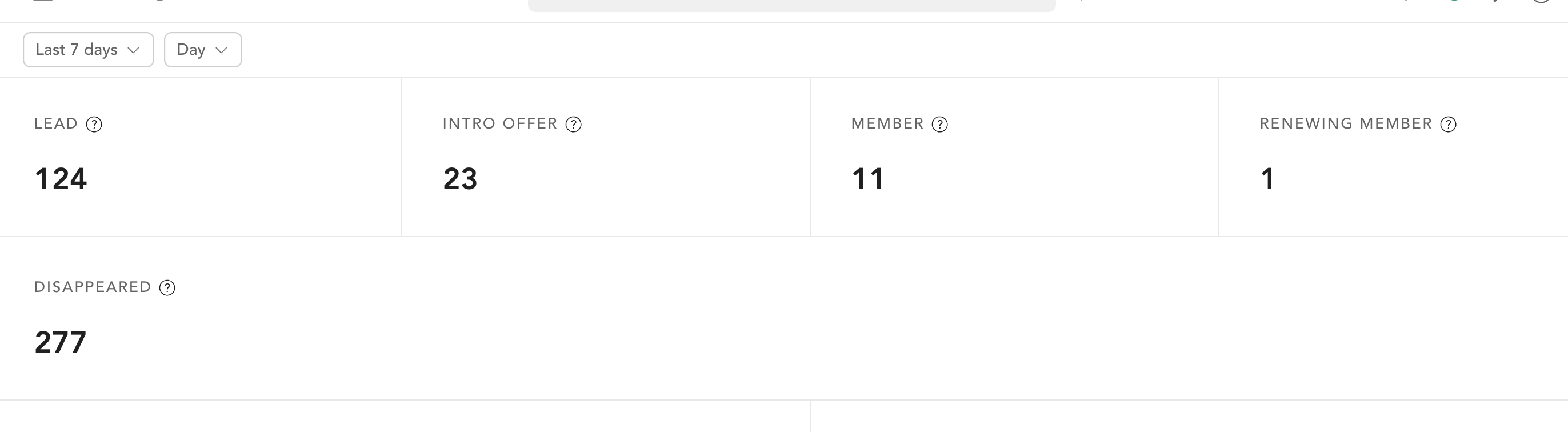
At the top of the dashboard, you'll see how many clients sit in each of your lifecycle stages — a quick read on where potential clients are in your sales process. If you haven't set up lifecycle stages yet, the dashboard shows Set Up Lifecycle Stages instead of data.
To set up the stages and the rules that move clients between them, see:
Lead management
Add lead stages and track leads through your sales process.
Lifecycle stages
Configure the automated transitions between stages.
Leads, customers, and members by source
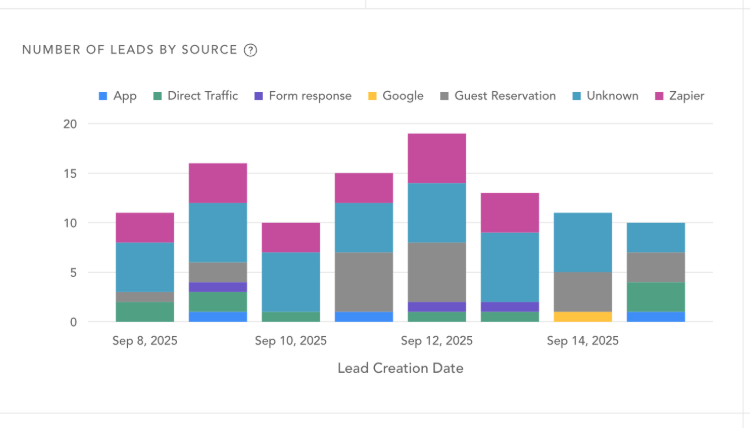
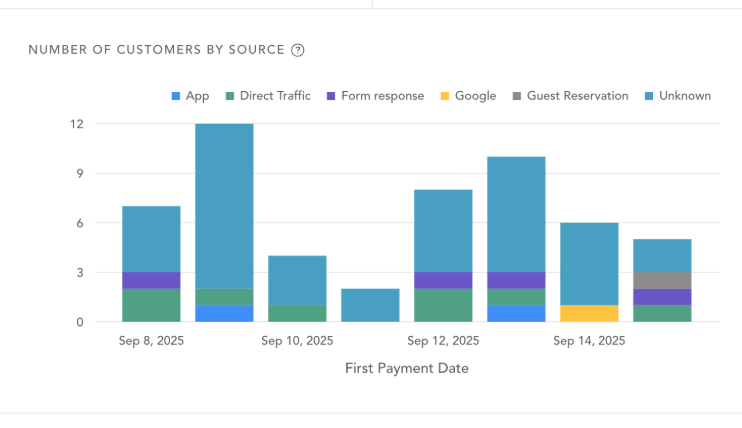
These charts break down who's coming into your business and where they came from — app, direct traffic, Facebook, and other sources.
Number of Leads by Source The count of leads by where they came from. A lead is someone who entered your client list but hasn't made a purchase yet.
Number of Customers by Source The count of customers by source. A customer is someone who has made a purchase.
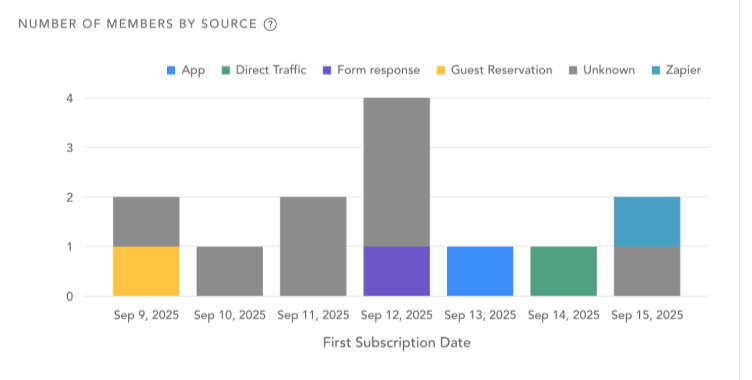
Number of Members by Source The count of members by source, so you can see which sources typically convert to a membership. A member is someone who owns a membership or subscription.
Revenue by source
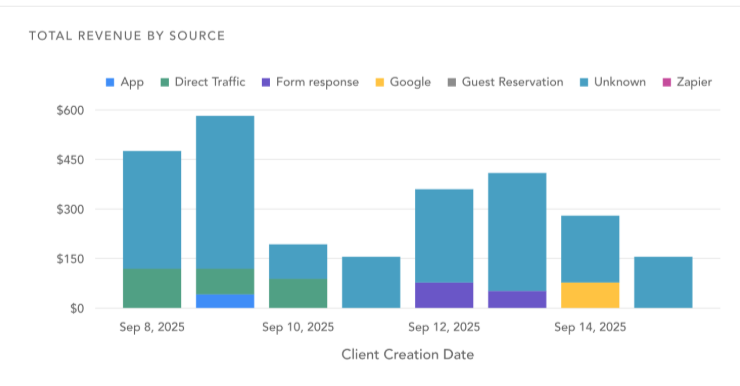
Total revenue by Source A bar chart showing total revenue broken down by source and date.
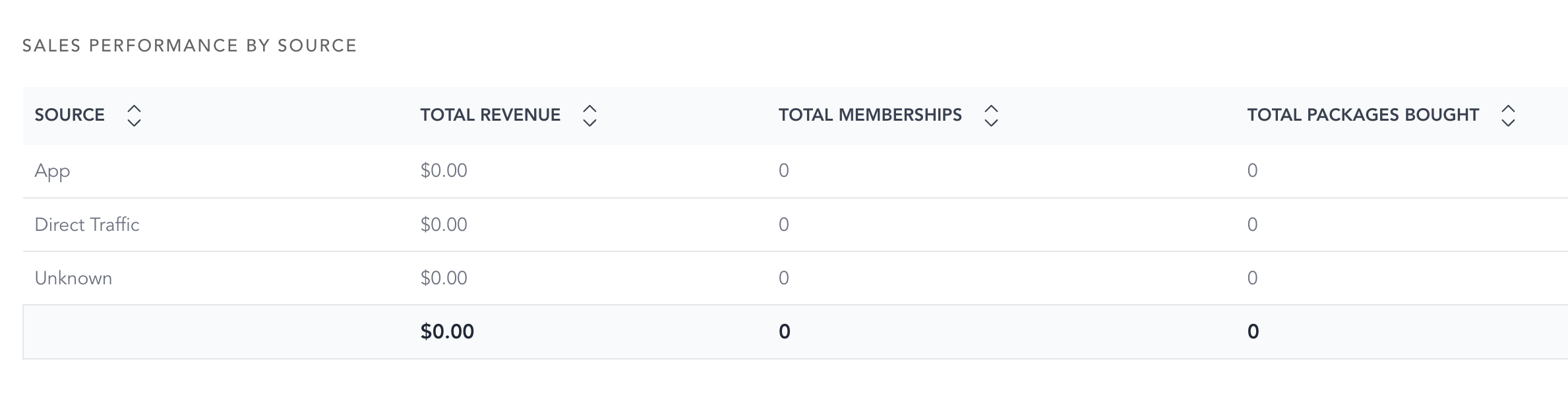
Sales Performance by Source The same data in table form. Alongside the revenue breakdown, it includes totals for revenue, memberships, and packs.
Lifecycle stage transitions
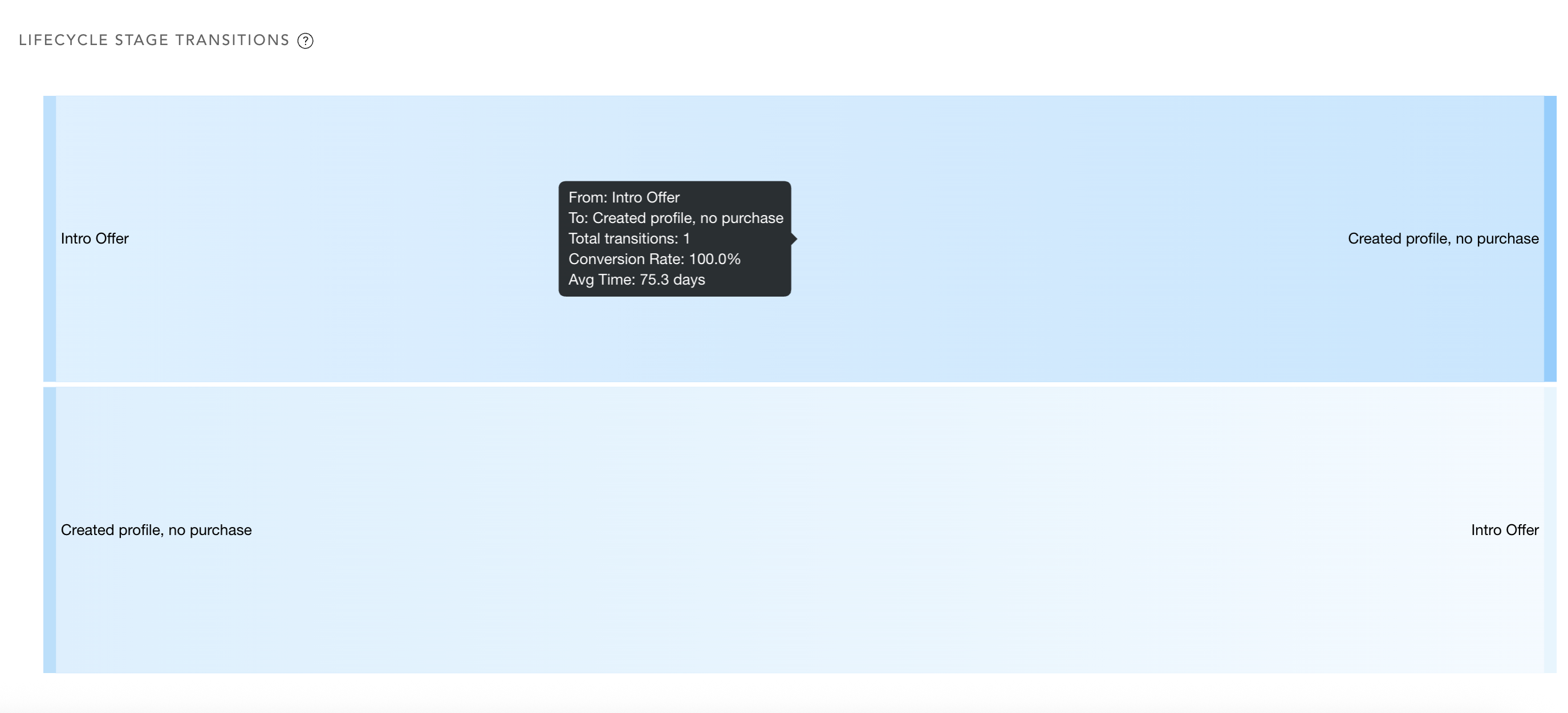
A flow visualization showing how clients move between lifecycle stages. Hover over any section of the flow to see the metrics for that transition.